
A technical SEO audit in the right order, without drowning in jargon
A technical audit checks whether search engines can reach the page, keep it in the index and understand which URL is authoritative. Start with the obvious blockers. The rendered DOM comes later, when a simpler signal needs an explanation.
Four terms before we start
The vocabulary, in plain language
HTTP status
The server result: 200 works, 301/302 redirects, 404 is missing, 5xx means server failure.
Robots directive
An instruction that can allow or prevent indexing and link following.
Canonical
The URL declared as the main version when several URLs are similar.
Rendered DOM
The final page structure after JavaScript has finished modifying it.
Step 01
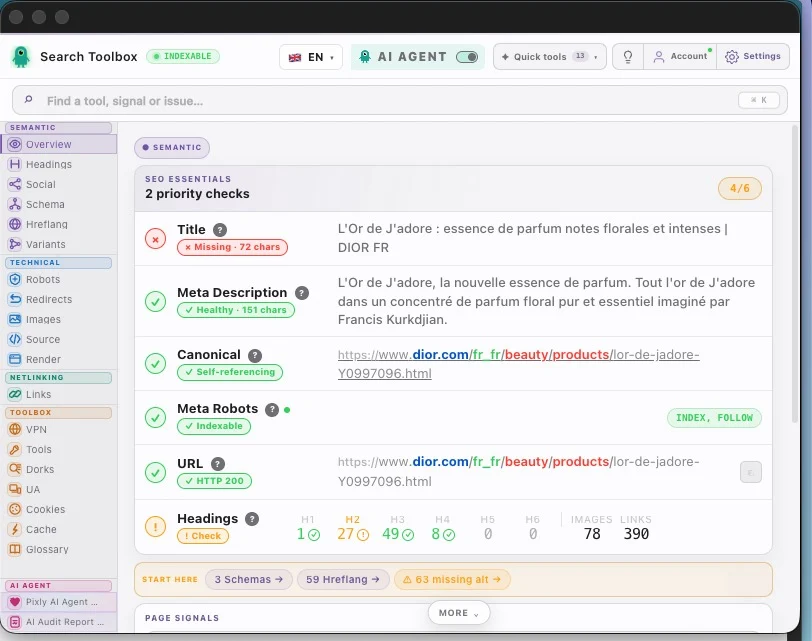
Confirm the final URL and HTTP response
Open the exact page in the real session, then read Overview. A 200 response means the server delivered a page. It does not yet mean that Google may index it.
In Search Toolbox
Record the URL after every redirect and the status shown by the tool.
Step 02
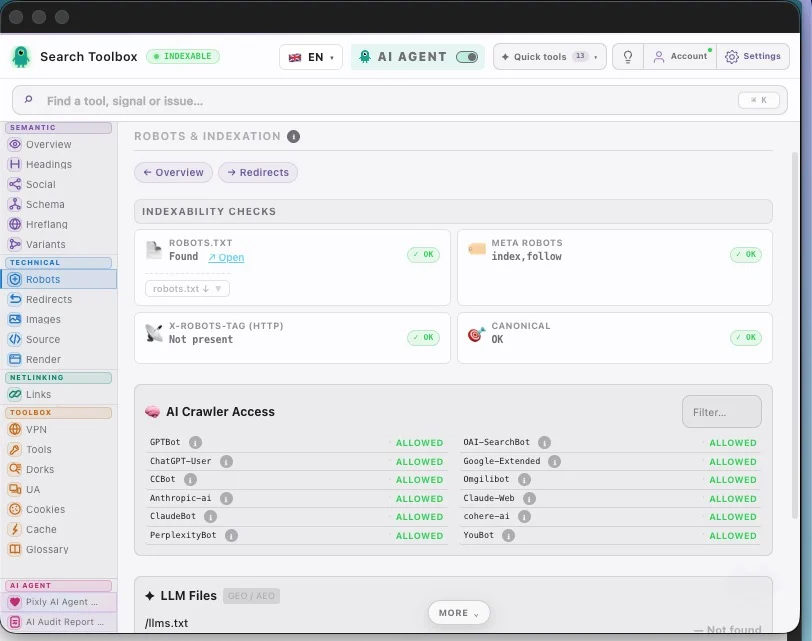
Check whether indexing is allowed
Open Robots. Meta robots and X-Robots-Tag can say index or noindex. The canonical should identify the main URL. These signals must agree before you polish anything else.
In Search Toolbox
Treat noindex on an important page or a canonical pointing elsewhere as a blocker.
Step 03
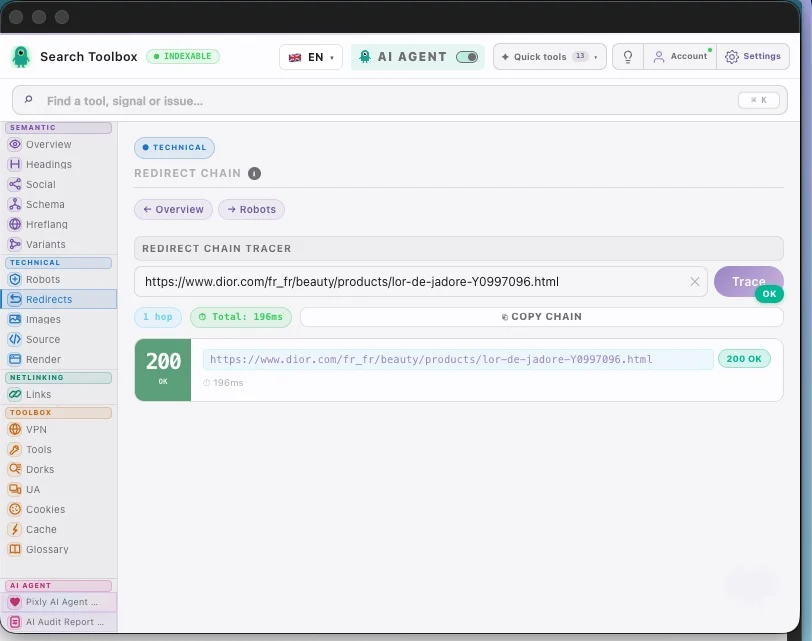
Trace redirects without trusting the green 200 alone
A redirect check follows every hop to the final URL. The example below ends in one hop and a 200 response, but the HTTP header still says noindex, nofollow. A successful response and an indexable page are different things.
In Search Toolbox
The final destination should normally return 200, be indexable and use a coherent self-canonical.
Step 04
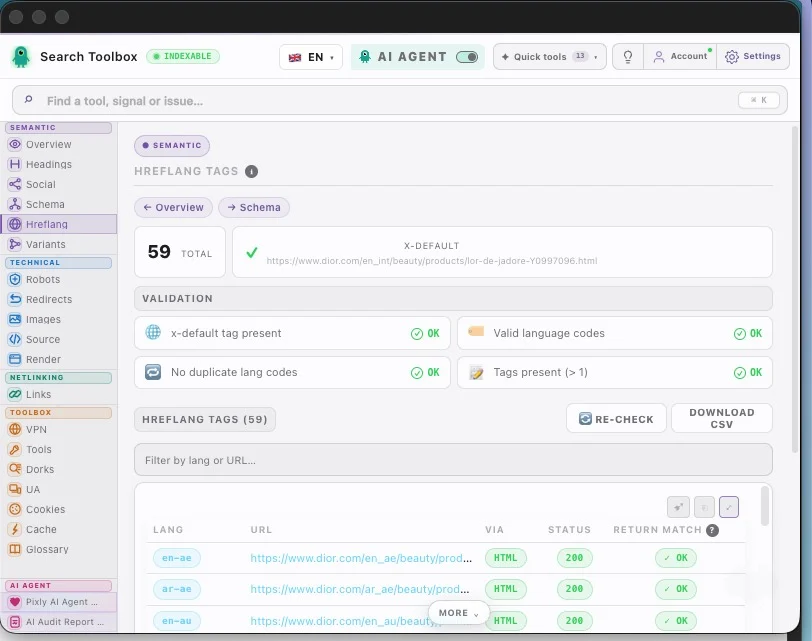
Check international signals only when they exist
For a multilingual page, Hreflang checks language codes, response status and return links. For a single-language page, skip it. Technical SEO is not a checklist competition.
In Search Toolbox
Fix broken target URLs and missing return links before debating small wording changes.
Step 05
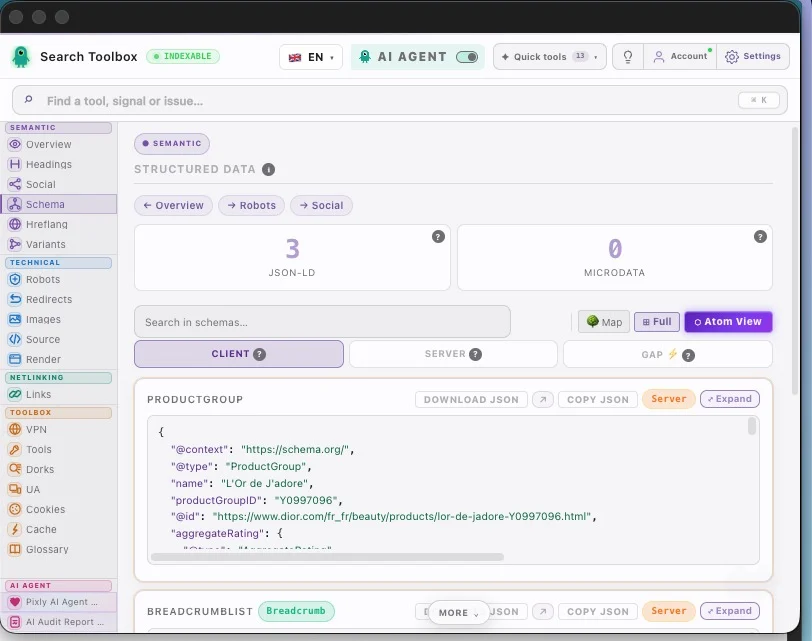
Validate structured data on the live page
Schema is technical evidence about entities such as Article, Product or FAQPage. Check the detected types, missing properties and duplicates. A CMS setting is not proof that the final page is correct.
In Search Toolbox
Compare detected types, review counts and breadcrumb depth in the final rendered page.
Step 06
Open Render last, when a contradiction remains
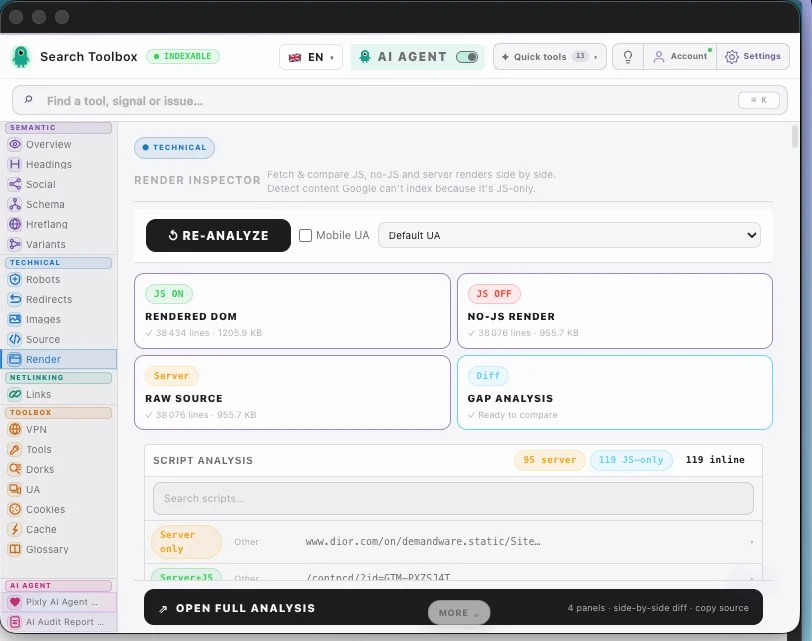
The rendered DOM is the final structure after JavaScript. Use it when Overview, Robots or Schema reports something that the source code cannot explain. It is a diagnostic magnifying glass, not the front door of the audit.
In Search Toolbox
Compare source and rendered counts, then investigate only the tag or block that changed.
The useful result
A useful technical audit ends with a short ordered list: blockers first, URL-consistency problems second, rendering investigations third. “We found 27 warnings” is not a diagnosis.
Apply it to your site
Guide read. Now choose the real use case.
These workflows apply the method to real CMS failure modes and show which page and Search Toolbox panel to inspect next.
WordPress SEO Audit Beyond the Plugin Dashboard
Themes, page builders and multiple plugins can duplicate or overwrite otherwise correct SEO settings.
Open workflowNext.js and React SEO Audit: Source, Render and Hydration
The first load can be correct while client navigation leaves stale titles, canonicals or structured data.
Open workflowUsing another CMS or looking for one specific check?
The directory brings every use case, free tool and troubleshooting guide together.
Frequently asked questions
Is this a full-site technical audit?
No. It is a deep audit of the active URL. Test representative pages and use a crawler for site-wide coverage.
When should I inspect the rendered DOM?
After simpler checks reveal a contradiction, especially with JavaScript-injected metadata, content or JSON-LD.
Continue the audit
A small semantic SEO audit: check whether a page says the right thing
Complete page-audit guide
Audit a page step by step
At the end, each finding should fit into one of three boxes: blocks crawling/indexing, sends authority to the wrong URL, or needs deeper rendering investigation.