Product and collection canonicals
Inspect the signal in the rendered page.

Search Toolbox helps you audit the Shopify template behind hundreds of product or collection URLs, directly on the live page. The goal is template-level fixes that improve an entire product family instead of one URL, without hiding the evidence behind one overall score.
Shopify merchants, ecommerce SEOs and theme developers
What you can verify
Inspect the signal in the rendered page.
Compare source code with the browser output.
Find contradictions that block indexation.
Export evidence your team can act on.
The observable problem
The useful outcome
CMS problems to diagnose
Shopify handles many SEO defaults well, but themes, apps and catalog scale can make the final storefront contradict the admin. Search Toolbox reads that final output — the version shoppers and crawlers actually receive.
What you observe
A product can be linked with ?variant= parameters while filters, sorting and pagination expose many collection combinations. A canonical alone does not fix internal links pointing everywhere.
Inside Search Toolbox
Open Variants, Links and Robots. Compare the canonical with URLs used by swatches, recommendations, pagination and collection filters.
The useful decision
Keep indexable combinations only when they answer a distinct demand; otherwise link directly to the preferred product or collection URL.
What you observe
The theme, review app and feed app may each output Product or Offer with different price, stock or review values.
Inside Search Toolbox
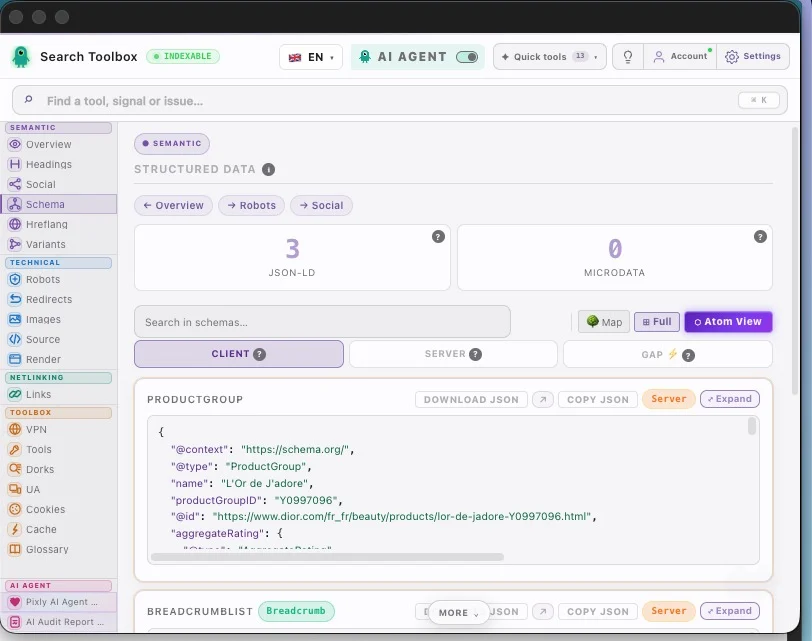
Open Schema and identify every Product, Offer, AggregateRating and BreadcrumbList. Compare their values with the visible product.
The useful decision
Choose one authoritative Product graph and disable the duplicate at its source instead of hiding the warning downstream.
What you observe
A localized page can point its canonical to the main market while hreflang still lists every market, or a market redirect can intercept crawlers.
Inside Search Toolbox
Use Hreflang, Overview and Redirects on one product per market. Confirm 200 responses, self-canonicals and reciprocal return links.
The useful decision
Each market URL should be independently useful and canonical to itself before hreflang connects it to equivalent versions.
From finding to strategy
Do not inspect 300 products at random. Sample the templates that can spread one mistake across the catalog.
Test one standard product, one variant-heavy product, one out-of-stock item and two collection types.
Group findings by theme, app or content entry so the fix targets the component that emits the signal.
Reload the same sample URLs after the fix and export the evidence before applying it to every market.
Guides to open during this audit
Open the real page, run the named checks and keep before-and-after evidence. That is more useful than a score turning green without saying why.
Install for freeEvidence on the real page
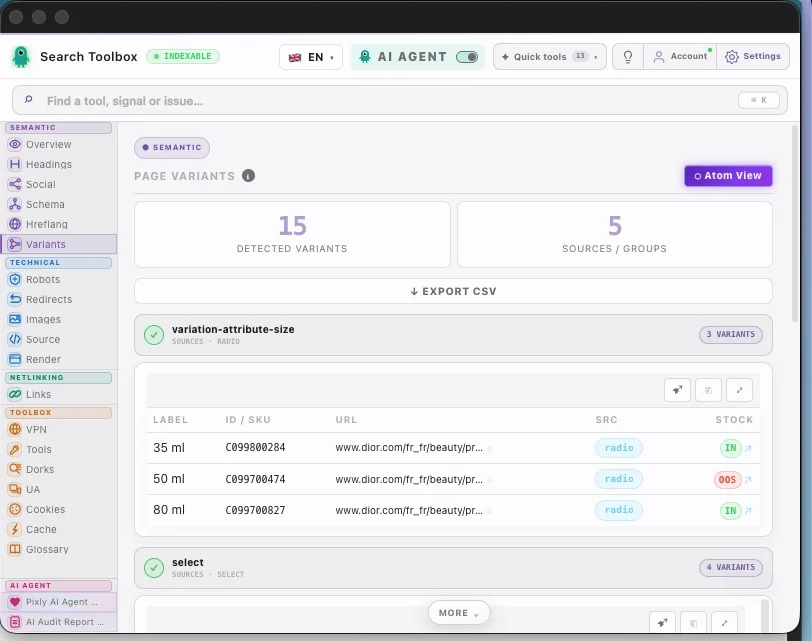
Check the Shopify SEO audit in the real session, staging environment or localhost — preferably the troublesome page, not the perfectly groomed demo.
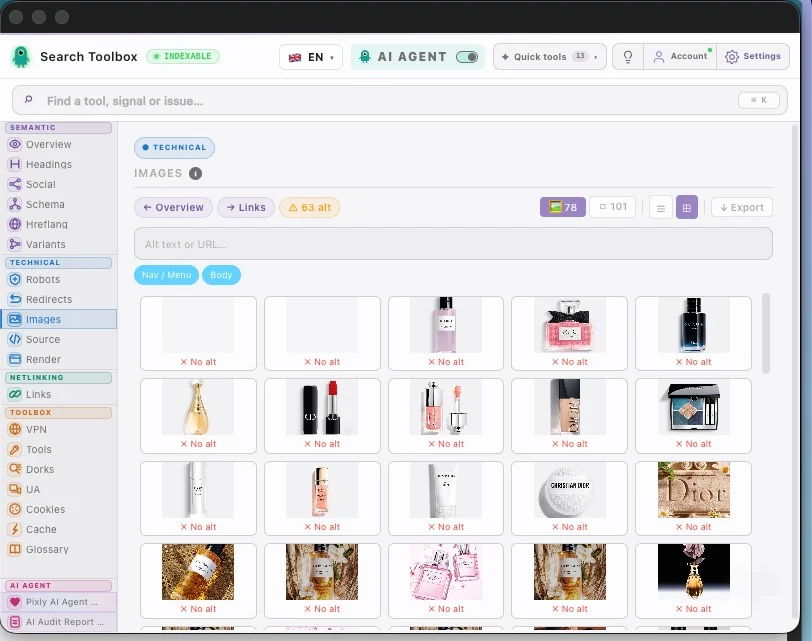
Check product and collection canonicals, variant and parameter urls, product and breadcrumb schema, images, internal links and rendered metadata and connect signals that contradict each other.
Aim for template-level fixes that improve an entire product family instead of one URL. Change one rule at a time, then repeat the exact same check so you know what actually moved.
For the Shopify SEO audit, Search Toolbox inspects the active URL deeply. It is not a full-site crawler, backlink platform or rank tracker. Test several URLs when the issue comes from a template.
Variant parameters can expose several URLs for one product. Shopify normally adds a canonical to the primary product URL, but theme code, apps and internal links can still send conflicting signals. Audit the rendered canonical and the links used by swatches, recommendations and collections.
Usually, yes when the product will return and the page still helps shoppers. Keep the URL live, explain availability and offer relevant alternatives. For a permanently discontinued product, choose between a useful replacement, a 301 redirect or a genuine 404/410 instead of redirecting everything to the homepage.
Inspect the rendered JSON-LD, not only the theme file. Confirm that Product, Offer, price, currency, availability and review data describe the visible product. Watch for duplicate Product entities added by both the theme and an app, especially when their prices or availability disagree.
Filter, sort and pagination parameters can multiply crawlable URLs. Check which combinations are internally linked, canonicalized and blocked from crawling. Keep valuable collection pages discoverable, but avoid creating thousands of near-identical indexable combinations with no distinct search intent.
Each localized market URL should be self-canonical and connected to its valid alternatives with hreflang. Shopify can generate these signals automatically when markets use distinct domains, subdomains or subfolders; the audit verifies that theme or app changes have not broken the final output.
The page-level checks are included in Search Toolbox’s 60+ free tools. It inspects the active product, collection or content page deeply; it is not a full-store crawler. Sample several URLs from each template to distinguish a one-off content issue from a catalog-wide template bug.
Manual checks for the Shopify SEO audit are included in the 60+ free tools. Only the optional contextual SEO Expert uses credits.