SEARCHTOOLBOX
301
SEARCHTOOLBOX
JSON-LD
SEARCHTOOLBOX
SEARCHTOOLBOX
SEARCHTOOLBOX
SEARCHTOOLBOX
SEARCHTOOLBOX
SEARCHTOOLBOX
SEARCHTOOLBOX
SEARCHTOOLBOX
SEARCHTOOLBOX
SEARCHTOOLBOX
SEARCHTOOLBOX
SEARCHTOOLBOX
SEARCHTOOLBOX
SEARCHTOOLBOX
SEARCHTOOLBOX
301
SEARCHTOOLBOX
JSON-LD
SEARCHTOOLBOX
SEARCHTOOLBOX
SEARCHTOOLBOX
GSC
SEARCHTOOLBOX
H1
301
ALT
SEARCHTOOLBOX
SSL
HTTPS
SEARCHTOOLBOX
GSC
SEARCHTOOLBOX
H1
SEARCHTOOLBOX
ALT
SEARCHTOOLBOX
SEARCHTOOLBOX
HTTPS
SEARCHTOOLBOX
GSC
SEARCHTOOLBOX
Back to Home
Changelog

Latest features & improvements.

Discover every new feature, UX improvement, and bug fix shipped in Search Toolbox — version by version.

Latest release2026-07-26

v1.1.0

Less clutter in Quick tools, and a search bar that finds anything instantly

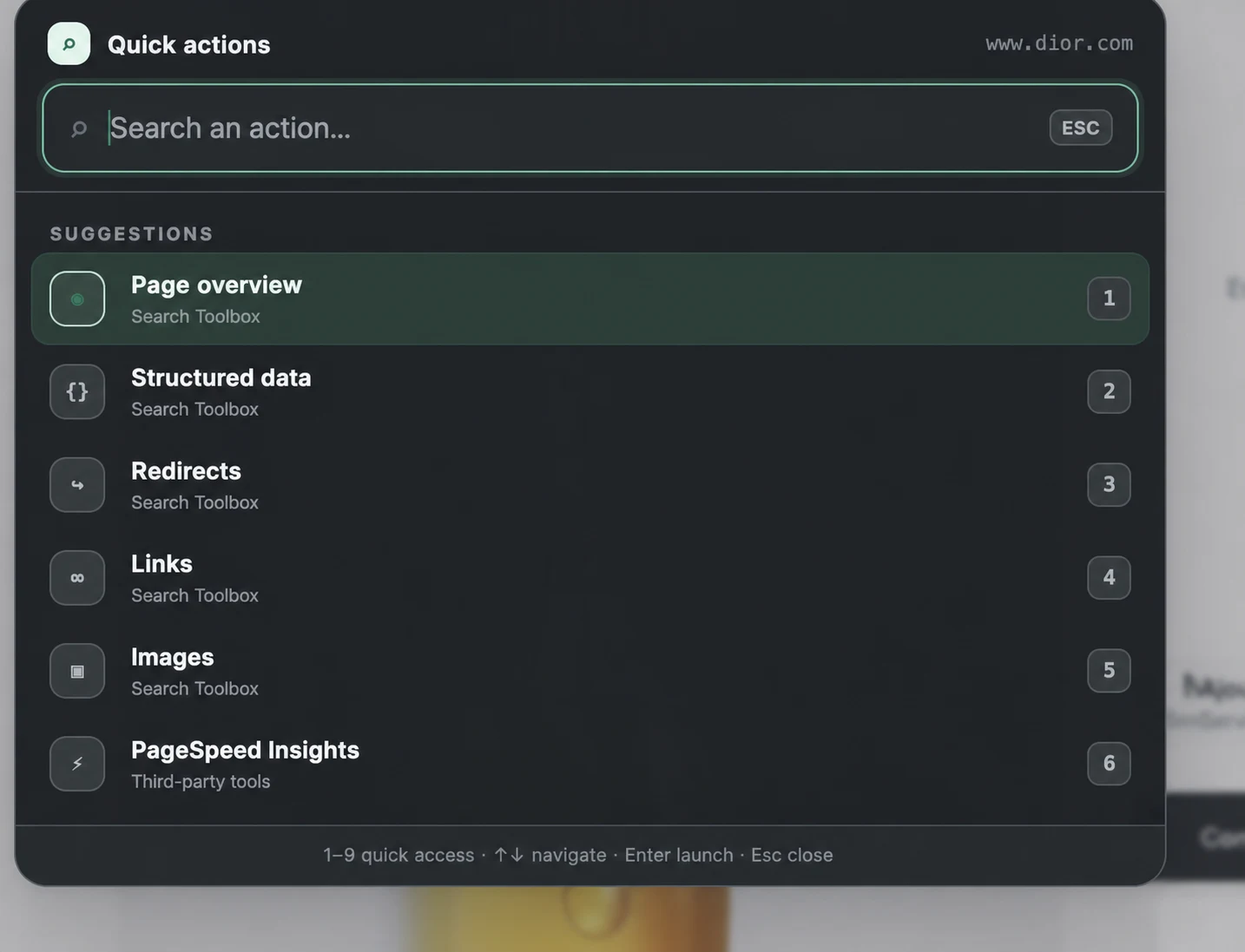
Quick tools no longer repeats what’s already in the sidebar: Hreflang, Redirects, Schema and Variants were removed from the menu, leaving only what’s genuinely exclusive to it. A reminder for anyone who missed it: the search bar at the top of every panel finds any tool, signal or issue by name or by what it does — type a few letters and jump straight there.

Visual proof
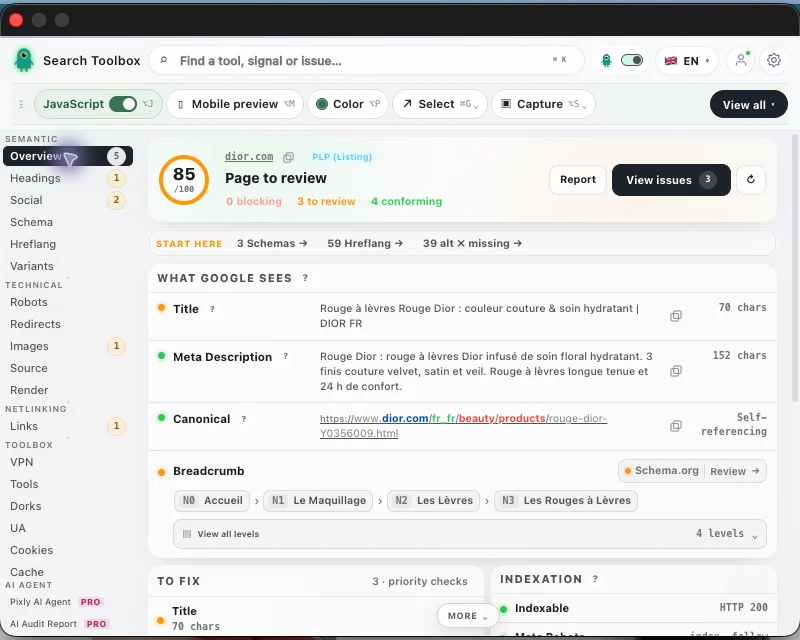
Search Toolbox Overview panel with the “Find a tool, signal or issue” search bar at the top.
The search bar sits at the top of every panel — always one click, or one ⌘K, away.
Search Toolbox global search results for “sche”, instantly surfacing Schema, Cache and Screenshot with an “Easy search” callout.
A few letters are enough: “sche” instantly surfaces Schema, Cache and Screenshot.
A leaner, more focused Quick tools menu
No more duplicate shortcuts: Hreflang, Redirects, Schema and Variants were removed from Quick tools — they already live in the sidebar one click away, so listing them twice only added noise.
What’s left is genuinely exclusive: Inspector, Sitemap and Robots stay in Quick tools alongside the always-on page tools, since none of them duplicate a sidebar tab.
Your fastest way to any tool: search
Type a few letters, land on the right panel: the search bar at the top finds tools, signals and issues by name or by what they check — “sche” instantly surfaces Schema, Cache and Screenshot.
One shortcut to remember: ⌘K (Ctrl+K on Windows) focuses the search from anywhere in the popup, so the right tool is never more than a few keystrokes away.
v1.0.742026-07-23

v1.0.74

Analysis loads reliably every time, and key panels are easier to read

Fixed an intermittent failure that could leave the header stuck mid-load right after opening the popup, and polished several panels for clarity: full-length Title and Meta Description in Overview, color-coded flags on the Headings panel, and wider, easier-to-tap sidebar icons.

v1.0.732026-07-23

v1.0.73

SEO states and feature families are easier to scan

Semantic, Technical, Netlinking, Toolbox and AI areas now keep a consistent color identity across navigation, search and panels, while key Overview signals use clearer health badges.

v1.0.722026-07-23

v1.0.72

Every navigation tool stays visible

The standalone window now uses its full available height, while shorter native popups automatically compact the sidebar so no feature icon is clipped.

v1.0.712026-07-23

v1.0.71

Variant groups stop hiding their labels

The Variants panel now uses explicit, readable group headers and stronger table controls, while filtering technical JSON payloads that could be mistaken for product names.

v1.0.702026-07-23

v1.0.70

Social tags become readable at a glance

The Social panel replaces its empty-looking title bar with a clear Open Graph and Twitter Card health scan, while keeping every detected tag and preview available below.

v1.0.692026-07-23

v1.0.69

Section headings are readable again

A legacy transparent text-fill rule could hide section names after the interface harmonization. Validation, Hreflang Tags and matching headings now remain clearly visible in every panel.

v1.0.682026-07-23

v1.0.68

Account and Settings stay one click away

The Account and Settings buttons are permanently visible in the top bar instead of being hidden inside Quick tools, while secondary page actions remain neatly grouped.

v1.0.672026-07-23

v1.0.67

Meta Robots becomes clearer and heading counts explain what matters

Overview removes the redundant H1 1/1 row, surfaces the effective Meta Robots directives instead, and turns H1–H6 counts into meaningful SEO signals without treating optional heading levels as errors.

v1.0.662026-07-23

v1.0.66

Mobile Preview opens instantly and stays genuinely interactive

The simulator now loads the real responsive page first, without waiting for a slow HTML fallback. An explicit frame-health signal distinguishes a working cross-origin page from a browser error, while protected sites still keep bounded fallbacks.

v1.0.652026-07-23

v1.0.65

Find tools faster, read the essentials sooner, and preview mobile pages for real

Search Toolbox becomes easier to navigate without removing any audit feature: a multilingual tool finder and clearer Overview organize the experience, while richer Microdata inspection and an interactive fallback make advanced checks more reliable.

v1.0.512026-07-19

v1.0.51

Pixly stays put, long URLs stay readable, and the chat stays on screen

A focused reliability patch for Pixly’s saved position, its attached URL shortcut bar, and the way the chat chooses the usable space around the mascot.

v1.0.52026-07-17

v1.0.5

Pixly moves, the URL bar behaves, and domain blocking sticks

Pixly is now draggable and less intrusive, with persistent URL bar preferences, temporary and permanent hide controls, and a reliable blocklist shared with Settings.

v1.0.42026-07-16

v1.0.4

One switch now hides the full on-page extension layer

This reliability patch makes the global display control apply immediately to both Pixly and the URL widget, while preserving clearer SEO status warnings.

v1.0.32026-07-16

v1.0.3

Login fixed, clearer AI Agent control, update notes that open themselves

This patch fixes sign-in, makes the AI Agent visibility switch much easier to spot in the header, and opens the latest changelog automatically after an update.

v1.0.22026-04-15

v1.0.2

AI audit reports and GEO analysis

Automated SEO/GEO reports, shareable report pages, and stronger session handling across windows.

v1.0.12026-01-10

v1.0.1

Pixly AI expert and GEO signals

Context-aware AI assistance that reads live page scan data before answering.

v1.0.02024-04-03

v1.0.0

Initial release

60+ SEO analysis tools directly in the browser, free and without an account for the full technical toolbox.