Plugin metadata versus rendered output
Inspect the signal in the rendered page.

Search Toolbox helps you audit the final WordPress output rather than trusting plugin settings, directly on the live page. The goal is a template diagnosis based on the live page, not the admin checkbox, without hiding the evidence behind one overall score.
WordPress site owners, agencies and theme developers
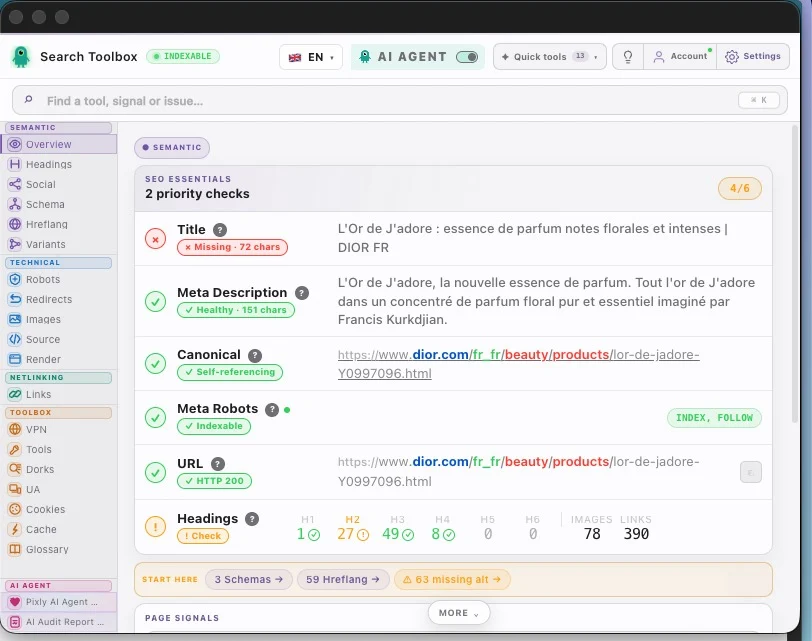
What you can verify
Inspect the signal in the rendered page.
Compare source code with the browser output.
Find contradictions that block indexation.
Export evidence your team can act on.
The observable problem
The useful outcome
CMS problems to diagnose
Yoast or Rank Math can save the right setting while the theme, page builder, cache or another plugin publishes something else. Audit the public output, not the reassuring green light in wp-admin.
What you observe
The editor shows a new title and canonical, but the live head still contains an old URL or a duplicate tag emitted by the theme.
Inside Search Toolbox
Open Overview and Robots after a hard reload. Then compare Source and Render only if the tags still disagree.
The useful decision
Purge the cache layer that owns the stale head, remove duplicate theme output and retest the public URL plus its old slug.
What you observe
Organization, Article, BreadcrumbList or Product can be emitted several times with different @id, author, price or review values.
Inside Search Toolbox
Use Schema to count entities and inspect their properties. The number in the plugin settings is irrelevant; the rendered graph is the evidence.
The useful decision
Assign one owner for each entity type and disable the other emitter at theme or plugin level.
What you observe
Tags, authors, dates, attachment pages and old permalink formats may remain linked, indexable or redirected through several hops.
Inside Search Toolbox
Check Links and Redirects on representative posts and archives, then confirm robots and canonical on every archive type you keep.
The useful decision
Keep an archive indexable only if it has a useful purpose; redirect old permalink patterns in one hop and update internal links.
From finding to strategy
One clean blog post does not validate every template. Build a short set of URLs that represents how WordPress generates the site.
Audit one post, one page, each public custom post type, one category, one tag and one paginated archive.
Map every issue to the component that can emit it: theme, SEO plugin, cache, page builder or ecommerce plugin.
Fix the template once, purge caches, then retest the same URL set in Search Toolbox before updating more content.
Guides to open during this audit
Open the real page, run the named checks and keep before-and-after evidence. That is more useful than a score turning green without saying why.
Install for freeEvidence on the real page

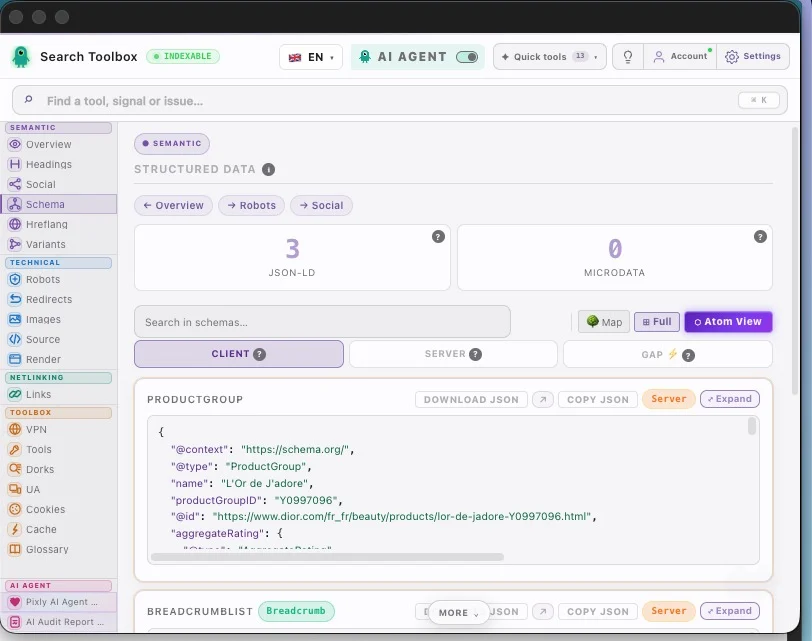
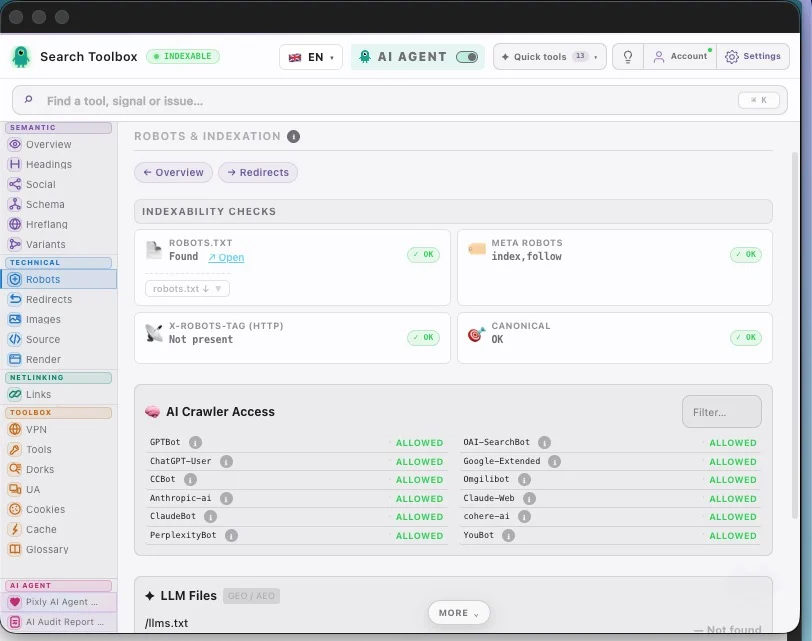
Check the WordPress SEO audit in the real session, staging environment or localhost — preferably the troublesome page, not the perfectly groomed demo.
Check plugin metadata versus rendered output, duplicate schema from theme and plugins, archive and pagination canonicals, robots, headings and internal links and connect signals that contradict each other.
Aim for a template diagnosis based on the live page, not the admin checkbox. Change one rule at a time, then repeat the exact same check so you know what actually moved.
For the WordPress SEO audit, Search Toolbox inspects the active URL deeply. It is not a full-site crawler, backlink platform or rank tracker. Test several URLs when the issue comes from a template.
A plugin controls settings, not every byte ultimately rendered by the theme, block editor, page builder, cache and other plugins. A live-page audit catches duplicate titles, conflicting canonicals, stale metadata and schema that looks correct in the dashboard but not in the browser.
Inspect the complete rendered JSON-LD graph and identify which component emits each entity. Themes, ecommerce plugins and SEO plugins can all add Organization, Article, Breadcrumb or Product markup. Keep one coherent entity graph and remove conflicting duplicates at their source.
Only when an archive has a clear purpose, unique value and useful internal links. Thin or overlapping archives often create crawl noise and compete with stronger pages. Decide by archive type, then confirm the live robots directive, canonical, pagination and sitemap inclusion.
Yes. Templates, optimization plugins and cached head markup can duplicate or preserve an old canonical after a migration or slug change. Compare source HTML with the rendered DOM, purge the relevant caches, then retest the public URL and common variants.
Verify the final URL, one-hop 301 redirects from every important old pattern, self-referencing canonicals, internal links and XML sitemap entries. Also test media, category and paginated URLs: a clean-looking post URL does not guarantee the rest of the rewrite rules survived.
The page-level checks are part of Search Toolbox’s 60+ free tools and run in the browser on the page you can access, including staging, localhost and authenticated sessions. It is not a full-site crawler, so sample every important post type and template.
Manual checks for the WordPress SEO audit are included in the 60+ free tools. Only the optional contextual SEO Expert uses credits.