Server-rendered HTML
Inspect the signal in the rendered page.

Search Toolbox helps you verify that server output, hydration and client navigation preserve the same SEO signals, directly on the live page. The goal is consistent crawlable output across first load, hydration and route changes, without hiding the evidence behind one overall score.
frontend developers, JavaScript SEOs and platform teams
What you can verify
Inspect the signal in the rendered page.
Compare source code with the browser output.
Find contradictions that block indexation.
Export evidence your team can act on.
The observable problem
The useful outcome
CMS problems to diagnose
A page can look perfect after hydration while crawlers first receive incomplete HTML or client navigation leaves metadata from the previous route. Search Toolbox compares those states in the same browser session.
What you observe
A hard reload shows the right title, but moving between routes leaves an old title, canonical or robots directive in the head.
Inside Search Toolbox
Open Overview after a hard reload, then navigate internally and open it again without refreshing.
The useful decision
Update metadata at route level and test both entry paths; the final head must describe the current route every time.
What you observe
The server outputs one entity and a client component appends another with a different @id or stale props.
Inside Search Toolbox
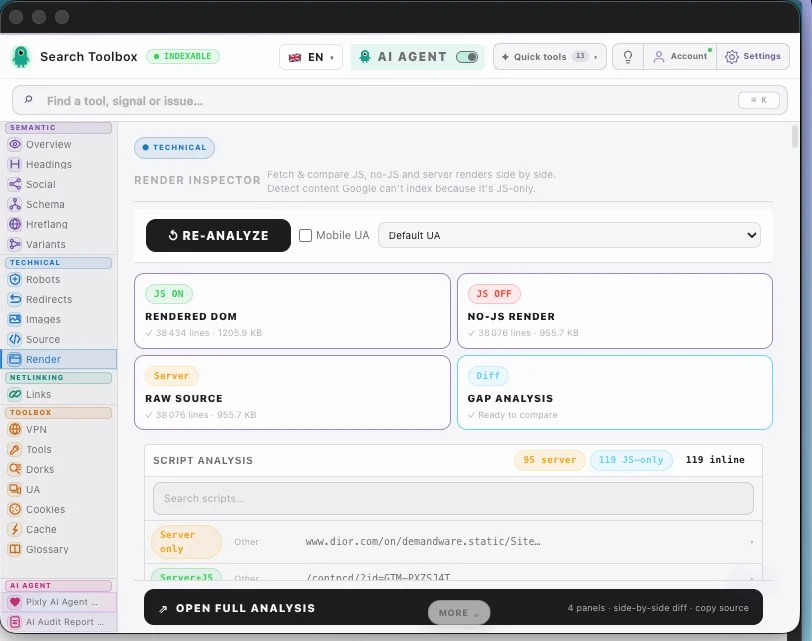
Use Schema, then Source versus Render to identify which layer creates each entity.
The useful decision
Generate one stable graph from the server or framework metadata layer and reuse stable @id values.
What you observe
Headings, internal links or copy can disappear from the initial HTML, or hydration errors can prevent them from reaching the final DOM.
Inside Search Toolbox
Start with Headings and Links. Use Render last to compare the initial source with the DOM and locate the missing block.
The useful decision
Server-render content required for discovery and meaning, then treat client rendering as enhancement.
From finding to strategy
JavaScript SEO bugs often depend on how a visitor reached the URL. Your sample must cover both a fresh document and client-side navigation.
Hard-load a dynamic route and record Overview, Schema, Headings and Links.
Reach the same route through an internal link and repeat the checks without refreshing.
Use Render only to explain a measured difference, then create a ticket naming the component and route transition.
Guides to open during this audit
Open the real page, run the named checks and keep before-and-after evidence. That is more useful than a score turning green without saying why.
Install for freeEvidence on the real page

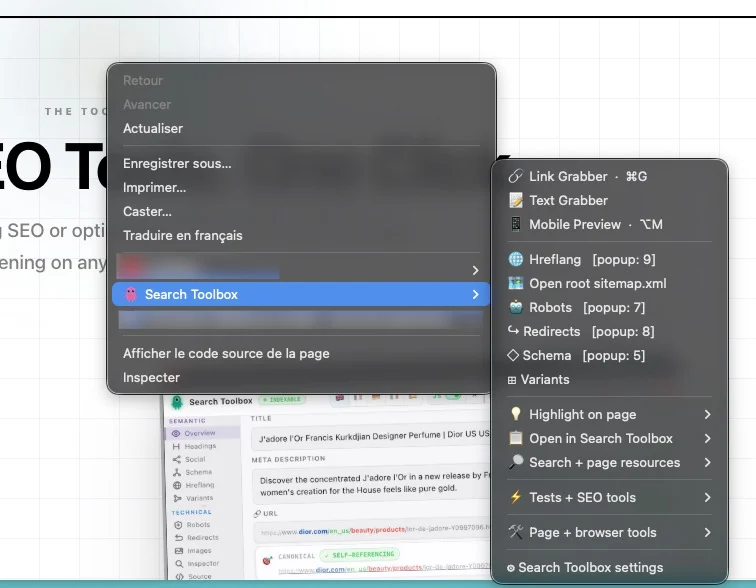
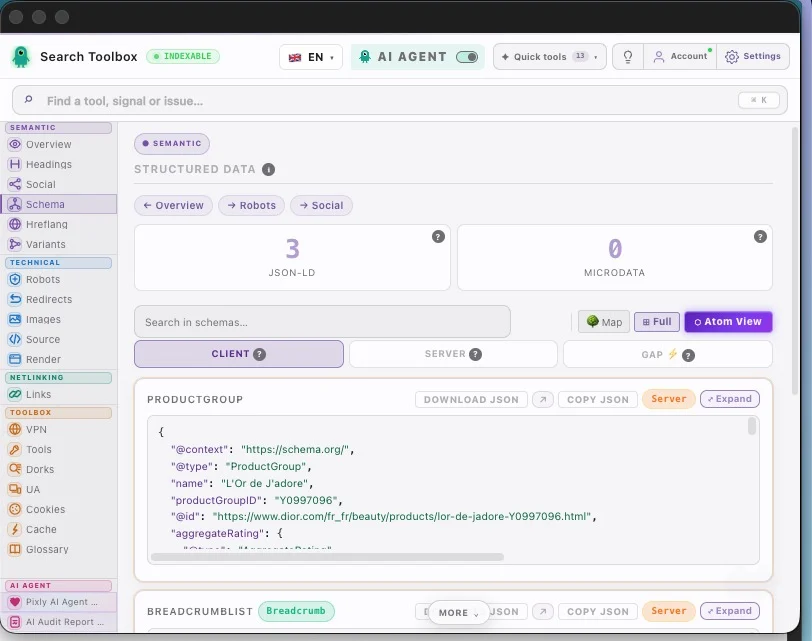
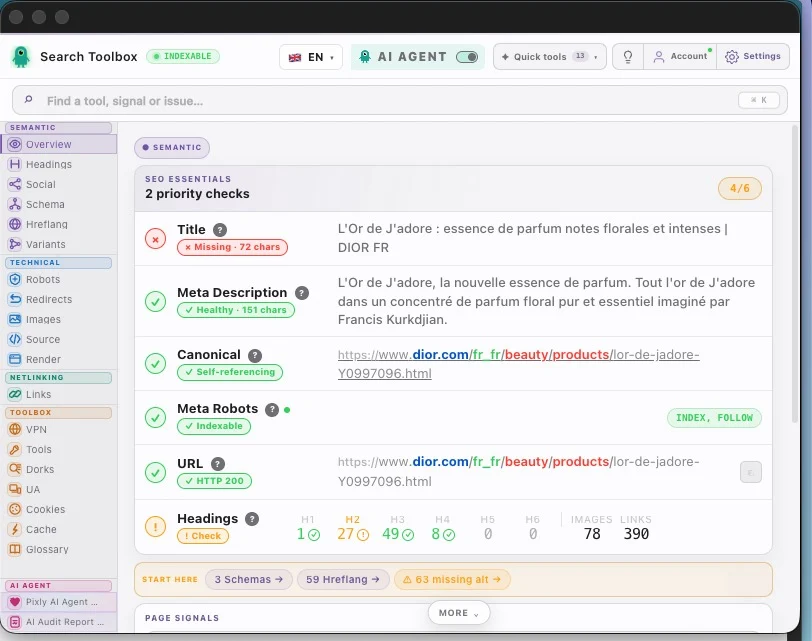
Check the Next.js React SEO audit in the real session, staging environment or localhost — preferably the troublesome page, not the perfectly groomed demo.
Check server-rendered html, hydration mutations, route-change metadata, canonical, schema and internal links and connect signals that contradict each other.
Aim for consistent crawlable output across first load, hydration and route changes. Change one rule at a time, then repeat the exact same check so you know what actually moved.
For the Next.js React SEO audit, Search Toolbox inspects the active URL deeply. It is not a full-site crawler, backlink platform or rank tracker. Test several URLs when the issue comes from a template.
It covers server-rendered html, hydration mutations, route-change metadata, canonical, schema and internal links to deliver consistent crawlable output across first load, hydration and route changes.
Manual checks for the Next.js React SEO audit are included in the 60+ free tools. Only the optional contextual SEO Expert uses credits.
Yes. The Next.js React SEO audit check runs on the page you are viewing, including logged-in sessions and non-public environments.
For the Next.js React SEO audit, Search Toolbox inspects the active URL deeply. It is not a full-site crawler, backlink platform or rank tracker. Test several URLs when the issue comes from a template.
Manual checks for the Next.js React SEO audit are included in the 60+ free tools. Only the optional contextual SEO Expert uses credits.