
A small semantic SEO audit: check whether a page says the right thing
A semantic audit does not ask whether the code is elegant. It asks whether the page gives a clear, complete and coherent answer to the person who landed on it. We will inspect meaning first and save technical archaeology for another guide.
Four terms before we start
The vocabulary, in plain language
Search intent
What the visitor is really trying to accomplish.
Semantic field
The useful concepts and vocabulary naturally connected to the topic.
Entity
A clearly identifiable thing: a product, person, company, place or concept.
Anchor text
The clickable words of a link. They should announce the destination.
Step 01
Write the page promise in one sentence
Before opening a tool, finish this sentence: “This page helps [audience] to [action].” If you need four lines, the page probably has several competing subjects.
In Search Toolbox
Keep that sentence next to you. Every title, section and link should support it.
Keep that sentence next to you. Every title, section and link should support it.
Step 02
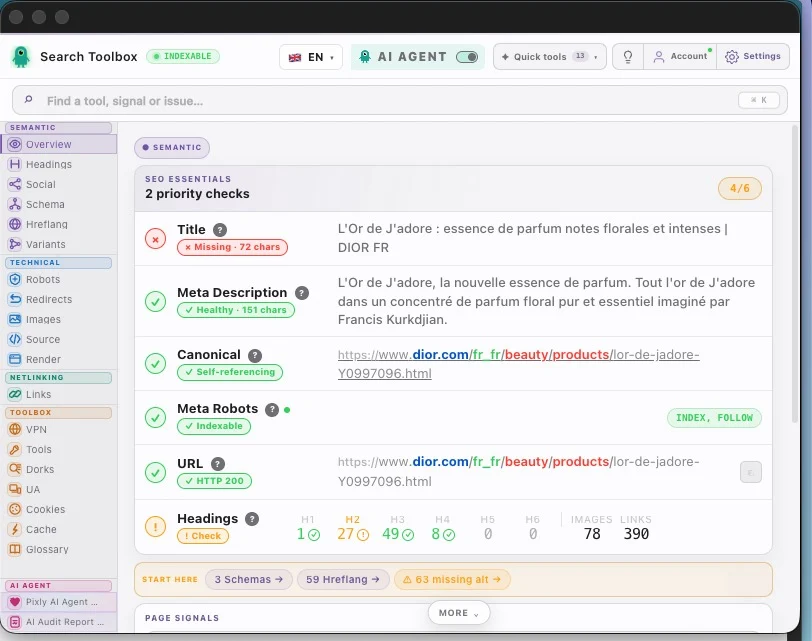
Check the promise in Overview
Open Overview and compare the title, meta description, URL and detected keywords. They do not need to repeat the same phrase, but they should describe the same page.
In Search Toolbox
If the title promises a guide but the introduction sells a product, fix the message before adding more keywords.
Step 03
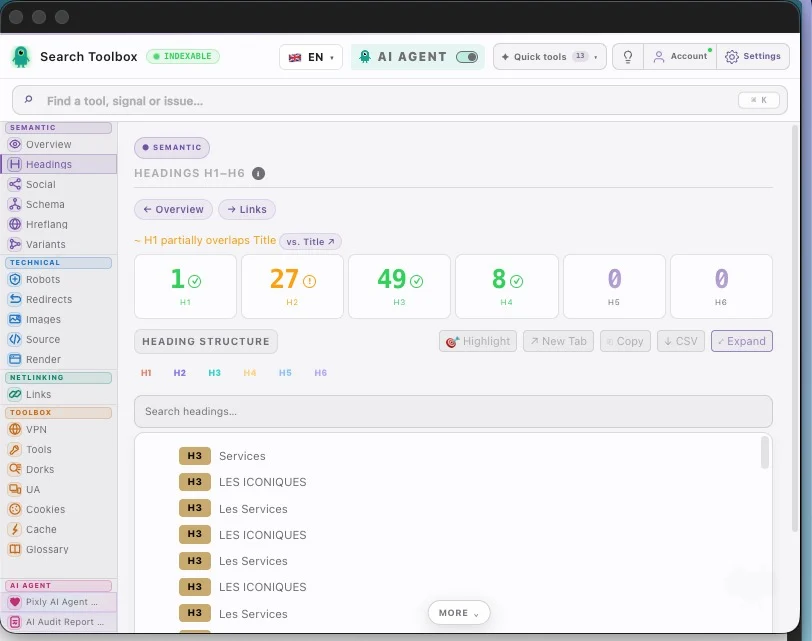
Read headings as a reader would
Headings are the visible outline. Read only the H1, H2 and H3 lines in order: does the story still make sense without the paragraphs?
In Search Toolbox
Merge repeated sections, rename vague headings and add the missing question the visitor still has.
Step 04
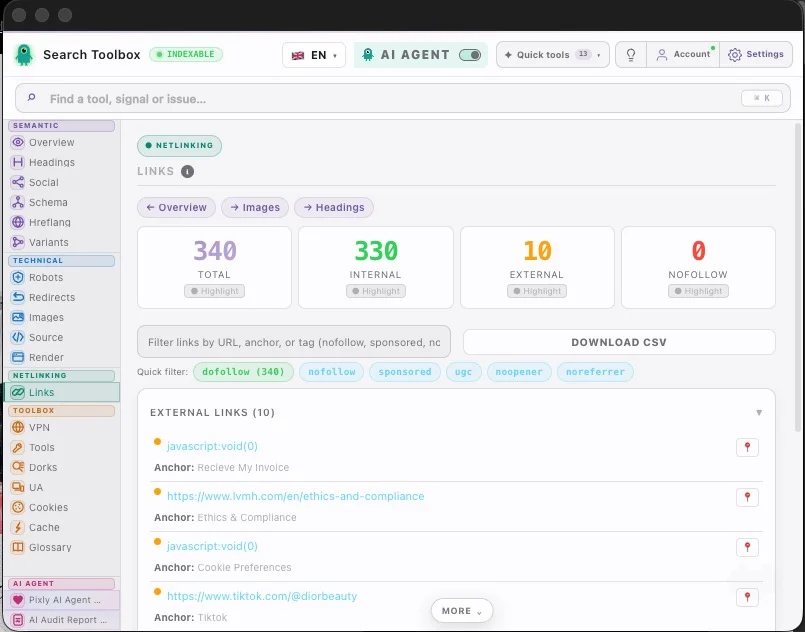
Use internal links to complete the topic
A page should answer its main question, then send readers to useful details. In Links, check whether internal anchors name those next steps clearly.
In Search Toolbox
Replace “learn more” with a descriptive anchor and link only to pages that genuinely deepen the subject.
Step 05
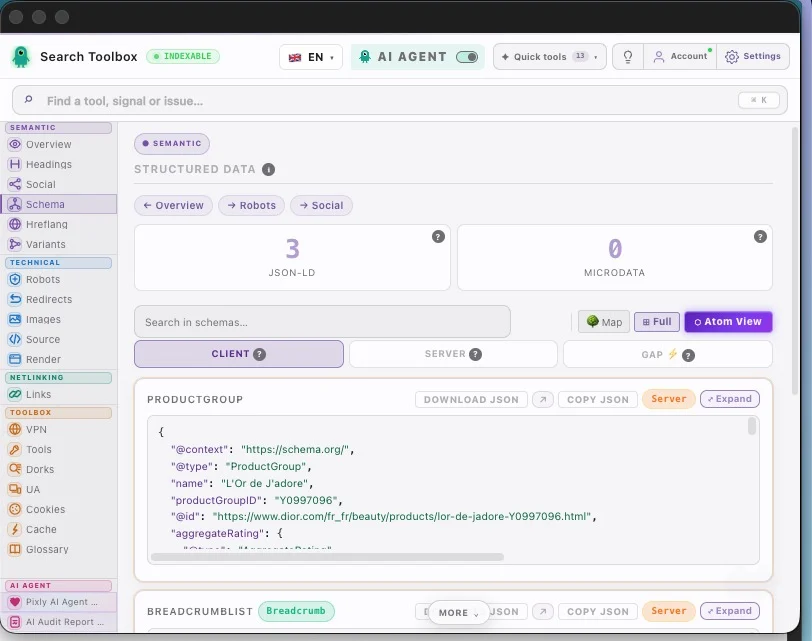
Confirm the main entities in Schema
Schema does not create meaning by magic; it makes explicit what the page already says. Check that Article, Product, Organization or FAQPage describe the correct thing and are not duplicated.
In Search Toolbox
Fix the visible content first when it is unclear. Then align the structured data with that corrected content.
The useful result
A useful semantic audit produces three things: one clear page promise, a logical outline and a short list of missing concepts or links. It does not produce a decorative cloud of fifty keywords.
Apply it to your site
Guide read. Now choose the real use case.
These workflows apply the method to real CMS failure modes and show which page and Search Toolbox panel to inspect next.
Shopify SEO Audit for Product and Collection Pages
Variant URLs, duplicate product schema and inconsistent image data can scale across the entire catalog.
Open workflowWix SEO Audit for Beginners: Check the Published Page
The Wix dashboard can look complete while a page remains noindexed, uses a generic dynamic title, points to a custom canonical or redirects through an old slug.
Open workflowUsing another CMS or looking for one specific check?
The directory brings every use case, free tool and troubleshooting guide together.
Frequently asked questions
Is a semantic audit the same as keyword research?
No. Keyword research helps choose demand and vocabulary. The audit checks whether one existing page answers that demand coherently.
Do I need to use every related keyword?
No. Use concepts that help the reader complete the task. Forced vocabulary makes a page longer, not better.
Continue the audit
A technical SEO audit in the right order, without drowning in jargon
Complete page-audit guide
Audit a page step by step
At the end, you should be able to summarize the page in one sentence, identify what is missing and know which section or internal link to improve first.