HTML and rendered canonical
Inspect the signal in the rendered page.

Search Toolbox helps you align every canonicalization signal around one preferred URL, directly on the live page. The goal is one stable URL reinforced by redirects, links, sitemaps and localized annotations, without hiding the evidence behind one overall score.
technical SEOs handling duplicates, faceted URLs and migrations
Learn SEO / GEO the practical way
A guided route from first observation to verification. Open the lesson to learn the method, or jump to its tool and inspect the active page.
Start on the live URL and record the final URL, HTTP response and indexability.
Resolve noindex, title, description, robots and canonical conflicts first.
Read the hierarchy, follow internal anchors and fix repeated image-template errors.
Inspect the rendered JSON-LD graph, required properties and conflicting entities.
Test reciprocity, language codes, canonicals and HTTP status across the cluster.
Follow every hop and confirm the final URL is indexable and self-canonical.
Learn what the server sends, what JavaScript adds and which differences deserve investigation.
Use this deeper check only when simpler panels reveal a JavaScript-related contradiction.
Turn evidence into an ordered plan, change one thing, then rerun the same checks.
What you can verify
Inspect the signal in the rendered page.
Compare source code with the browser output.
Find contradictions that block indexation.
Export evidence your team can act on.
The observable problem
The useful outcome
The note written after the third coffee
“A canonical is a vote, not a royal decree. Redirects, internal links, sitemaps and duplicate content also vote — and they are perfectly capable of forming an opposition party.”
Evidence on the real page

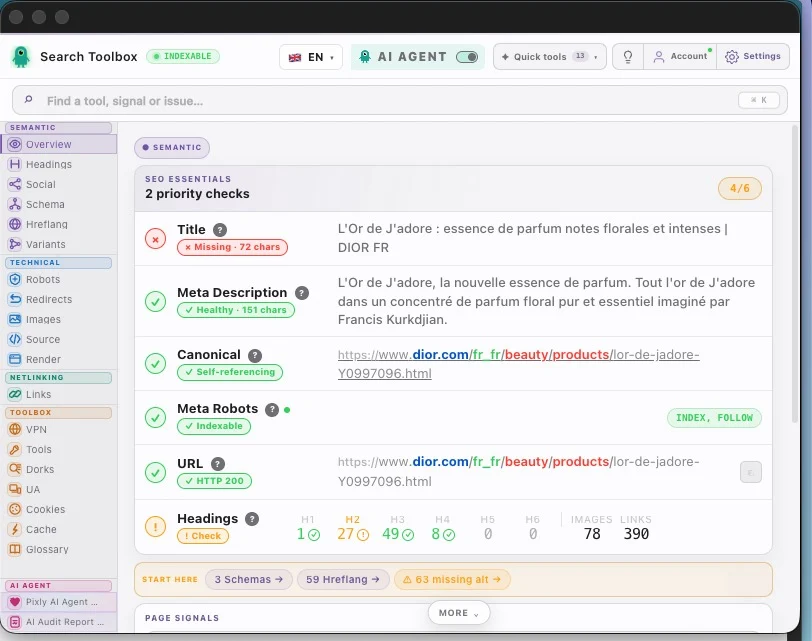
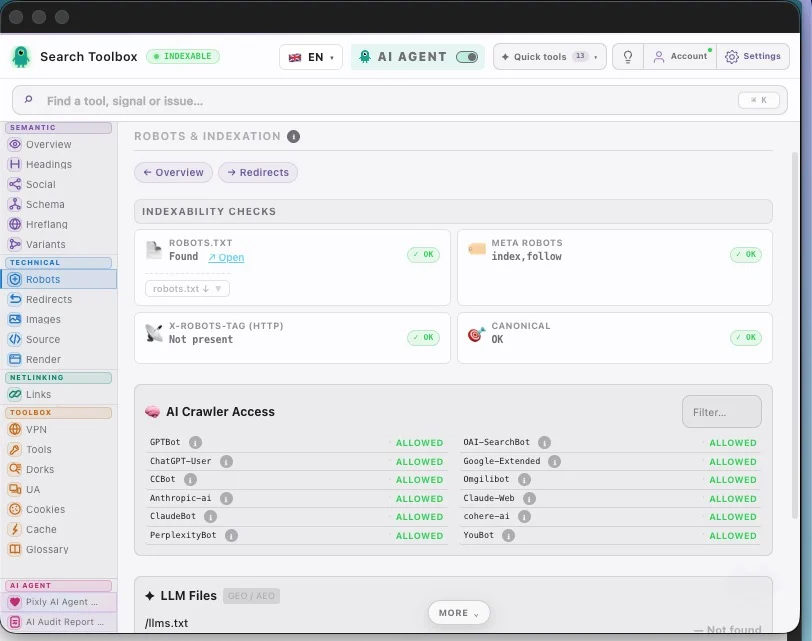
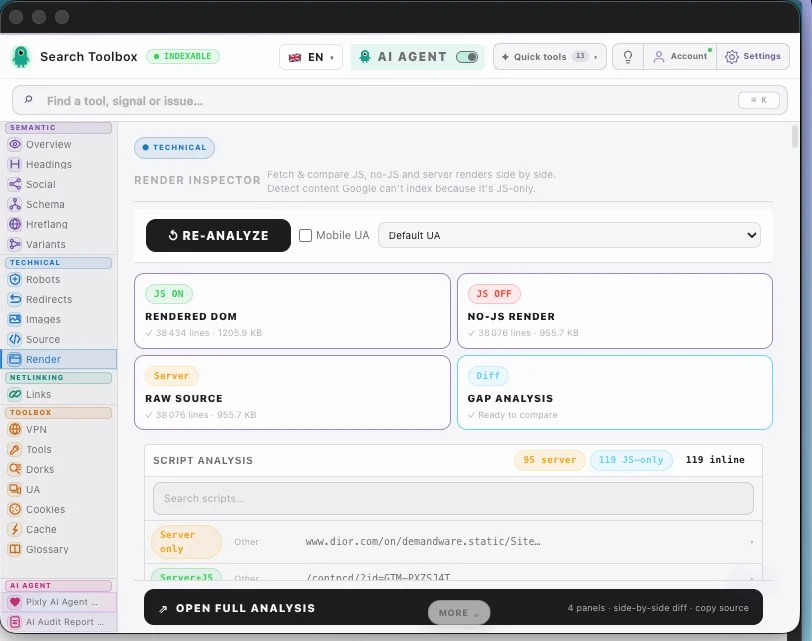
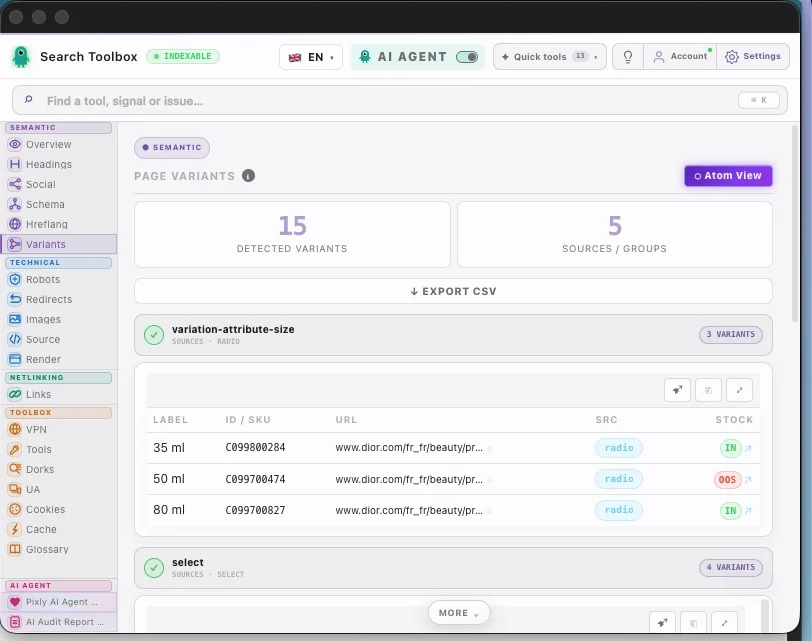
Check the canonical conflict checker in the real session, staging environment or localhost — preferably the troublesome page, not the perfectly groomed demo.
Check html and rendered canonical, redirect destination, internal link targets, sitemap and hreflang urls and connect signals that contradict each other.
Aim for one stable URL reinforced by redirects, links, sitemaps and localized annotations. Change one rule at a time, then repeat the exact same check so you know what actually moved.
For the canonical conflict checker, Search Toolbox inspects the active URL deeply. It is not a full-site crawler, backlink platform or rank tracker. Test several URLs when the issue comes from a template.
It covers html and rendered canonical, redirect destination, internal link targets, sitemap and hreflang urls to deliver one stable URL reinforced by redirects, links, sitemaps and localized annotations.
Manual checks for the canonical conflict checker are included in the 60+ free tools. Only the optional contextual SEO Expert uses credits.
Yes. The canonical conflict checker check runs on the page you are viewing, including logged-in sessions and non-public environments.
For the canonical conflict checker, Search Toolbox inspects the active URL deeply. It is not a full-site crawler, backlink platform or rank tracker. Test several URLs when the issue comes from a template.
Manual checks for the canonical conflict checker are included in the 60+ free tools. Only the optional contextual SEO Expert uses credits.