
Best SEO Chrome Extension 2026: an alternative to Detailed SEO, SEOquake, Ahrefs and MozBar

Search Toolbox
SEO / GEO Editorial
If you are searching for the best SEO Chrome extension in 2026, the real question is no longer “which one shows the title tag fastest.” Most of them can do that. The better question is which one actually helps you audit a modern page with rendered DOM, schema, hreflang, redirects, screenshots, exports, and a clear next step. That is where the gaps become more interesting.
What people actually need from an SEO Chrome extension in 2026
In 2026, a genuinely useful SEO extension should do more than summarize a few meta tags. Real pages are client-rendered, inject content after load, rewrite canonicals, duplicate JSON-LD, and hide serious issues behind interfaces that look perfectly fine at first glance.
That is why the best SEO Chrome extension today is the one that preserves the active page context, reads the rendered DOM, lets you inspect source when needed, follows redirects, checks hreflang, reviews images, and turns the audit into practical next steps. It also explains why search terms like “Detailed SEO alternative” or “SEOquake alternative” show up so often now. The need has moved beyond quick snapshots.
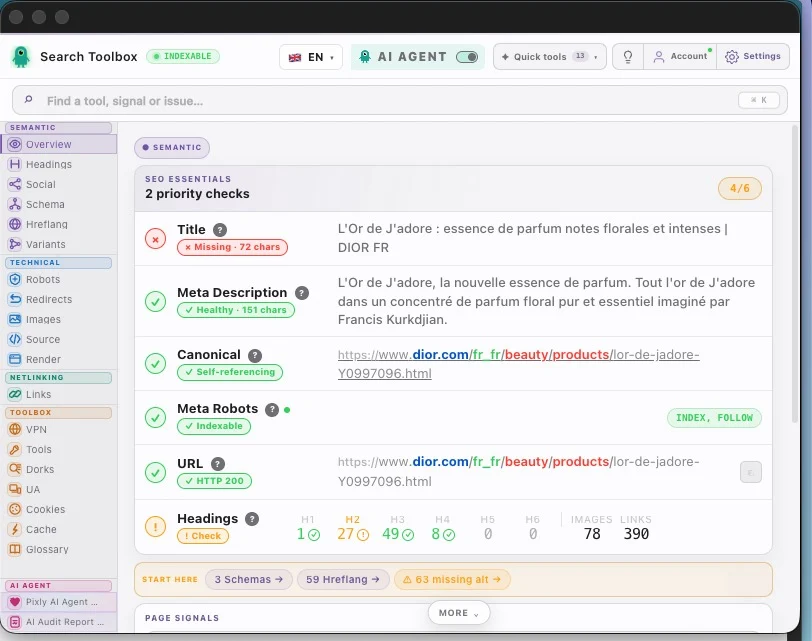
Search Toolbox vs Detailed SEO and SEOquake
Detailed SEO deserves to be in any serious shortlist. It is fast, clean, and genuinely useful for checking titles, meta descriptions, headings, canonicals, and structured data. Where it becomes narrower is when you want the next layer in the same workflow: source inspection, redirects, screenshots, exports, or an assistant that connects signals rather than leaving them side by side.
SEOquake still works for people who want quick overlays, familiar page diagnostics, and a tool they have known for years. But if your routine involves production pages, PDPs, staging environments, or JavaScript-heavy sites, it can feel more like a starting point than a full working environment. Search Toolbox behaves more like a lateral audit workstation than a single-summary add-on.
- Detailed SEO: excellent for a clean, fast on-page snapshot.
- SEOquake: useful for quick overlays and long-standing SEO habits.
- Search Toolbox: stronger when you want to continue the audit without switching tools after the first observation.
- If you are searching for a Detailed SEO alternative, the hidden requirement is usually simple: keep the speed, add more diagnostic depth.
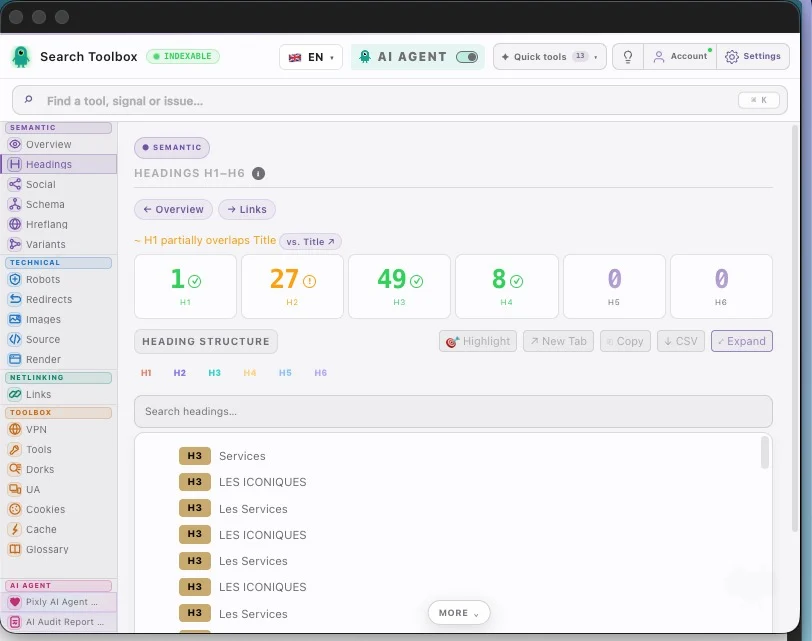
Search Toolbox vs Ahrefs SEO Toolbar, MozBar, and Keyword Surfer
Ahrefs SEO Toolbar and MozBar are logical picks if you already live inside their metrics, reports, and scoring models. They extend an ecosystem you trust. But if your main goal is auditing the active page itself, they often push you into a second or third tool for redirects, source review, rendered-page checks, screenshots, or structured troubleshooting.
Keyword Surfer is solving a different problem. It is a strong SERP-side companion for keyword ideas and search overlays. It is simply not built to be a full technical or on-page audit workspace. So if you are searching for a Keyword Surfer alternative for page diagnostics, you are really moving into another category. Search Toolbox does not try to win the “show me keyword ideas in Google” contest. It wins the “I am on the page, help me understand what is wrong and what to fix next” contest.
- Ahrefs SEO Toolbar: makes the most sense if your workflow is already Ahrefs-first.
- MozBar: still useful when Moz metrics are central to how you evaluate pages.
- Keyword Surfer: great for SERP and content ideation, less suited to a technical multi-signal audit.
- Search Toolbox: better if you want an alternative built around the live page workflow rather than just another metric layer.
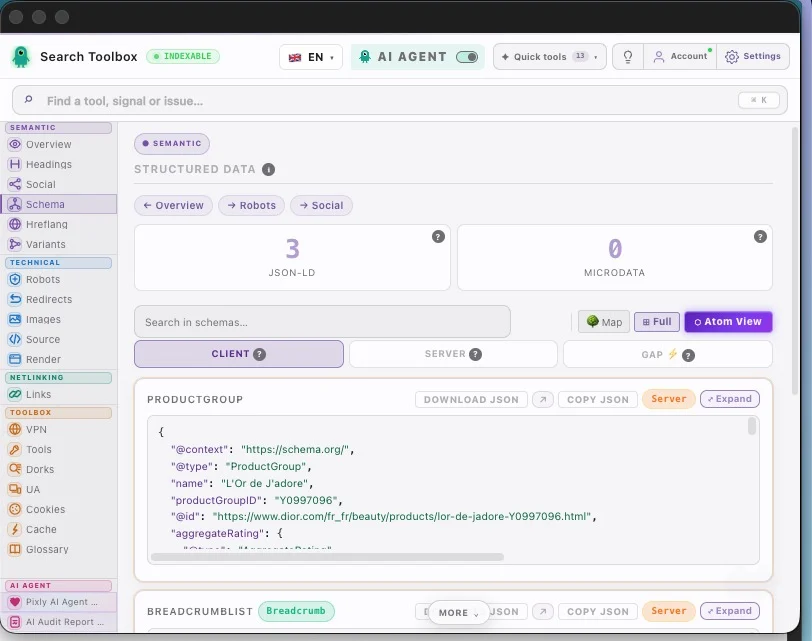
Why Search Toolbox works better as a daily driver
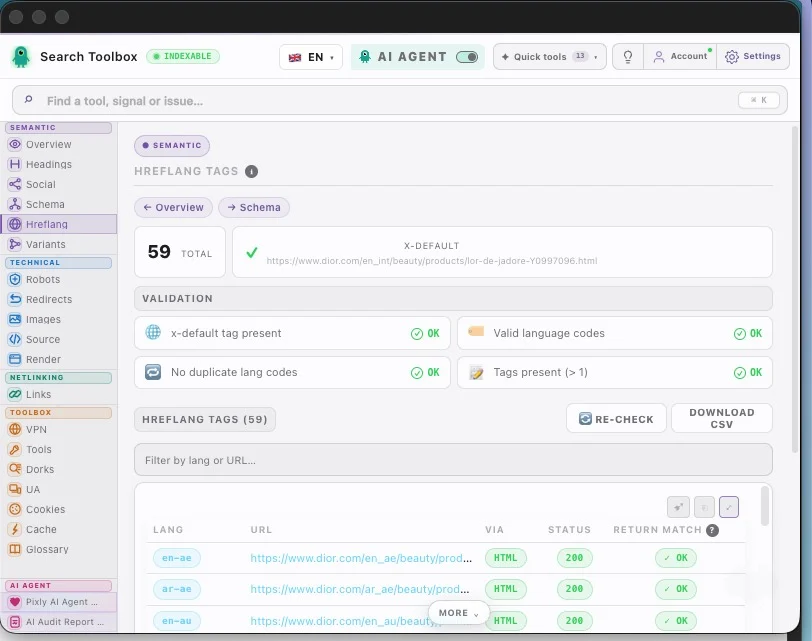
Search Toolbox is not pretending to replace a full platform such as Ahrefs or Semrush. Its strength is different: it makes the active page dramatically easier to read when you need to make a decision. You have the overview, source viewer, headings, schema, hreflang, redirects, images, screenshots, mobile preview, and Pixly reading those signals in the same context.
That matters because it cuts down absurd context switching. You do not start with extension A, jump to validator B, export through tool C, capture through tool D, and then paste everything into generic AI chat E. In practice, this is why Search Toolbox feels stronger than many “SEO extension” labels suggest. It behaves more like a compact audit suite inside the browser.
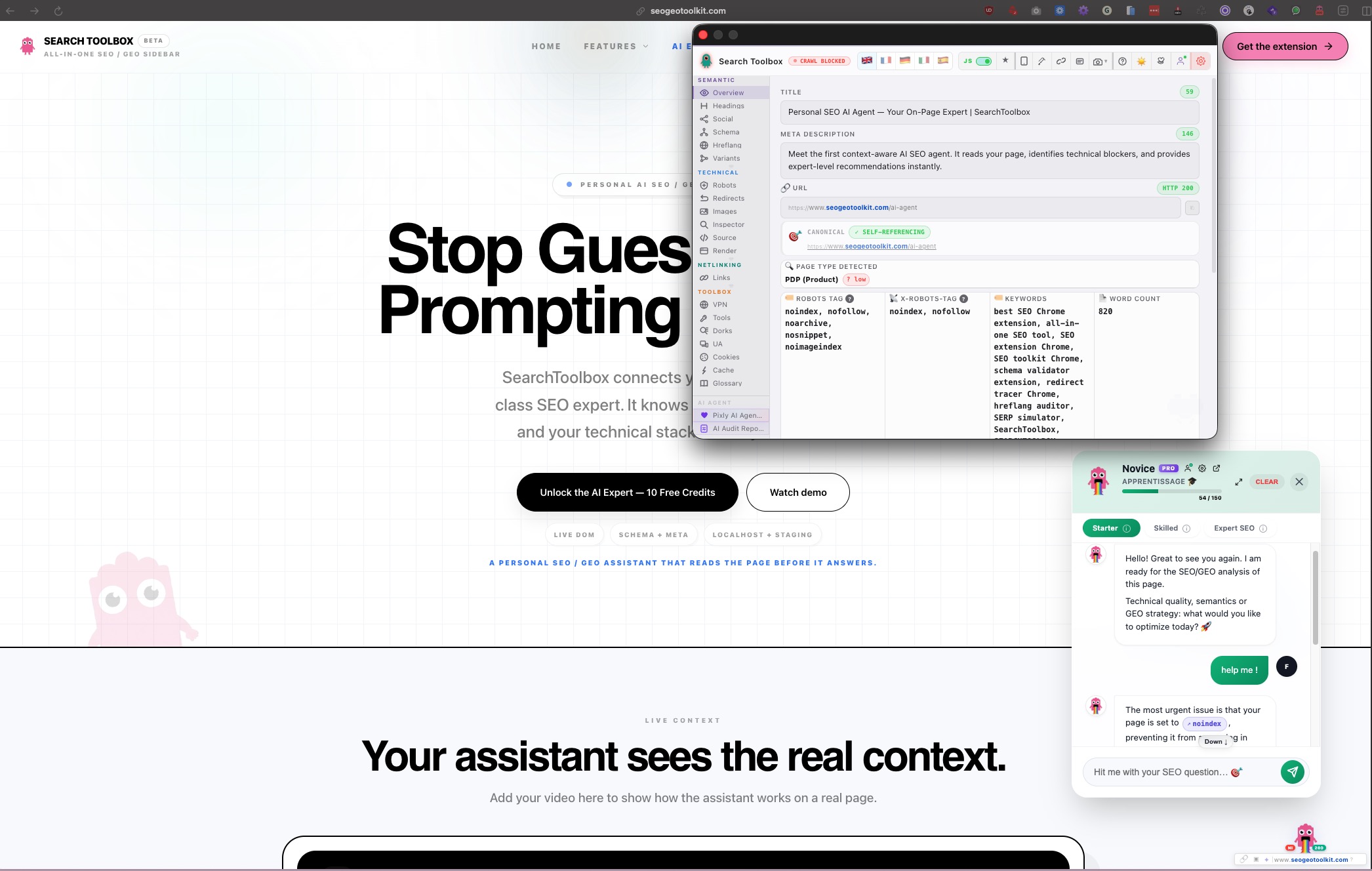
So which is the best SEO Chrome extension?
The fair answer is still “it depends on the main job.” If you want the lightest possible way to review metas and headings, Detailed SEO remains a very good choice. If you mostly care about keyword ideas in the SERP, Keyword Surfer keeps its place. If you already work deeply in Ahrefs or Moz, their extensions still make sense.
But if you want one extension that covers modern on-page auditing with useful technical panels, exports, screenshots, real page context, and an AI assistant that works from your own audit data, Search Toolbox is one of the strongest Chrome extension alternatives available right now. Not because it shouts louder, but because it wastes less time between the issue and the fix.
- Choose Detailed SEO if you mainly want a strong free snapshot and a minimal panel.
- Choose Keyword Surfer if SERP keyword enrichment is your first priority.
- Choose Ahrefs SEO Toolbar or MozBar if your workflow is tightly anchored to those suites.
- Choose Search Toolbox if you want a true daily-driver alternative for auditing, capturing, comparing, and fixing without breaking flow.
Search Toolbox · YouTube
See the extension in a real workflow
If you want to judge the tool beyond copywriting, the walkthrough shows how it moves from inspection to verification to action.
Search Toolbox · live panels
Why the whole workflow holds together better
The real differentiator is not one metric. It is the continuity between panels.
Swipe · tap to zoom

Stay in the loop
Get the next SEO comparisons and guides
No spam. Just useful comparisons, new guides, and meaningful product updates.
Learn SEO / GEO the practical way
Audit a page, tab by tab.
A guided route from first observation to verification. Open the lesson to learn the method, or jump to its tool and inspect the active page.
- Step 01
Open the page and establish the baseline
Start on the live URL and record the final URL, HTTP response and indexability.
- Step 02
Check Overview, metadata and canonical
Resolve noindex, title, description, robots and canonical conflicts first.
- Step 03
Audit headings, links and images
Read the hierarchy, follow internal anchors and fix repeated image-template errors.
- Step 04
Validate schema and entity relationships
Inspect the rendered JSON-LD graph, required properties and conflicting entities.
- Step 05
Verify hreflang and localized URLs
Test reciprocity, language codes, canonicals and HTTP status across the cluster.
- Step 06
Trace redirects and URL variants
Follow every hop and confirm the final URL is indexable and self-canonical.
- Step 07
Understand SSR, CSR and the rendering risk
Learn what the server sends, what JavaScript adds and which differences deserve investigation.
- Step 08
Investigate source HTML and rendered DOM if needed
Use this deeper check only when simpler panels reveal a JavaScript-related contradiction.
- Step 09
Prioritize, export, fix and retest
Turn evidence into an ordered plan, change one thing, then rerun the same checks.
Apply it to your site
Guide read. Now choose the real use case.
These workflows apply the method to real CMS failure modes and show which page and Search Toolbox panel to inspect next.
Free SEO Audit Tool with Actionable PDF Reports
A green overall score can hide contradictory canonicals, blocked resources or broken structured data.
Open workflowShopify SEO Audit for Product and Collection Pages
Variant URLs, duplicate product schema and inconsistent image data can scale across the entire catalog.
Open workflowUsing another CMS or looking for one specific check?
The directory brings every use case, free tool and troubleshooting guide together.
FAQ and related searches
Frequently asked questions
What is the best SEO Chrome extension in 2026?
The best choice depends on the job. Detailed SEO Extension is excellent for a fast snapshot, SEOquake for familiar overview metrics, and Search Toolbox for deeper live-page audits across rendered HTML, schema, hreflang, redirects, images and exportable evidence.
Is Search Toolbox an alternative to Detailed SEO Extension or SEOquake?
Yes for page-level inspection, with a broader technical workflow. It connects metadata to source and rendered DOM, structured data, redirects and international signals. Detailed and SEOquake remain useful when their faster, narrower overview matches the task.
Can an SEO extension replace Ahrefs or a full-site crawler?
No. A browser extension is strongest for deep inspection of the active URL. Ahrefs adds backlink and keyword datasets, while crawlers analyze many URLs at scale. The tools are complementary rather than interchangeable.
Keep reading
On-Page SEO Chrome Extension: a 5-Minute Live Page Checklist
Read →
Technical auditHow to audit a page with an SEO / GEO Chrome extension
Read →
AI SEO AgentFree AI SEO/GEO Agent into a Chrome Extension — Search Toolbox
Read →
Structured dataSchema.org: common errors and how to fix them with Search Toolbox
Read →