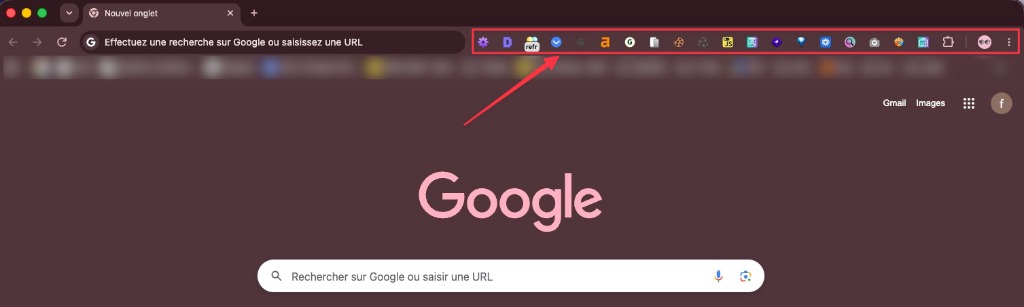
Vorher12 aktive Erweiterungen
Ihr aktuelles Setup
SQ
SEOquakeDS
DetailedSEOMR
MozBarAH
Ahrefs SEOSS
SERPsimWV
Wave A11y⏱~2h pro Audit · Jonglieren mit 12 Tabs
💸Einige Erweiterungen kosten Geld
🐌Chrome durch Erweiterungen verlangsamt

Erkennen Sie genau, warum Ihre Seiten nicht ranken — mit einem KI-Experten, der die echte Seite liest statt eines Crawls.

Unterstützt SEO-Experten der weltweit führenden Agenturen
Die Toolbox
Egal ob SEO-Einsteiger oder Experte — verstehen Sie sofort, was auf jeder Seite wirklich passiert.
Behalten Sie Titel, Meta-Beschreibung, Canonical, robots, H1-H6 und strukturierte Daten in einem einzigen technischen Blick im Auge.
Problem sehen. Problem beheben. Weitergehen.
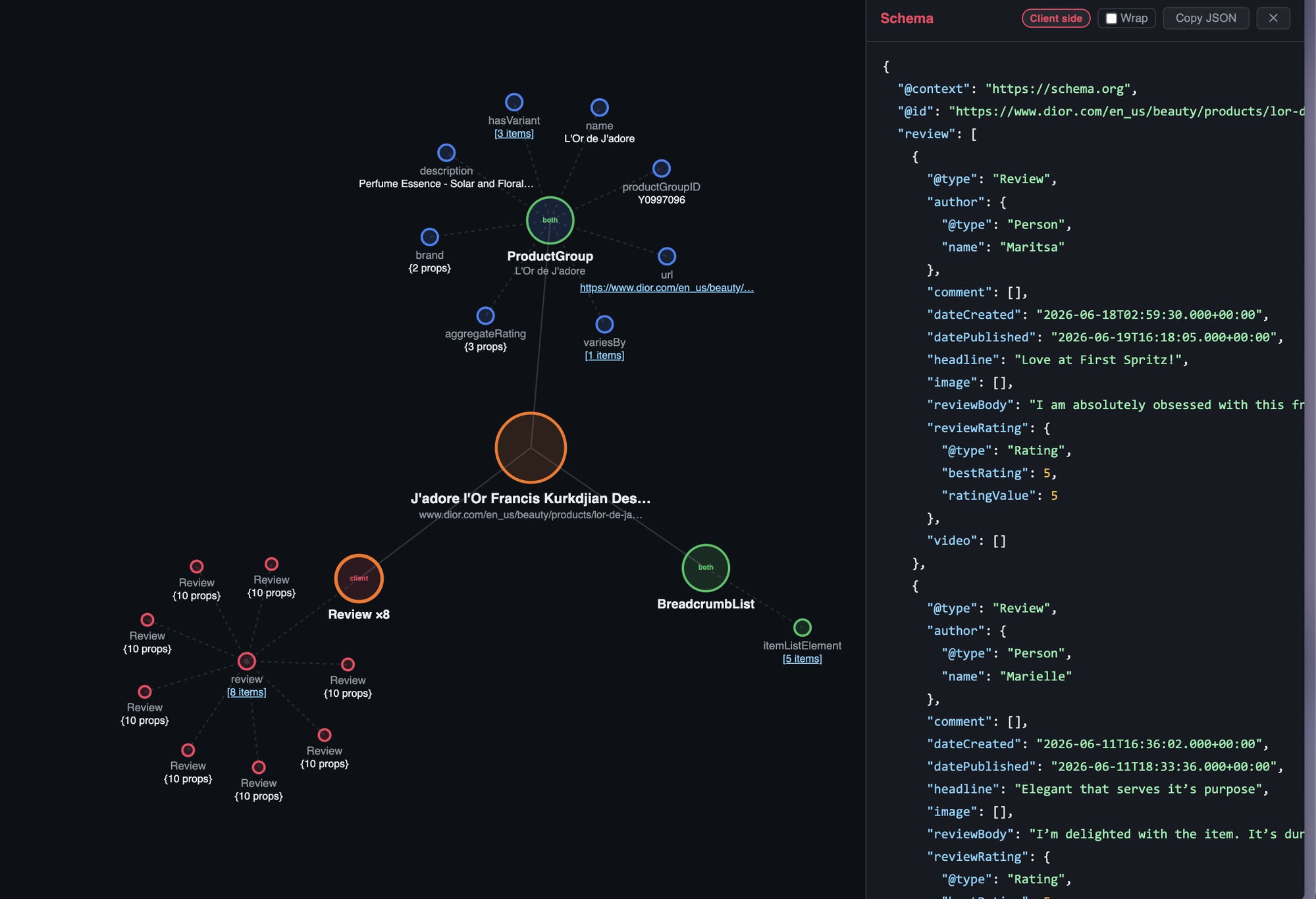
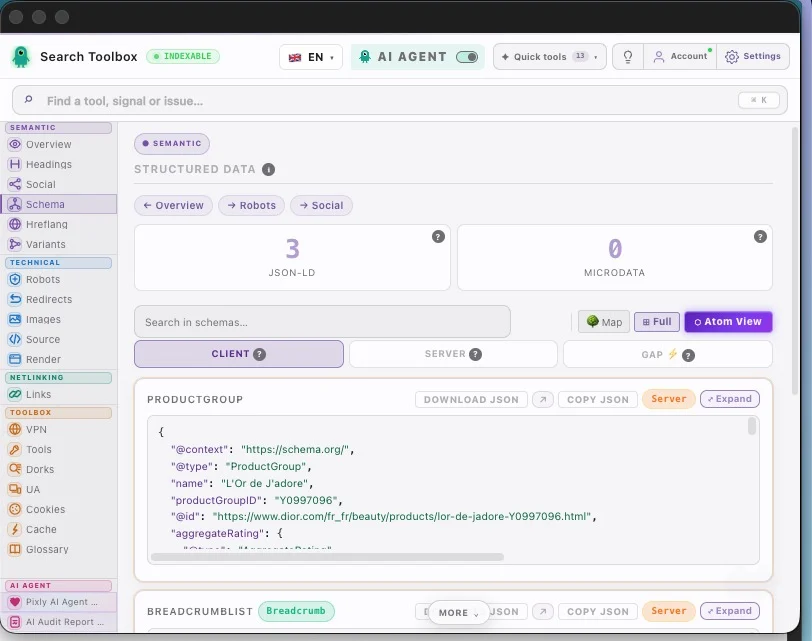
Extrahieren und validieren Sie JSON-LD, Microdata und RDFa mit einer klaren technischen Lesart bis auf Property-Ebene.
Beheben Sie Rich-Result-Blocker, bevor sie Reichweite kosten.
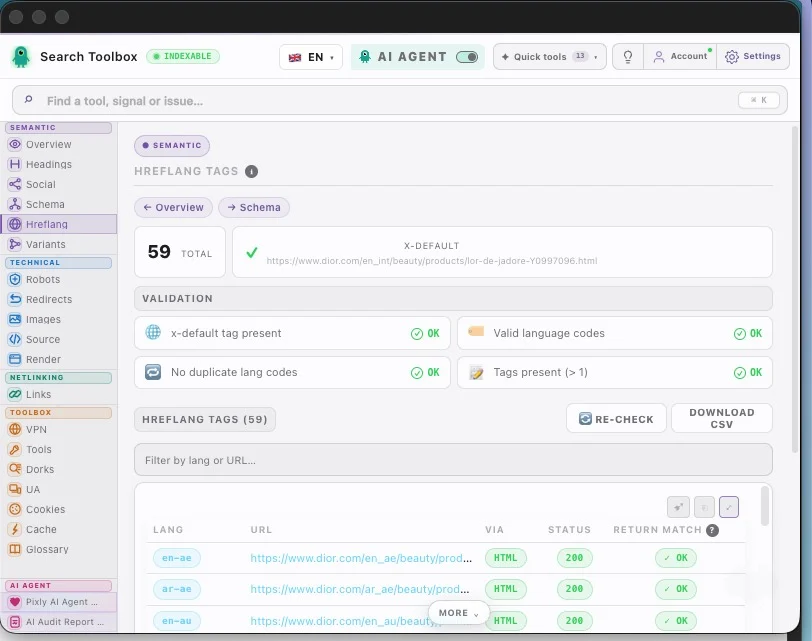
Prufen Sie hreflang, Return-Tags, Sprach- und Regionscodes sowie x-default fur internationale Setups.
International ausrollen ohne hreflang Roulette.
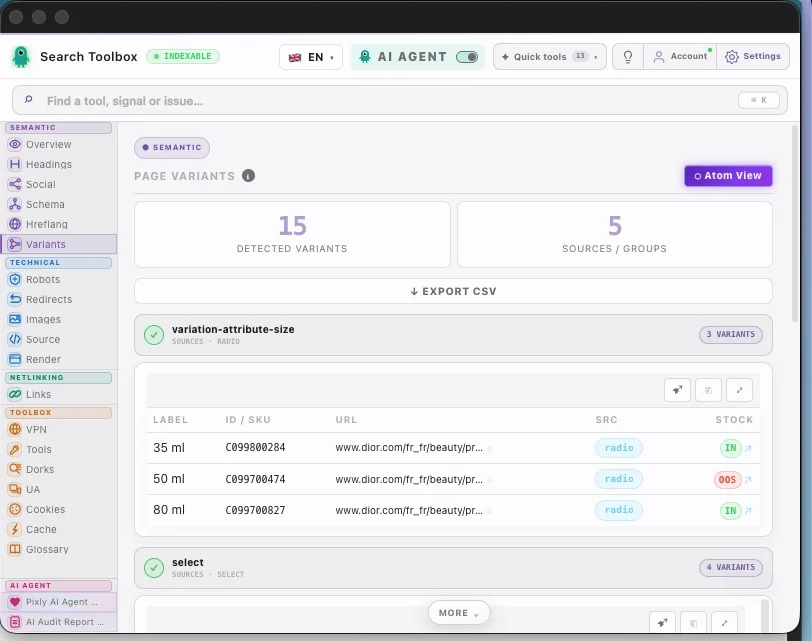
Finden Sie fehlende Alt-Texte, zu grosse Dateien und ungeeignete Formate ohne den Workflow zu zerreissen.
Mehr Kontext und mehr Performance in wenigen Sekunden.
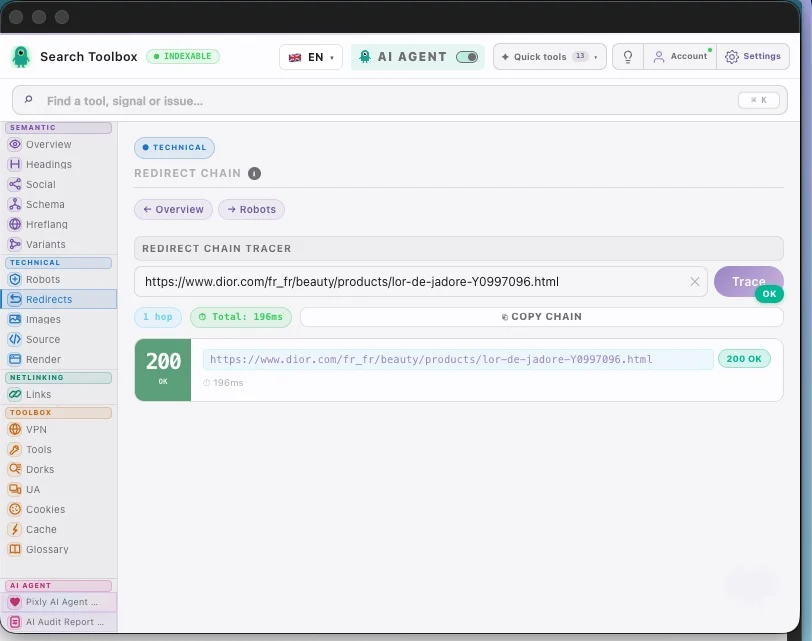
Verfolgen Sie 301/302-Ketten, messen Sie Antwortzeiten und erkennen Sie Loops fruhzeitig.
Sicherer migrieren, bevor Rankings leiden.
Interne und externe Links, nofollow, sponsored und UGC auf einen Blick.
Aus einer unklaren Seite wird ein klares Linkbild.
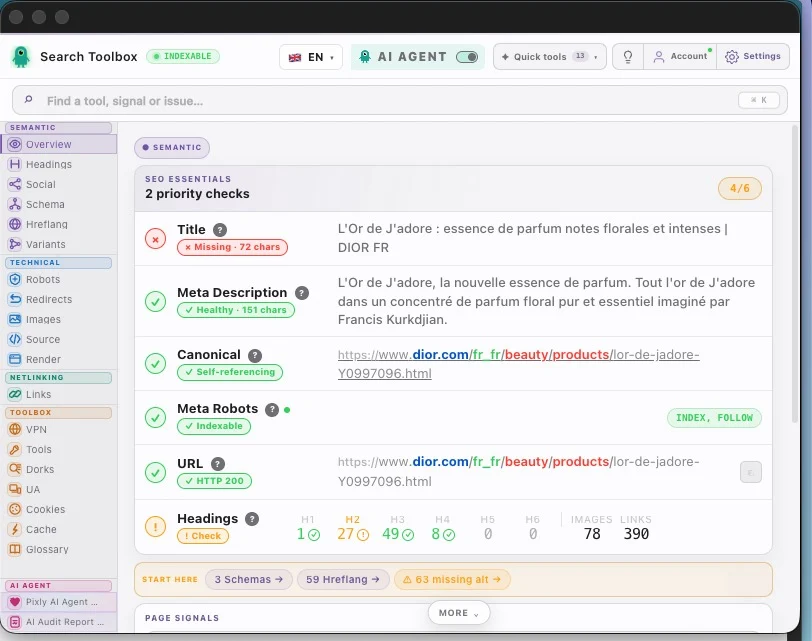
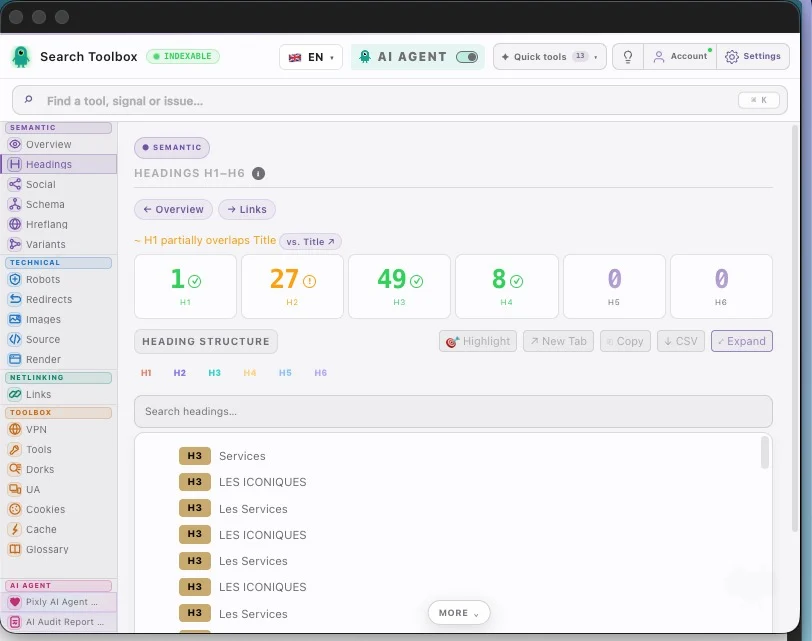
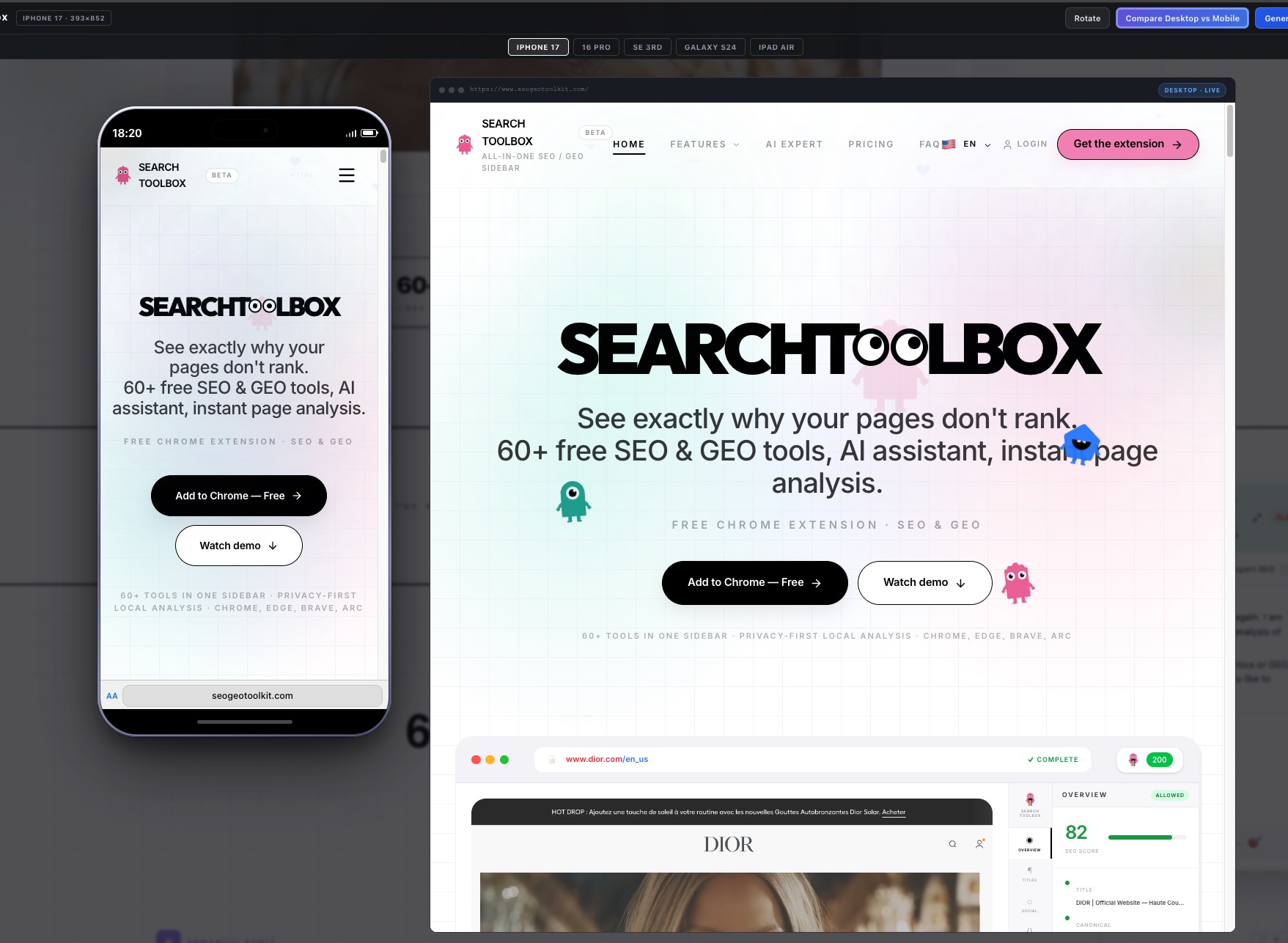
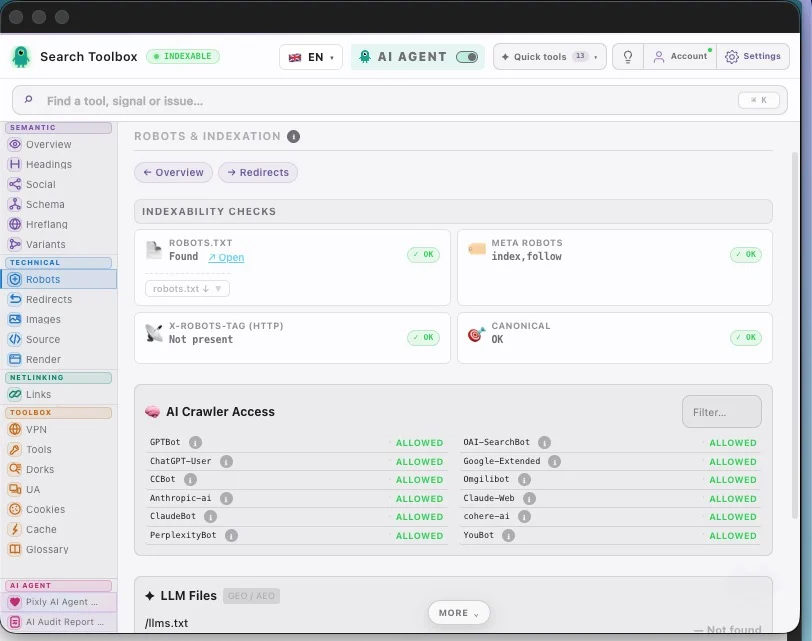
On any site, any page — localhost, staging, or production. And these are just a handful of the 60+ tools packed inside for free.
Swipe to explore · tap to zoom
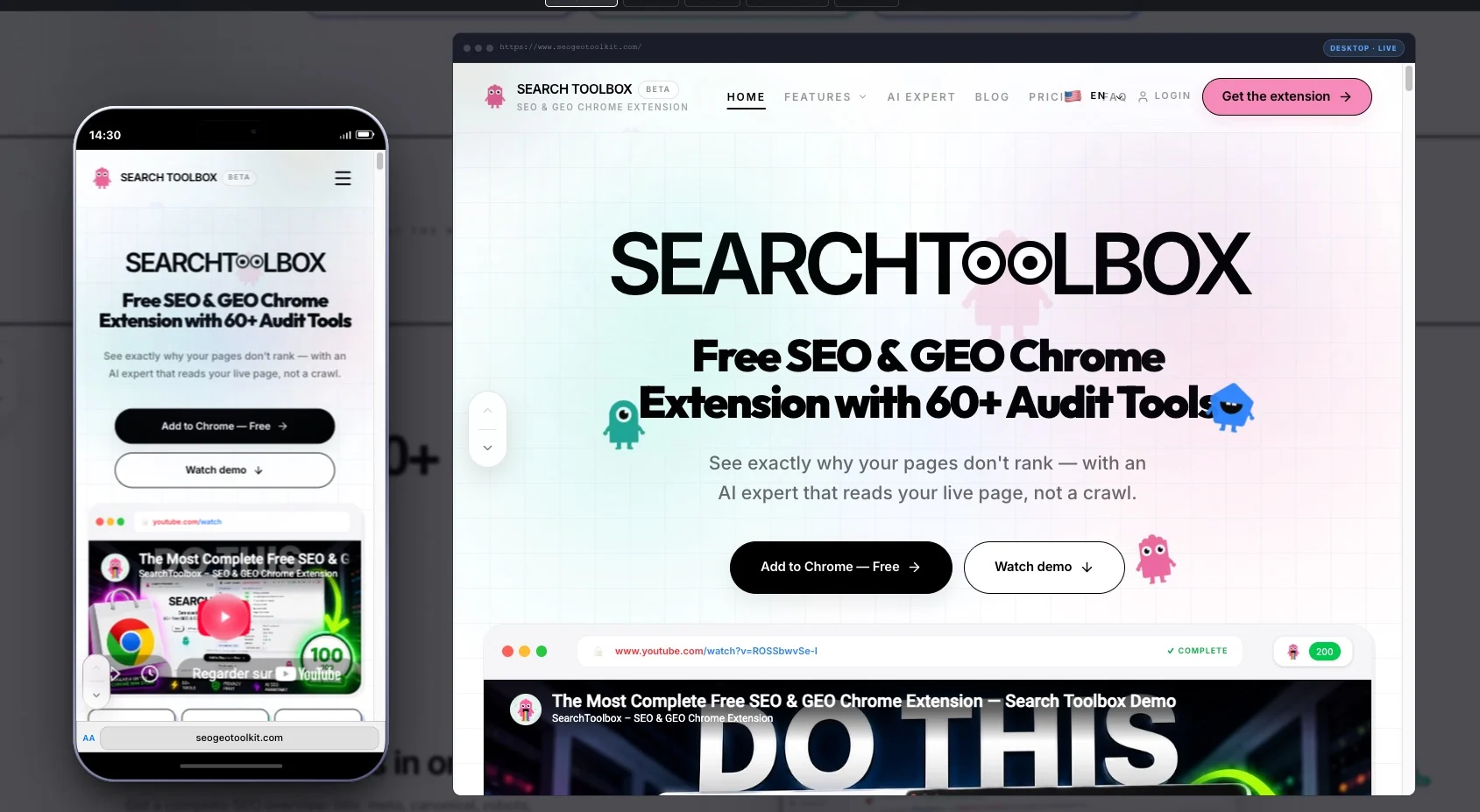
Search Toolbox — the live SEO audit sidebar on a real website
Overview — title, meta, canonical, schema & hreflang at a glance
Headings — scan the rendered H1–H6 hierarchy and spot structural gaps
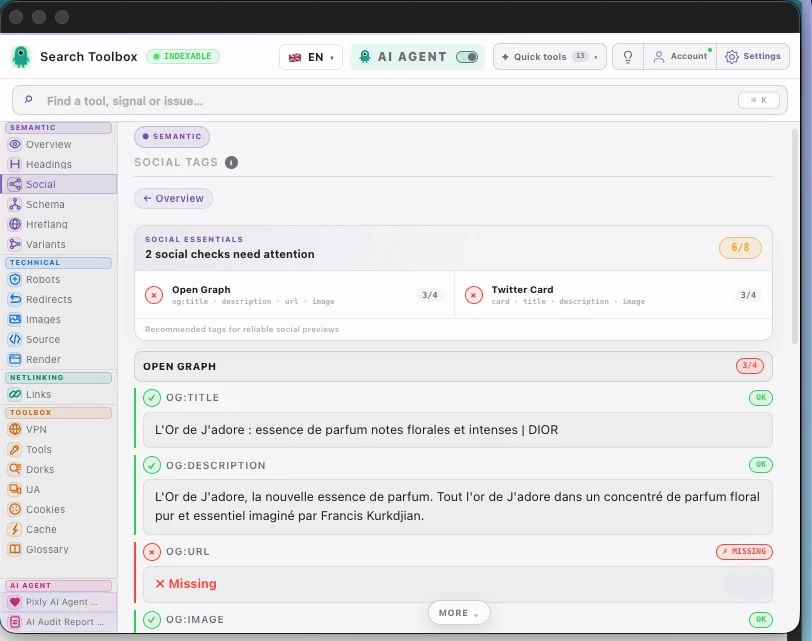
Social tags — review Open Graph and X cards before they are shared
Structured data — inspect JSON-LD and Microdata entities from the live page
Atom View — interactive mind-map of all structured data
Hreflang — verify language targets, HTTP status and reciprocal links
Redirects — follow each HTTP hop, final status and canonical outcome
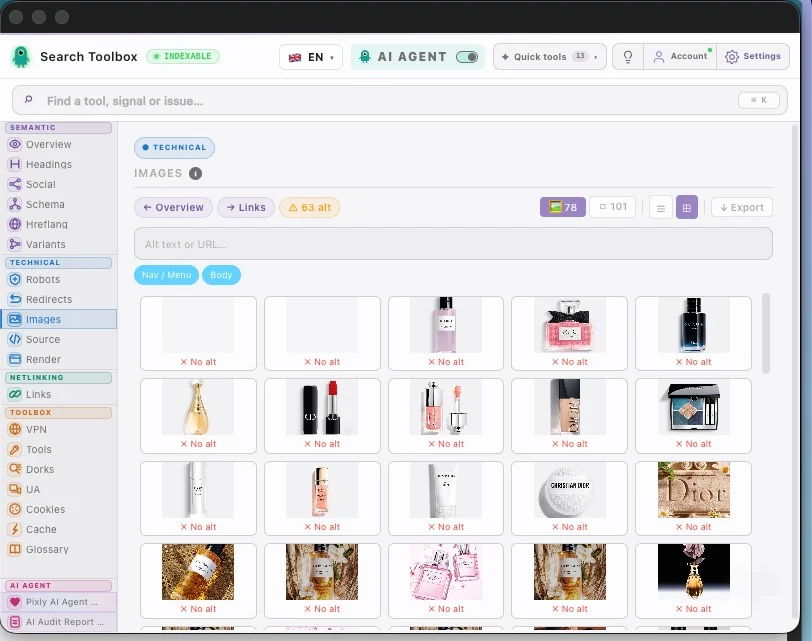
Images — inspect alt text, dimensions, format and rendered assets
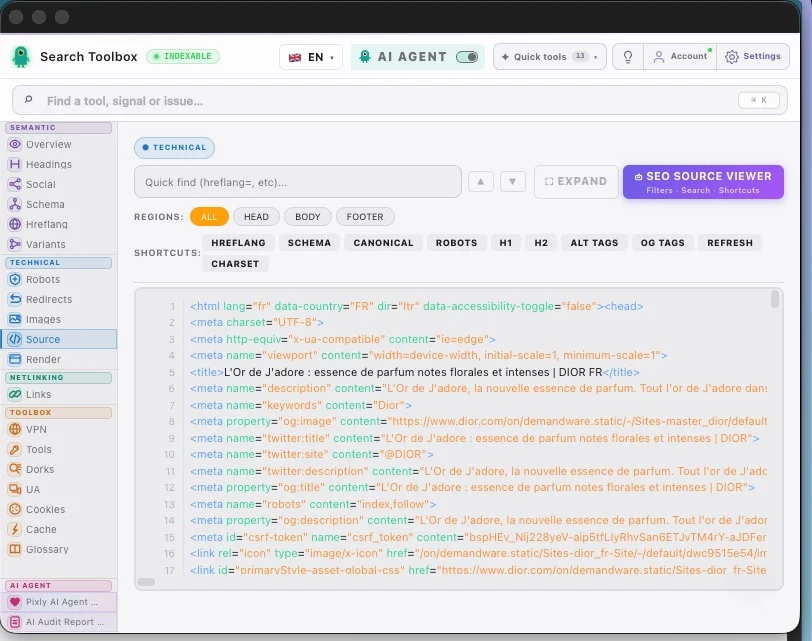
HTML source — search the server response without leaving the page
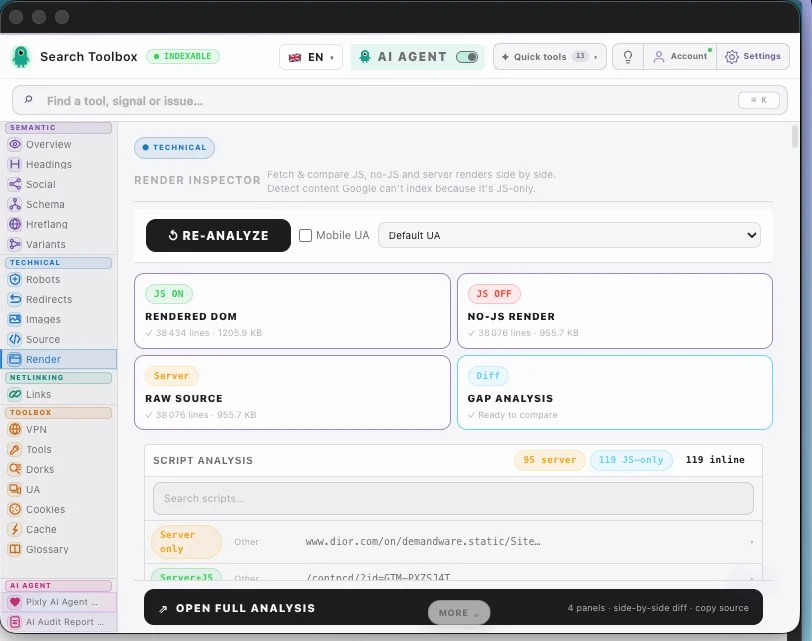
Render — compare raw source, no-JS output and the rendered DOM
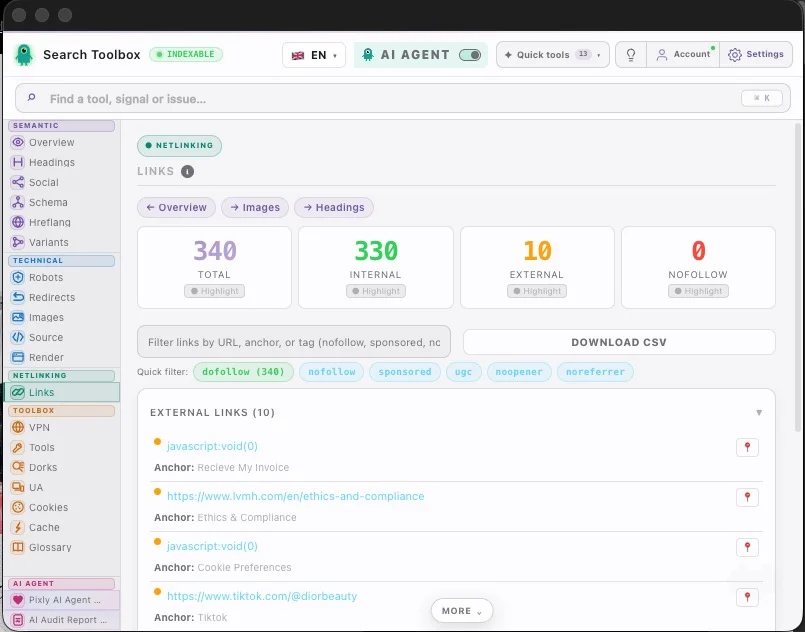
Links — classify internal, external, follow and nofollow URLs

Mobile Preview — simulate iPhone 17, Galaxy S24 & more
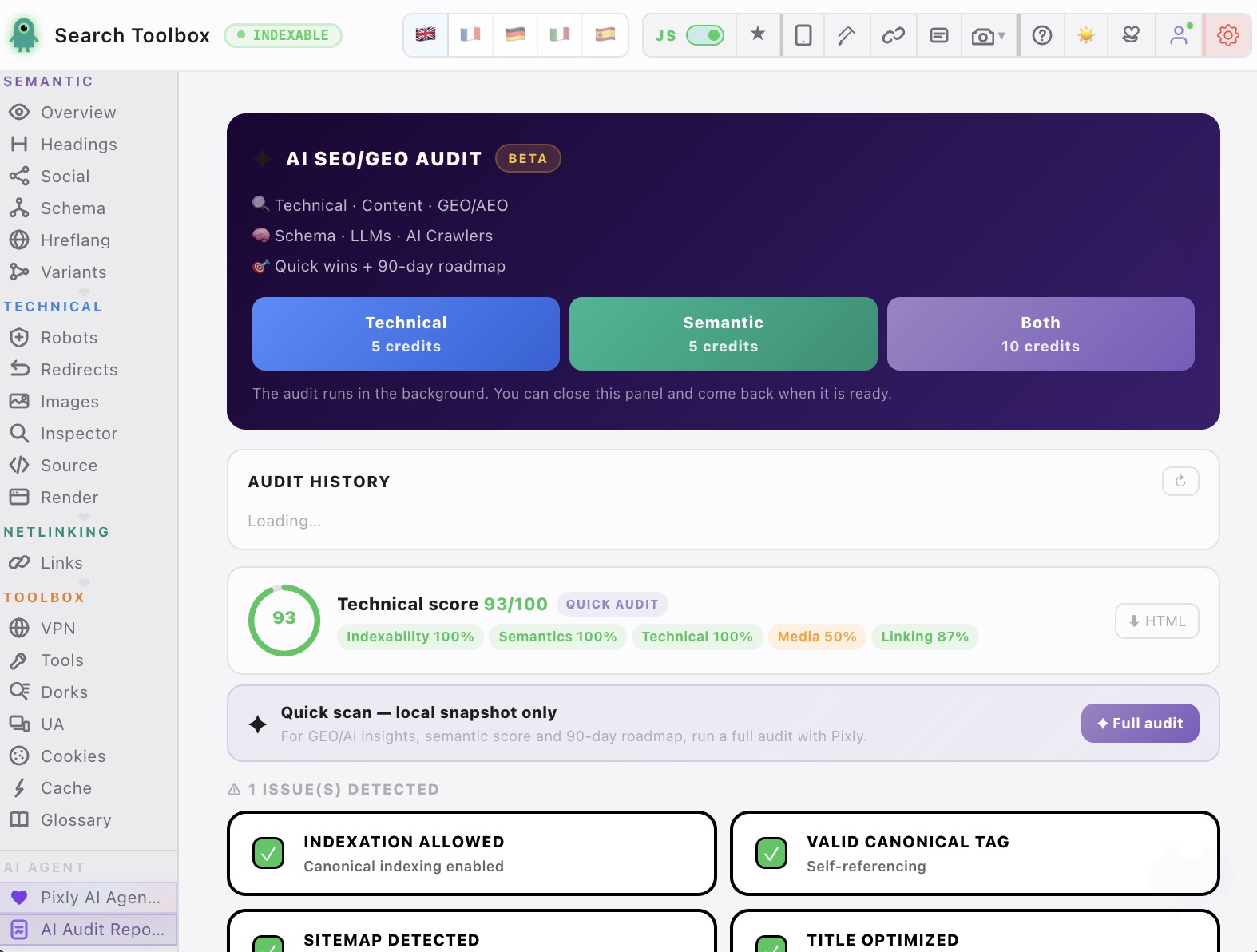
AI SEO/GEO Audit — 90-day roadmap generated in 60 seconds
Robots & AI Crawlers — verify AI crawlability & LLM visibility
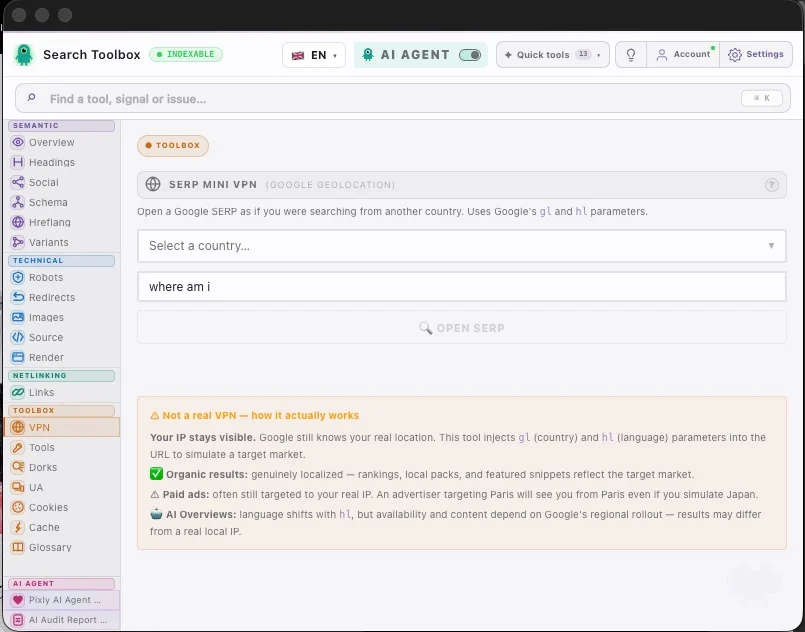
SERP VPN — open Google as if searching from any country
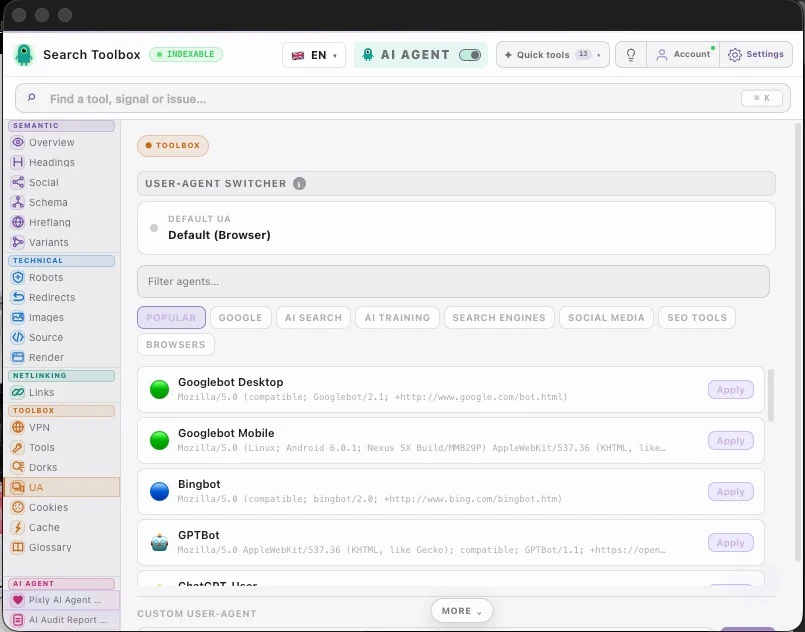
UA Switcher — emulate Googlebot, GPTBot, Bingbot & more
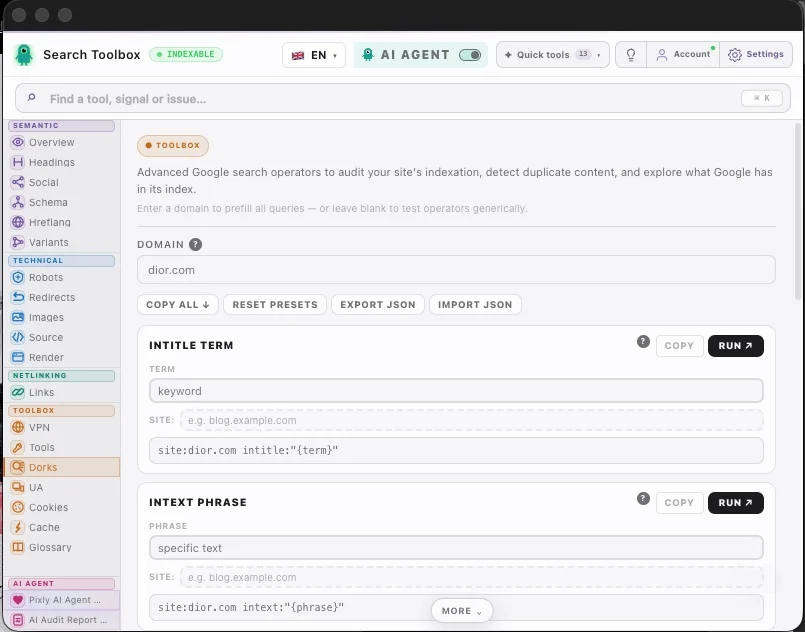
Google Dorks — 20+ search operators pre-wired for SEO audits
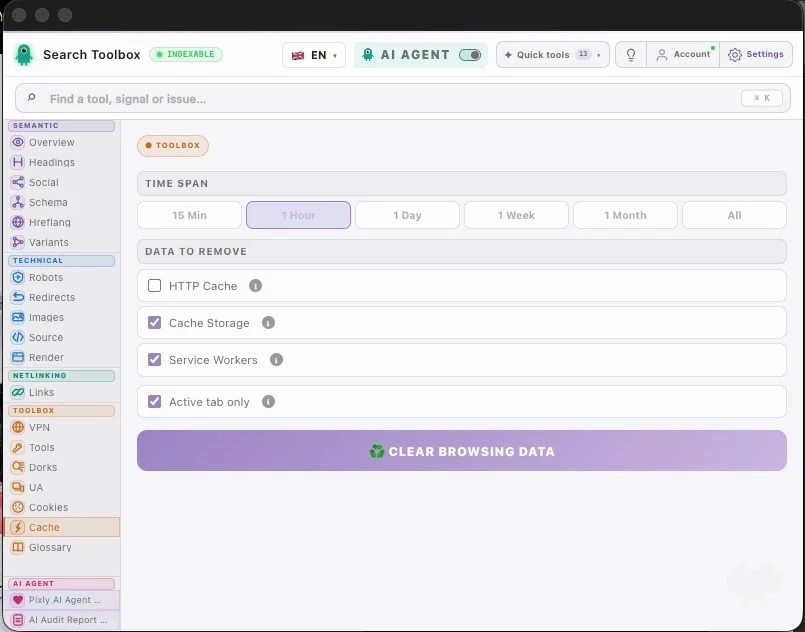
Cache Manager — clear the exact browser storage that needs a fresh test
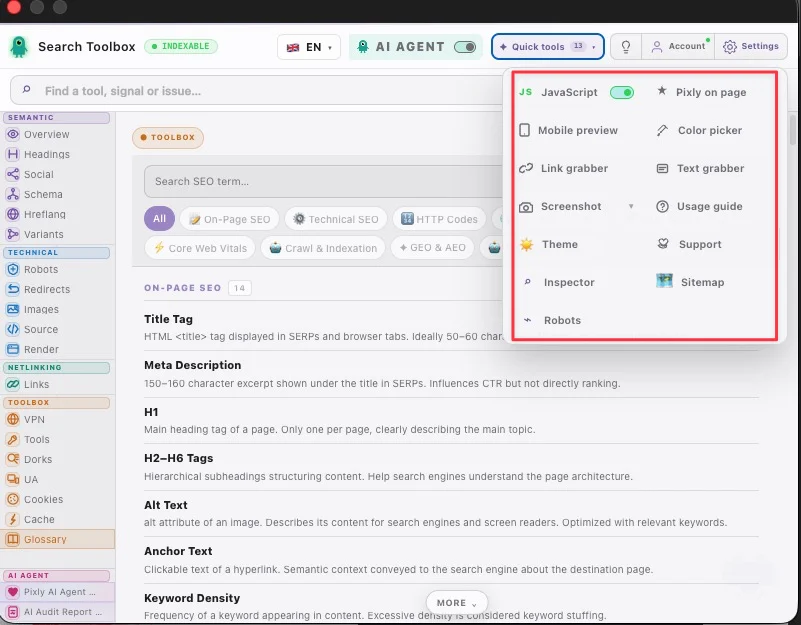
Quick tools — jump to your most useful checks from one compact menu
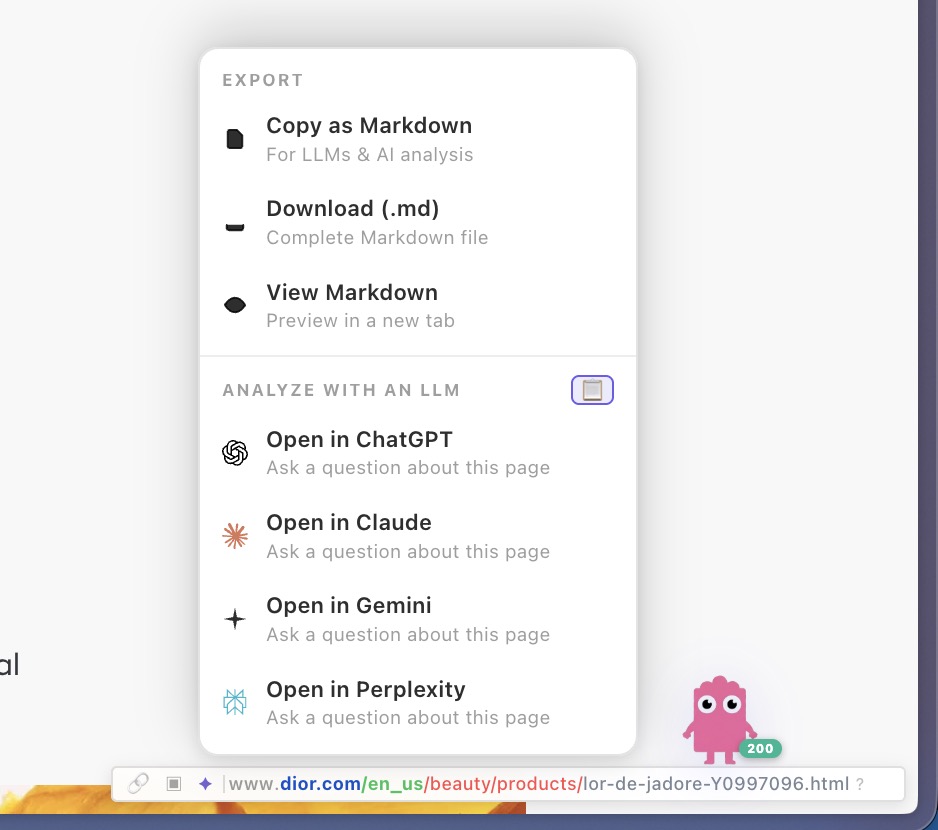
Export — send page data to ChatGPT, Claude or Gemini in one click
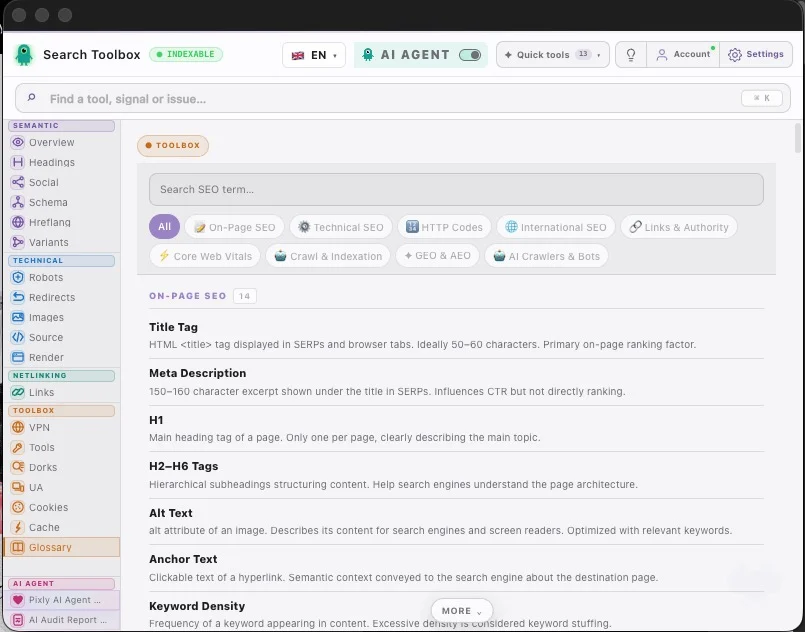
SEO Glossary — definitions for 100+ technical SEO terms
Vorher · Nachher
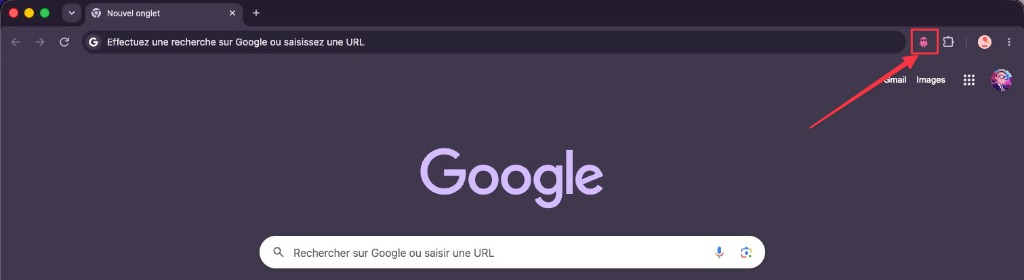
Die meisten SEOs haben 10+ Erweiterungen installiert. Search Toolbox ersetzt sie alle.
⏱~2h pro Audit · Jonglieren mit 12 Tabs
💸Einige Erweiterungen kosten Geld
🐌Chrome durch Erweiterungen verlangsamt
⚡~5 Min pro Audit · alles in einem Panel
🆓100% kostenlos, kein Konto erforderlich
🚀Schnelleres Chrome, weniger Erweiterungen
✦ Die letzte SEO-Erweiterung, die Sie jemals installieren werden ✦
Die meisten KI-Bots sind blind für Ihren Code. Unser Agent analysiert das Live-DOM und den Quellcode für kontextbewusste Lösungen.
Vom ersten SEO-Audit bis zu professionellen Analysen. Alle Tools die Sie brauchen, immer kostenlos.
62 funktionen
Title, meta description, canonical URL, robots, viewport, charset — scored and flagged in real-time.
Character count badges with good/warn/bad thresholds (SEO-optimal ranges).
Detect self-referencing canonicals, cross-domain canonicals, and missing canonical tags.
Parse noindex, nofollow, noarchive, noimageindex, unavailable_after and all robot directives.
Visual H1–H6 tree. Detect missing H1, multiple H1s, and heading level skips.
Live OG image, title, description, and site name exactly as Facebook and LinkedIn see it.
Twitter summary_large_image and app card preview with real image rendering.
Preview link unfurls for WhatsApp and messaging apps using og: and twitter: tags.
Extract, expand, and validate all JSON-LD blocks with syntax highlighting.
Parse Microdata and RDFa structured data in addition to JSON-LD.
Property-level error flags — missing required fields, wrong data types, invalid URLs.
List all hreflang and x-default tags with language/region codes.
Verify that each alternate URL links back correctly (reciprocal hreflang).
Detect malformed language codes (en-gb vs en-GB, fr-fr vs fr-FR) and missing x-default.
www/non-www, HTTP/HTTPS, trailing slash, and case variants — consolidated into canonical.
Fetch and display the robots.txt with rule highlighting and crawl directive analysis.
Inspect the X-Robots-Tag HTTP response header — often overrides meta robots.
Confirm HTTPS protocol, detect mixed content warnings, and HTTP→HTTPS redirect presence.
Full hop-by-hop chain with status codes (301, 302, 307, 308…), response times, and loop detection.
Measure latency per hop to identify slow redirects that waste crawl budget.
Flag every image missing alt text — the #1 image SEO error on the web.
Detect oversized images being served at 1920px but rendered at 200px.
Identify JPEG/PNG images that should be converted to WebP or AVIF for speed.
Flag images larger than SEO-recommended thresholds (e.g. >200kb).
Download all images on the page as a single ZIP file.
Export a spreadsheet of all images: src, alt, dimensions, size, format.
Click any element on the page and inspect its computed CSS without opening DevTools.
View raw HTML source with syntax highlighting — compare with rendered DOM.
Before/after JavaScript execution diff to spot crawler-invisible content.
Capture a pixel-perfect screenshot of the visible viewport in one click.
Scroll-capture the entire page as a single PNG image — including content below the fold.
Every internal and external link: URL, anchor text, status code.
Highlight all rel="nofollow" links at a glance.
Detect rel="sponsored" and rel="ugc" link attributes.
Separate internal vs external links, identify outgoing followed links.
Export the full link list with all attributes as a CSV file.
Ctrl/Cmd+drag to collect links from the page into a clipboard list.
Select any text on page to copy or Google-search it instantly.
Simulate Google searches from 50+ countries without routing real traffic through a VPN.
Preview SERP and page from any device: Googlebot Mobile, iPhone, Android.
Pre-built site:, inurl:, intitle:, cache:, related: operators for instant power-user searches.
Detect pages that Google may be treating as duplicate content via search operators.
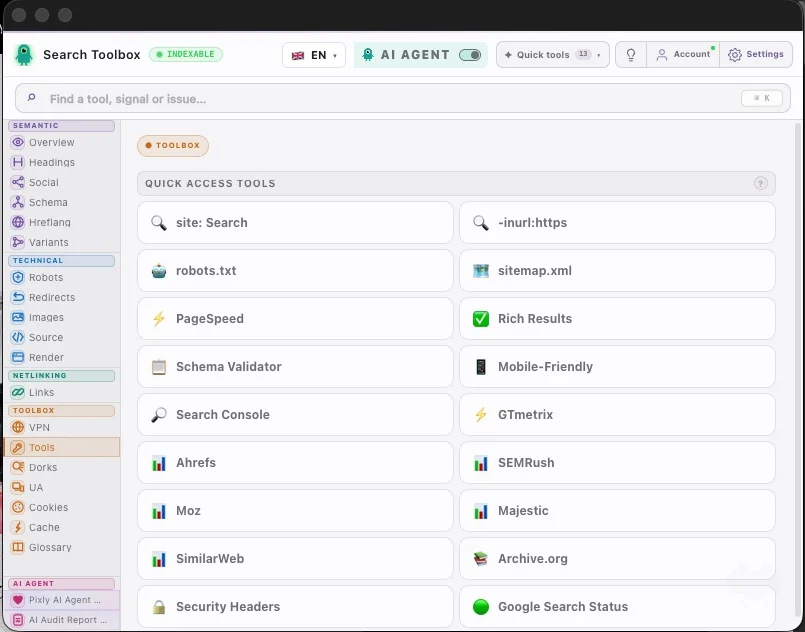
One-click PageSpeed Insights for the current URL.
Open Google Rich Results Test for the current URL in one click.
Jump to Ahrefs, SEMRush, Moz, Majestic, or SimilarWeb for the current domain instantly.
Full cookie manager: view values, edit, add new cookies, or nuke all at once.
Save and restore cookie sets — great for testing geo or consent variations.
Clear cache, cookies, localStorage, sessionStorage — by time range or all at once.
Googlebot Desktop, Googlebot Mobile, Bingbot, or any custom UA string.
Plain-language definitions for every SEO concept — no browser tab needed.
Scored audit across 8 categories (Indexability, On-Page, Technical, Schema, Social, Speed, Links, Images).
Export the full SEO audit as a professional PDF — client-ready in 10 seconds.
Open the report in a standalone tab to share with clients or teammates.
Disable JS with one click to see your page as crawlers see it during indexing.
View any page in an accurate phone/tablet frame without a real device.
Pick any color from the page. Returns HEX, RGB, and HSL values instantly.
Make the extension semi-transparent to view the page behind it.
Toggle between the light and dark UI theme at any time.
Full keyboard navigation — every tab accessible with a configurable shortcut.
Hide any tabs you don't use. Set your default landing tab. Stays across sessions.
Runs as a Chrome Side Panel — stays open while you browse, no popup needed.
30+ SEO actions available from the browser right-click menu — fully configurable.
SEO-Ressourcenzentrum
Starten Sie mit dem kostenlosen Audit, vertiefen Sie ein technisches Signal und wenden Sie den Workflow auf Ihren Stack an. Jede Seite basiert auf echten Funktionen und Screenshots.
kostenlose SEO-Tools
kostenloses SEO-Audit-Tool
technische SEO Chrome-Erweiterung
Schema-Markup-Prüfer
Meta- und Canonical-Prüfer
Rendered-HTML-Prüfer
Hreflang-Prüfer
Weiterleitungsketten-Prüfer
Alt-Text-Prüfer für Bilder
Quell-HTML vs gerenderter DOM
Canonical-Konflikte prüfen
Robots-Meta- und X-Robots-Tag-Prüfer
JavaScript-JSON-LD validieren
Detailed-SEO-Alternative
SEOquake-Alternative
Lighthouse-SEO-Alternative

Shopify-SEO-Audit
WordPress-SEO-Audit
Wix-SEO-Audit
Next.js-React-SEO-Audit
internationaler E-Commerce-SEO-Audit
60+ Analyse-Tools, Audits, PDF-Berichte — alles 100% kostenlos. Der einzige bezahlte Teil: ein KI-Experte.
Jährliche Abrechnung — Einführungspreis, begrenzte Zeit
Swipe to compare plans


Keine Kreditkarte erforderlich für kostenlose Tools · Pro jederzeit kündbar
Klare Antworten auf die Fragen, die eine Installation am häufigsten bremsen.
Ja. Die Erweiterung bietet 60+ SEO- und GEO-Tools, On-Page-Audits und PDF-Exporte kostenlos. Bezahlt wird nur, wenn Sie den KI-SEO-Agenten mit seinen kontextbezogenen Empfehlungen nutzen möchten.
Allgemeine KI antwortet auf Basis dessen, was Sie einfügen. SearchToolbox liest den echten Seitenkontext direkt im Browser: Live-DOM, Meta-Tags, Schema, Redirects, Hreflang, Links und mehr. Dadurch sind die Empfehlungen an die tatsächlich geprüfte Seite gebunden.
SearchToolbox funktioniert in Chromium-basierten Browsern wie Chrome, Edge, Brave und Arc.
Ja, auch auf Localhost, Staging, geschützten Bereichen und Seiten hinter einem Login, weil die Erweiterung analysiert, was bereits in Ihrem Browser geöffnet ist.
Die Kern-Audits laufen lokal in Ihrem Browser. URLs, DOM-Inhalte, Meta-Tags, Schema-Daten und Quellcode verlassen Ihr Gerät bei der Standardanalyse nicht.
Keine Seitendaten gespeichert · alles bleibt in Ihrem Browser
Keine Kreditkarte · Sofortiger Zugriff