

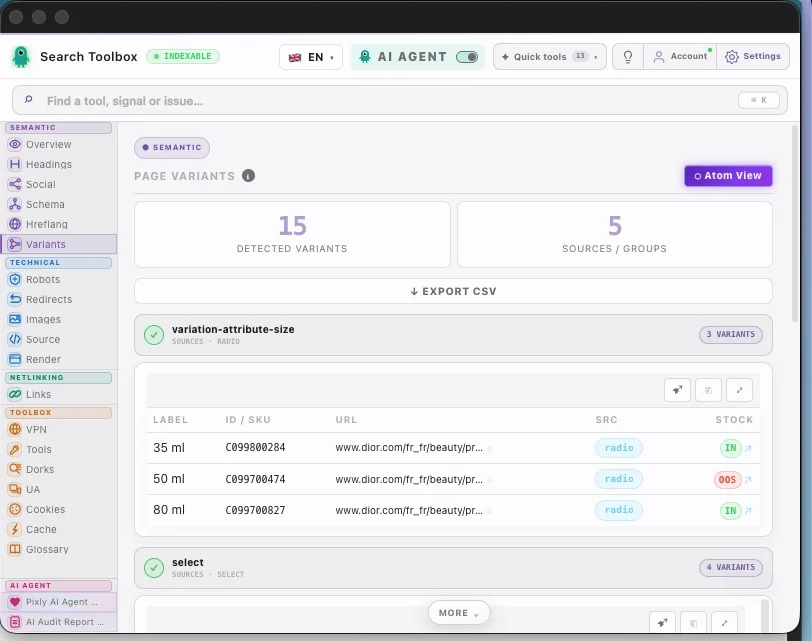
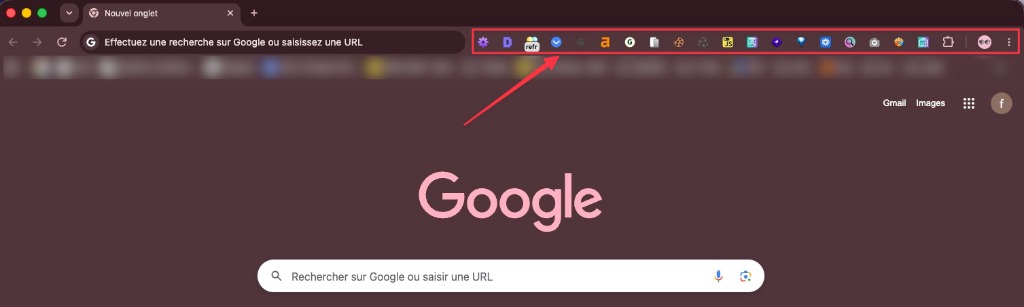
La tua configurazione attuale
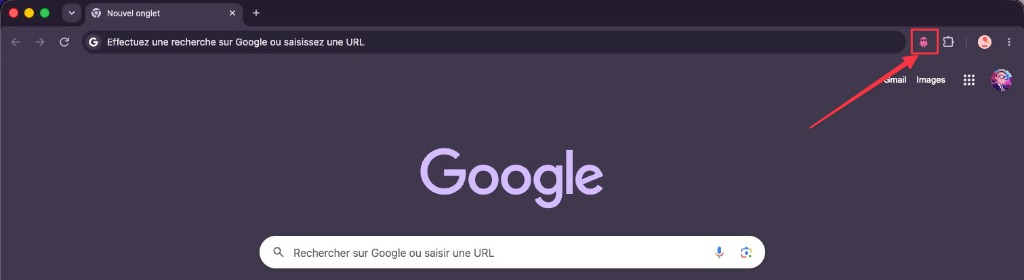
⏱~2 ore per audit · destreggiandosi tra 12 tab
💸Diverse estensioni sono a pagamento
🐌Chrome rallentato da tutte queste estensioni
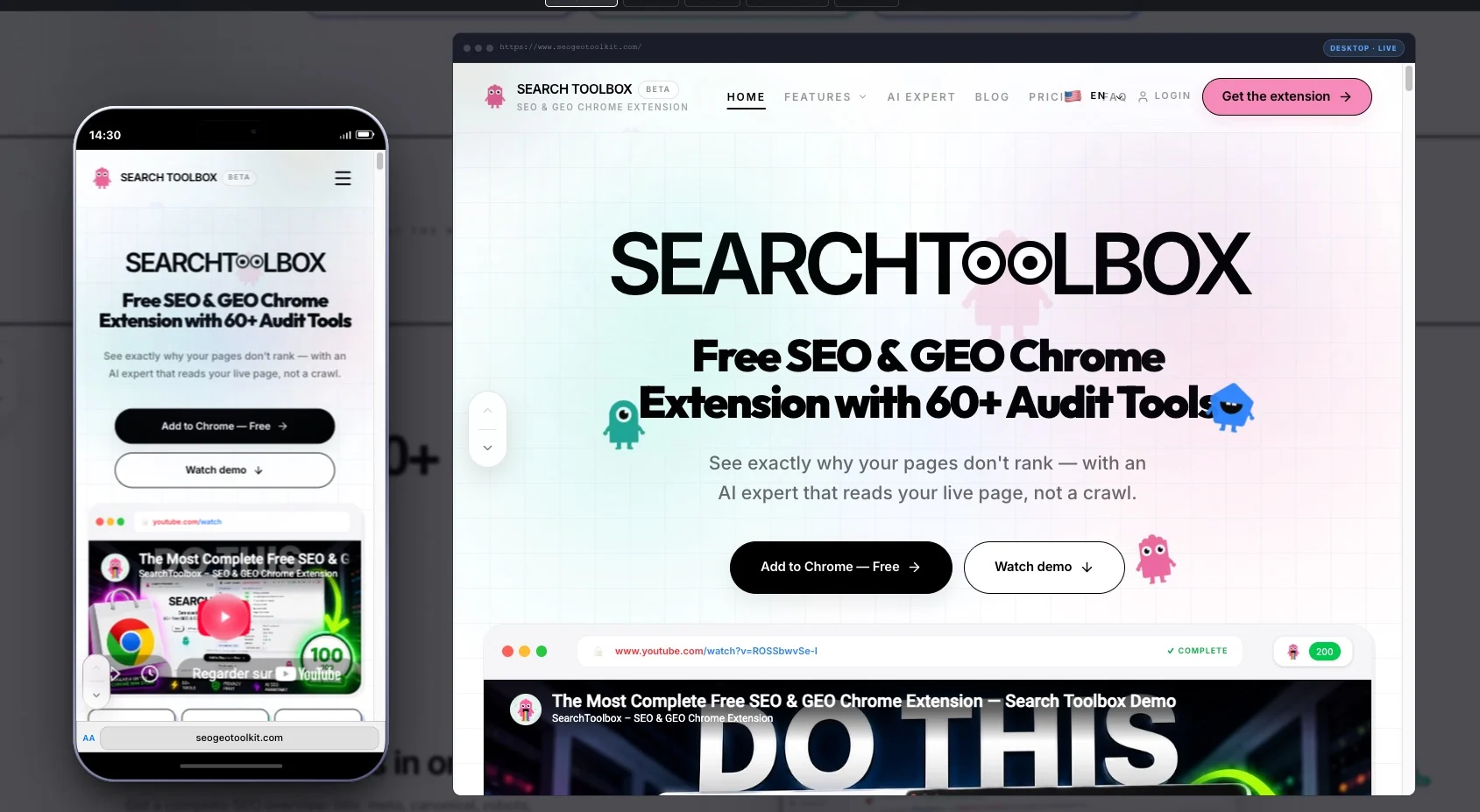
Scopri esattamente perché le tue pagine non si posizionano, con un Esperto IA che legge la pagina reale, non un crawl.

Scelto dagli esperti SEO delle migliori agenzie al mondo
Il Toolbox
Che tu stia imparando il SEO o ottimizzando su larga scala — capisci subito cosa succede davvero su ogni pagina.
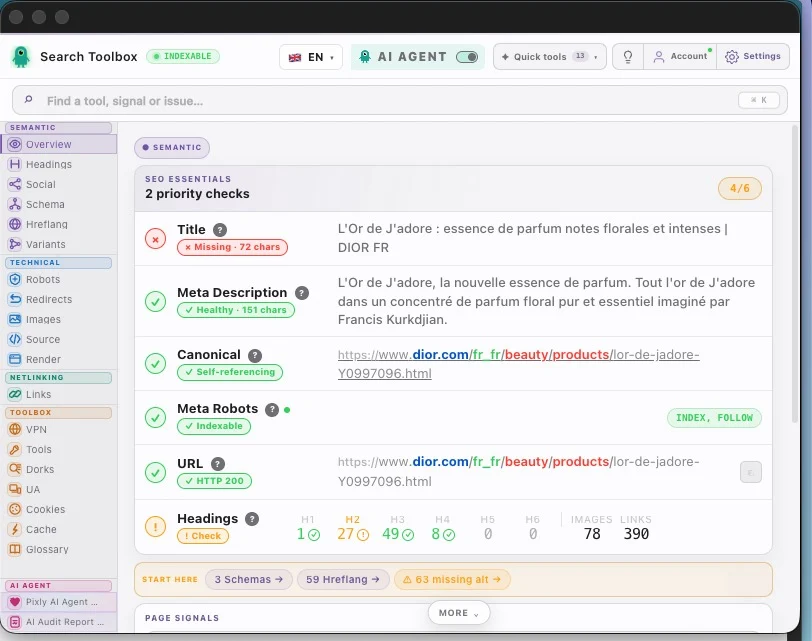
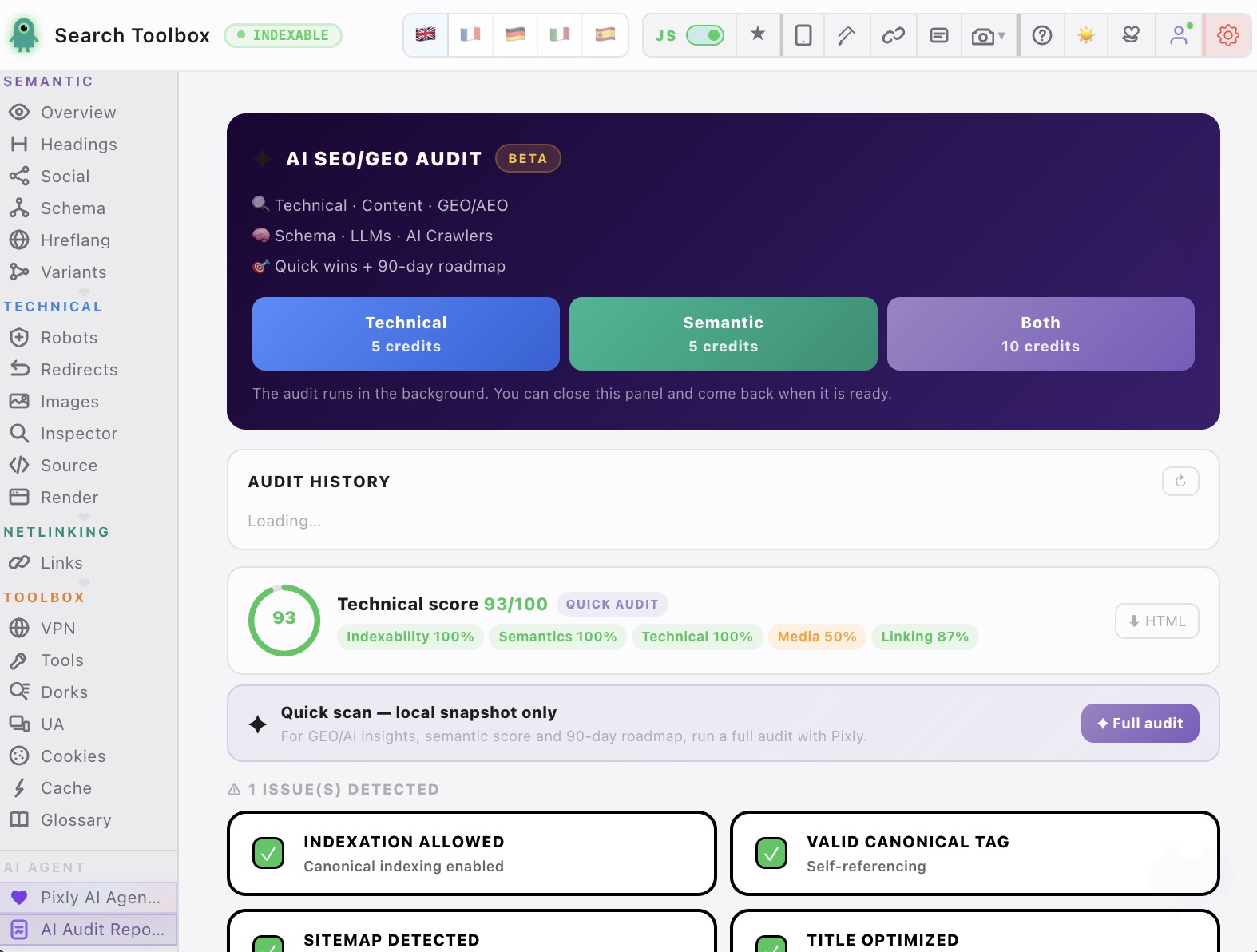
Controlla titolo, meta description, canonical, robots, H1-H6 e dati strutturati in una sola vista tecnica.
Vedi il problema. Correggilo. Vai avanti.
Estrai e valida JSON-LD, Microdata e RDFa con lettura chiara fino al livello della proprieta.
Blocca gli errori rich result prima che costino visibilita.


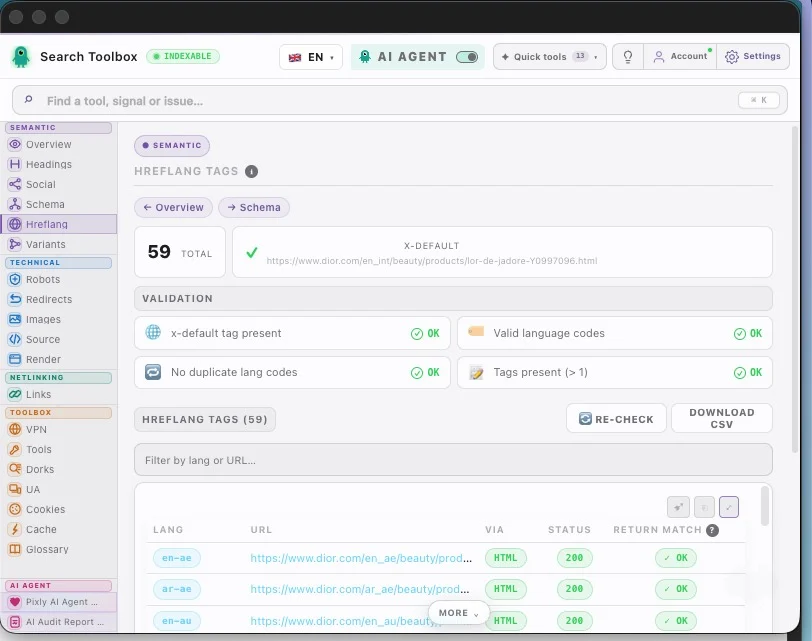
Verifica hreflang, tag di ritorno, codici lingua/area geografica e x-default per siti internazionali.
Pubblica all estero senza roulette hreflang.


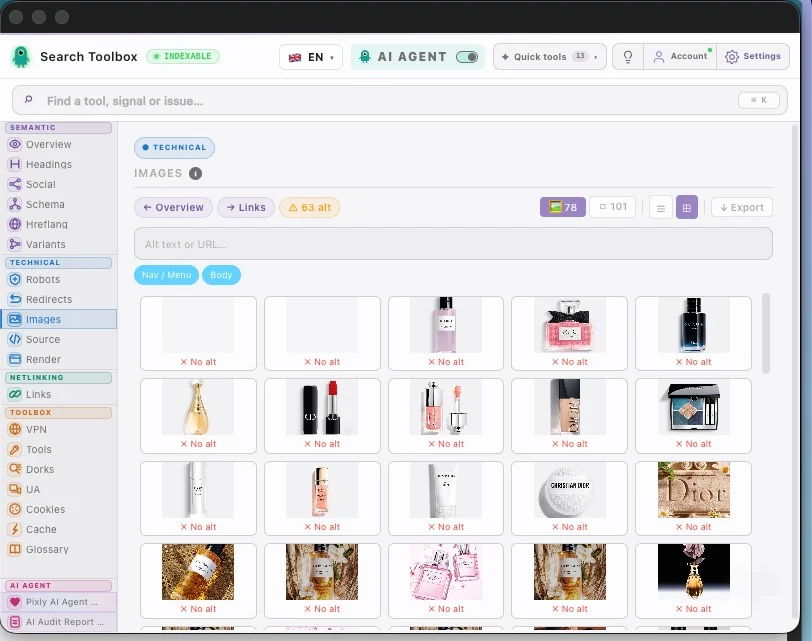
Individua alt mancanti, file pesanti e formati non ottimali senza spezzare il ritmo dell audit.
Piu contesto e piu performance in pochi secondi.
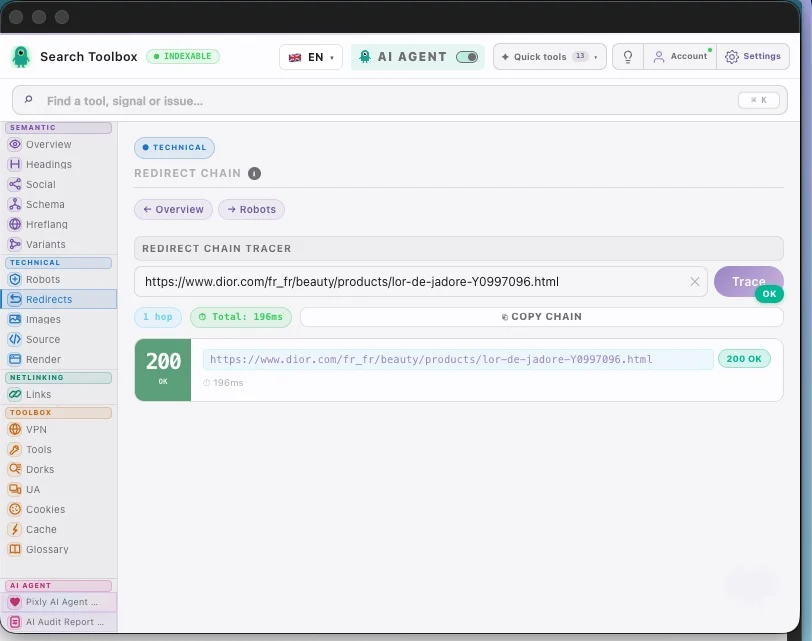
Traccia catene 301/302, misura i tempi di risposta e rileva i loop prima che facciano danni.
Migrazioni piu sicure prima dell impatto SEO.


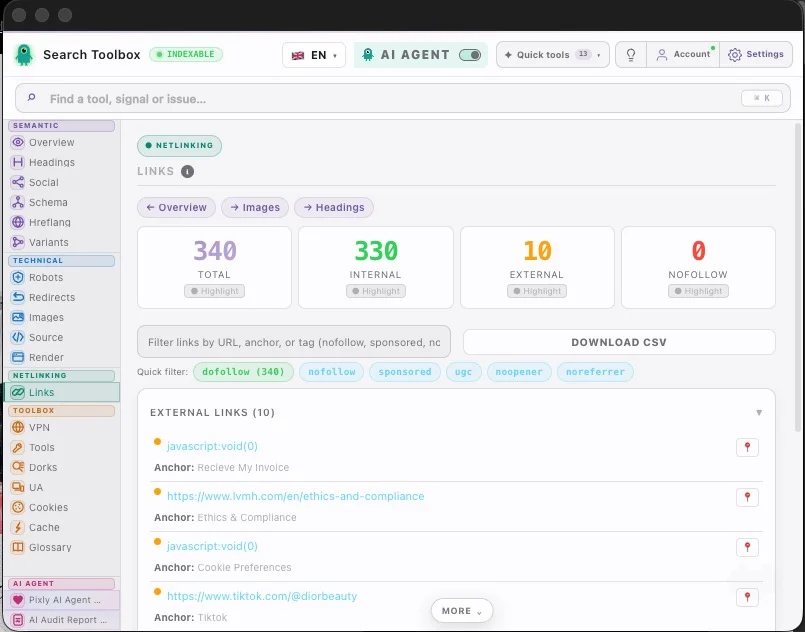
Interni, esterni, nofollow, sponsored e UGC: tutto leggibile in un attimo.
Da pagina confusa a mappa link pulita.


On any site, any page — localhost, staging, or production. And these are just a handful of the 60+ tools packed inside for free.
Swipe to explore · tap to zoom
Prima · Dopo
La maggior parte dei SEO ha più di 10 estensioni installate. Search Toolbox le sostituisce tutte.
✦ L'ultima estensione SEO che installerai mai ✦
La maggior parte dei bot IA sono ciechi di fronte al tuo codice. Il nostro agente analizza il DOM live e il codice sorgente per soluzioni contestuali.
Dal tuo primo audit SEO alle analisi su larga scala. Tutti gli strumenti che ti servono, sempre gratuiti.
62 funzionalita
Title, meta description, canonical URL, robots, viewport, charset — scored and flagged in real-time.
Character count badges with good/warn/bad thresholds (SEO-optimal ranges).
Detect self-referencing canonicals, cross-domain canonicals, and missing canonical tags.
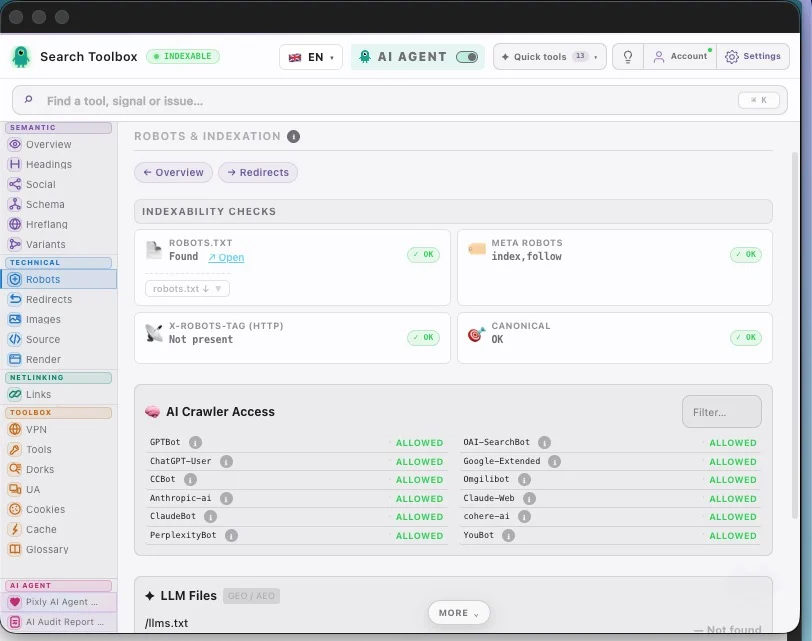
Parse noindex, nofollow, noarchive, noimageindex, unavailable_after and all robot directives.
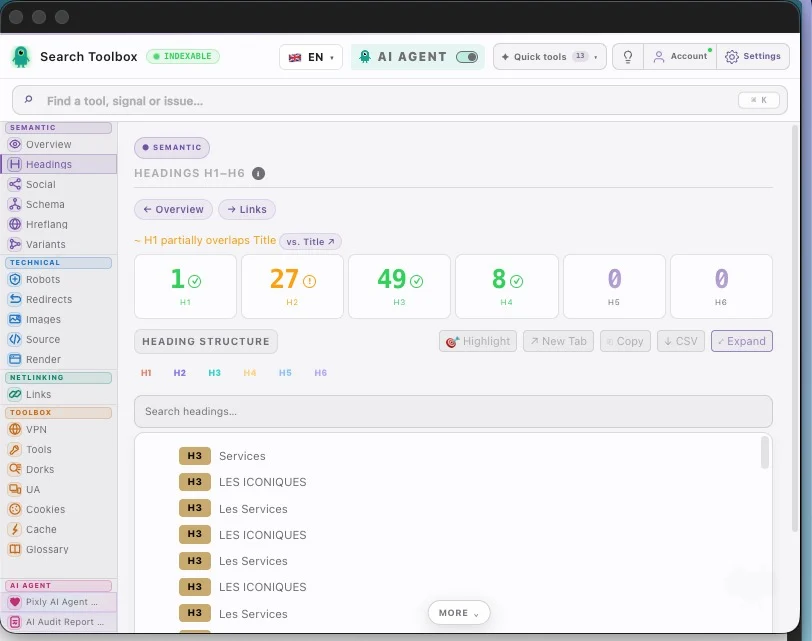
Visual H1–H6 tree. Detect missing H1, multiple H1s, and heading level skips.
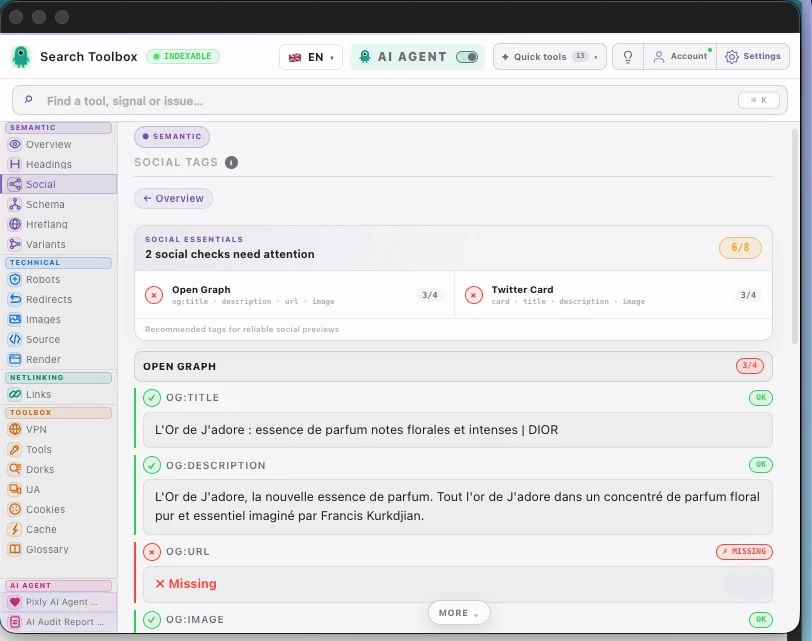
Live OG image, title, description, and site name exactly as Facebook and LinkedIn see it.
Twitter summary_large_image and app card preview with real image rendering.
Preview link unfurls for WhatsApp and messaging apps using og: and twitter: tags.
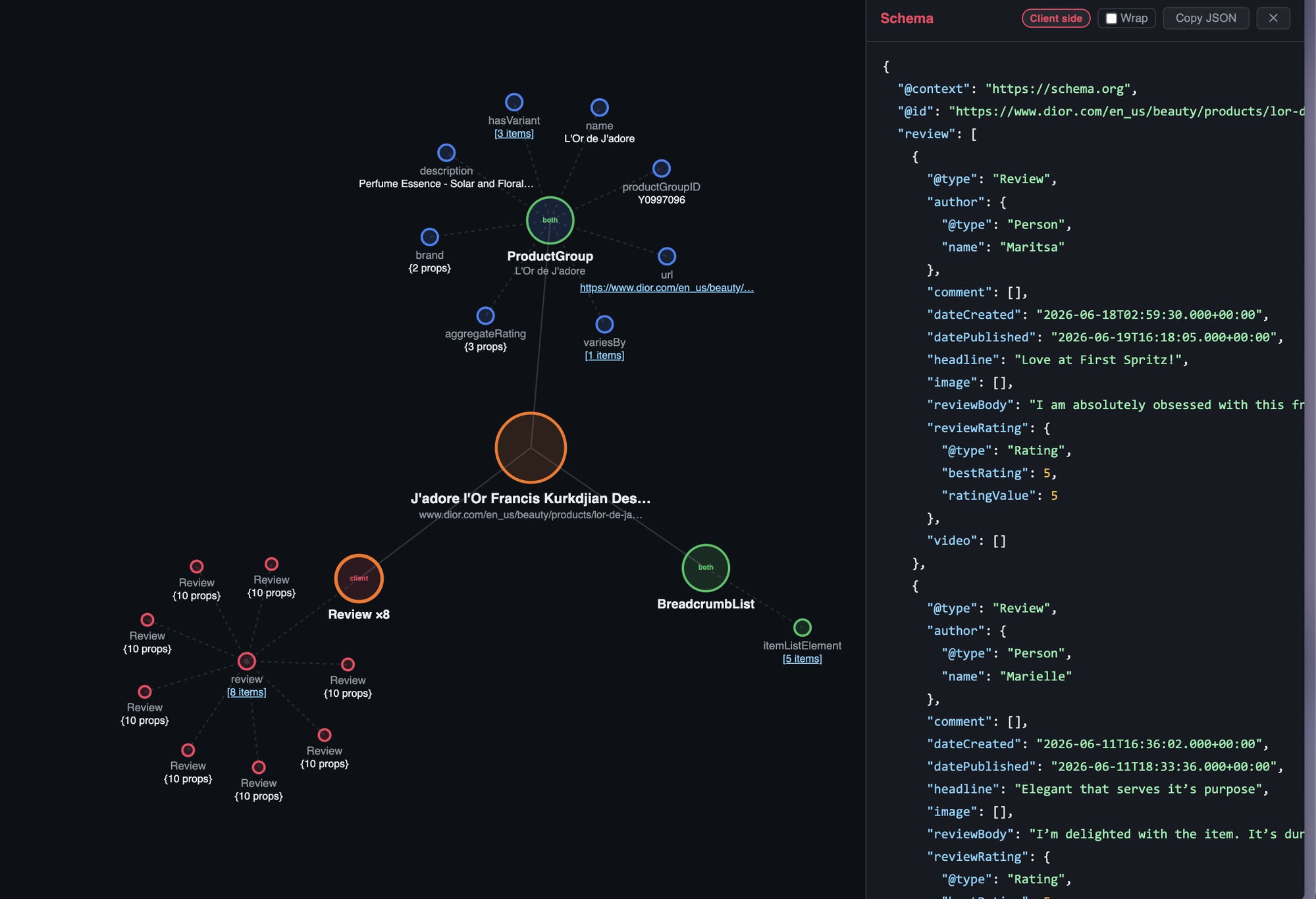
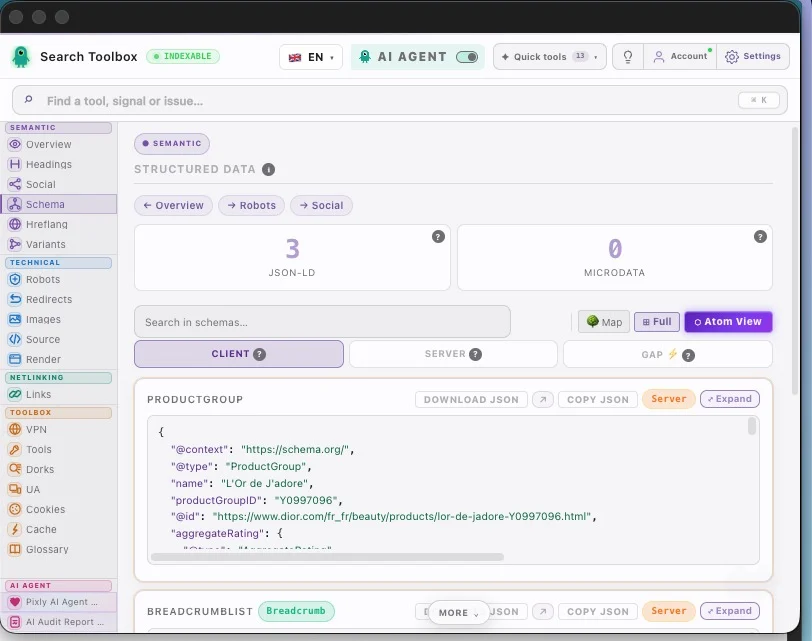
Extract, expand, and validate all JSON-LD blocks with syntax highlighting.
Parse Microdata and RDFa structured data in addition to JSON-LD.
Property-level error flags — missing required fields, wrong data types, invalid URLs.
List all hreflang and x-default tags with language/region codes.
Verify that each alternate URL links back correctly (reciprocal hreflang).
Detect malformed language codes (en-gb vs en-GB, fr-fr vs fr-FR) and missing x-default.
www/non-www, HTTP/HTTPS, trailing slash, and case variants — consolidated into canonical.
Fetch and display the robots.txt with rule highlighting and crawl directive analysis.
Inspect the X-Robots-Tag HTTP response header — often overrides meta robots.
Confirm HTTPS protocol, detect mixed content warnings, and HTTP→HTTPS redirect presence.
Full hop-by-hop chain with status codes (301, 302, 307, 308…), response times, and loop detection.
Measure latency per hop to identify slow redirects that waste crawl budget.
Flag every image missing alt text — the #1 image SEO error on the web.
Detect oversized images being served at 1920px but rendered at 200px.
Identify JPEG/PNG images that should be converted to WebP or AVIF for speed.
Flag images larger than SEO-recommended thresholds (e.g. >200kb).
Download all images on the page as a single ZIP file.
Export a spreadsheet of all images: src, alt, dimensions, size, format.
Click any element on the page and inspect its computed CSS without opening DevTools.
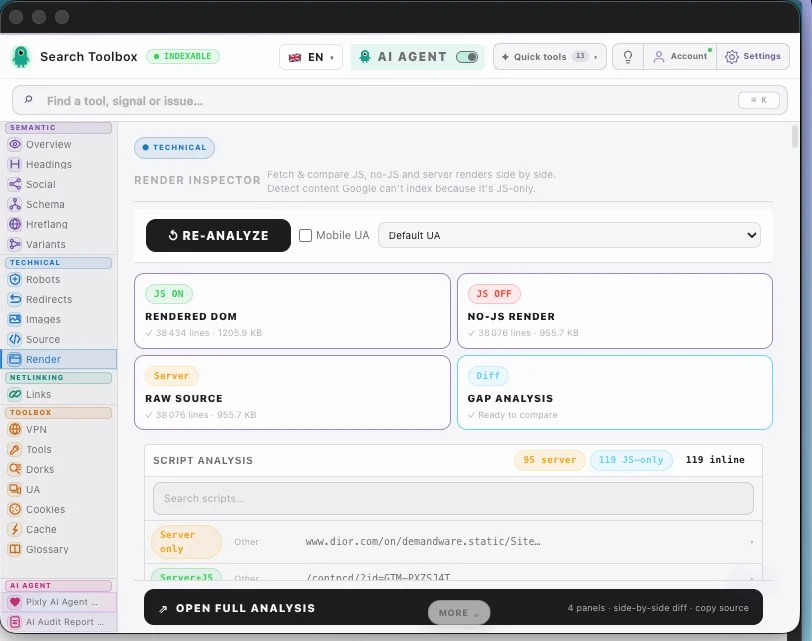
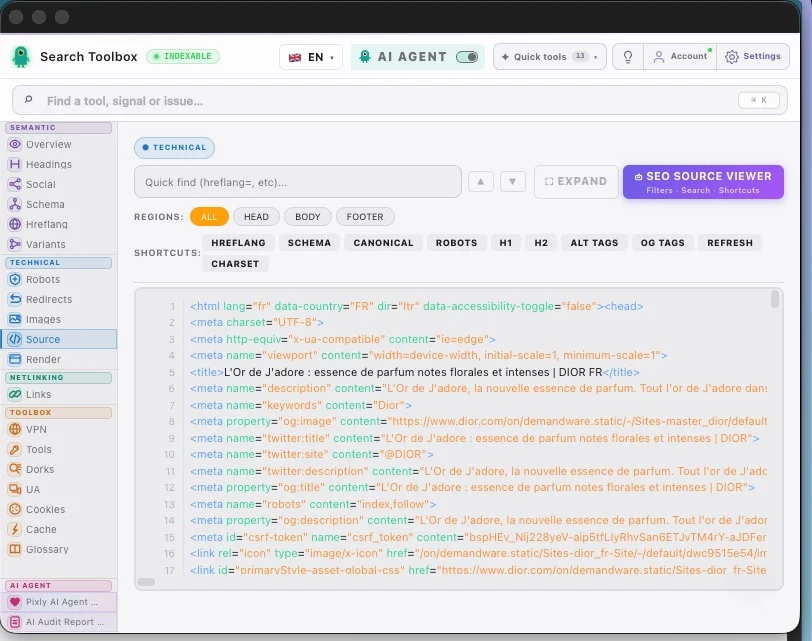
View raw HTML source with syntax highlighting — compare with rendered DOM.
Before/after JavaScript execution diff to spot crawler-invisible content.
Capture a pixel-perfect screenshot of the visible viewport in one click.
Scroll-capture the entire page as a single PNG image — including content below the fold.
Every internal and external link: URL, anchor text, status code.
Highlight all rel="nofollow" links at a glance.
Detect rel="sponsored" and rel="ugc" link attributes.
Separate internal vs external links, identify outgoing followed links.
Export the full link list with all attributes as a CSV file.
Ctrl/Cmd+drag to collect links from the page into a clipboard list.
Select any text on page to copy or Google-search it instantly.
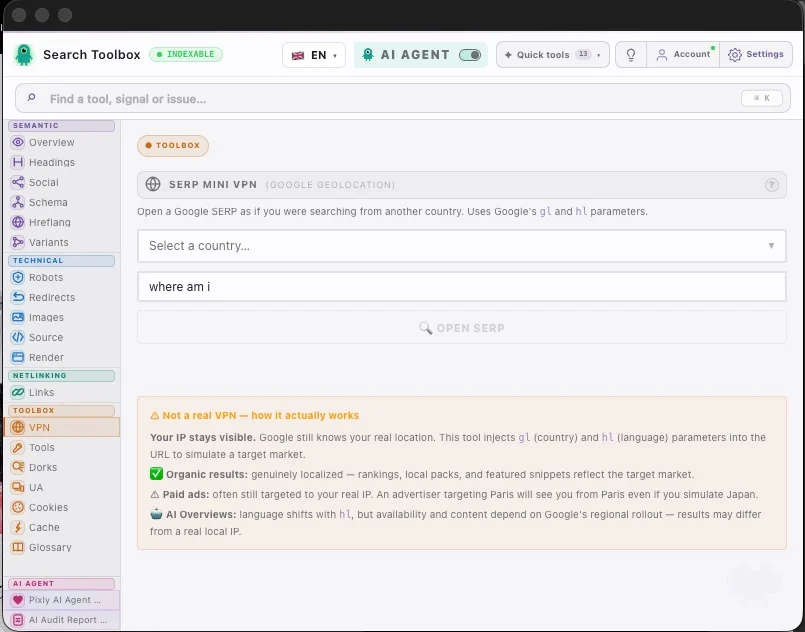
Simulate Google searches from 50+ countries without routing real traffic through a VPN.
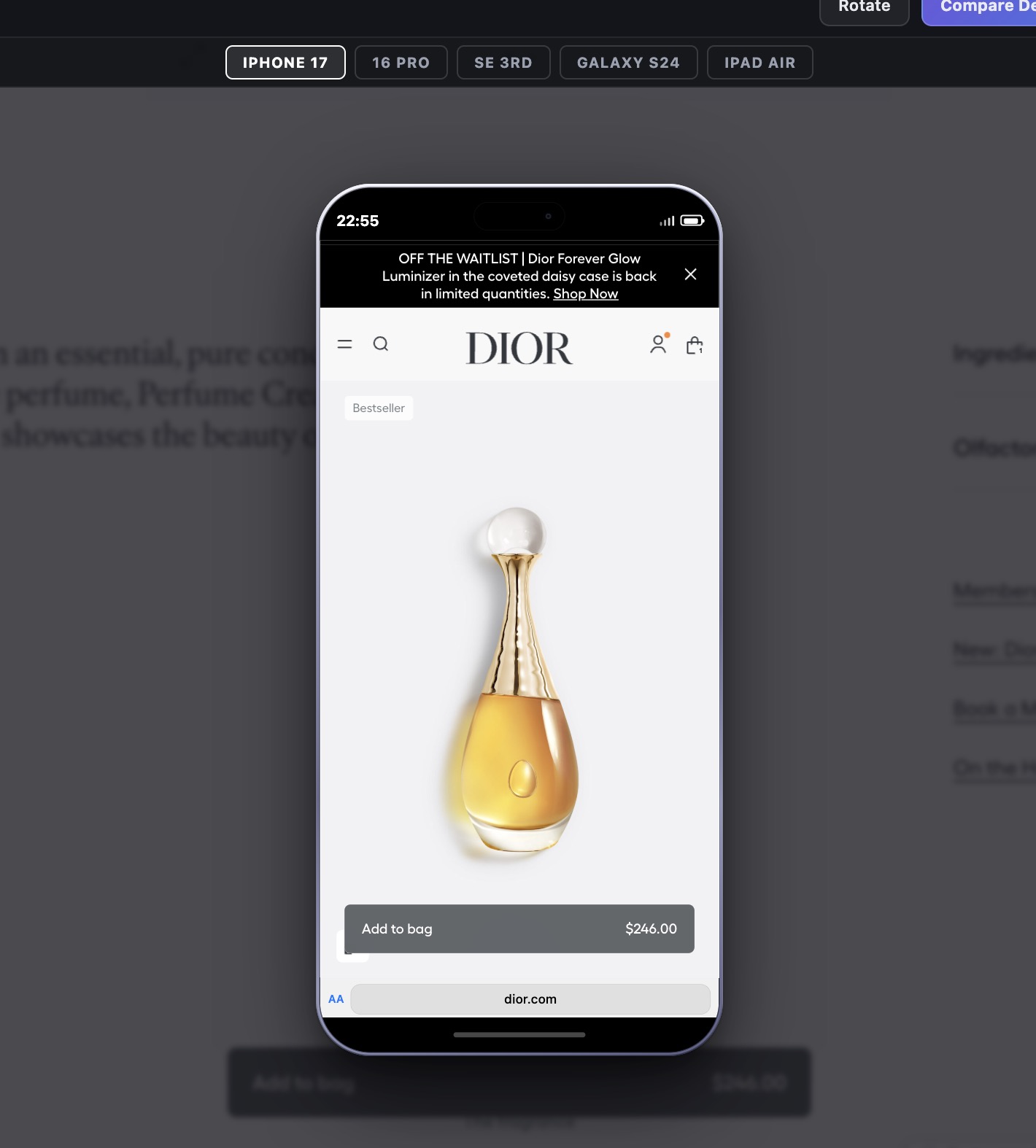
Preview SERP and page from any device: Googlebot Mobile, iPhone, Android.
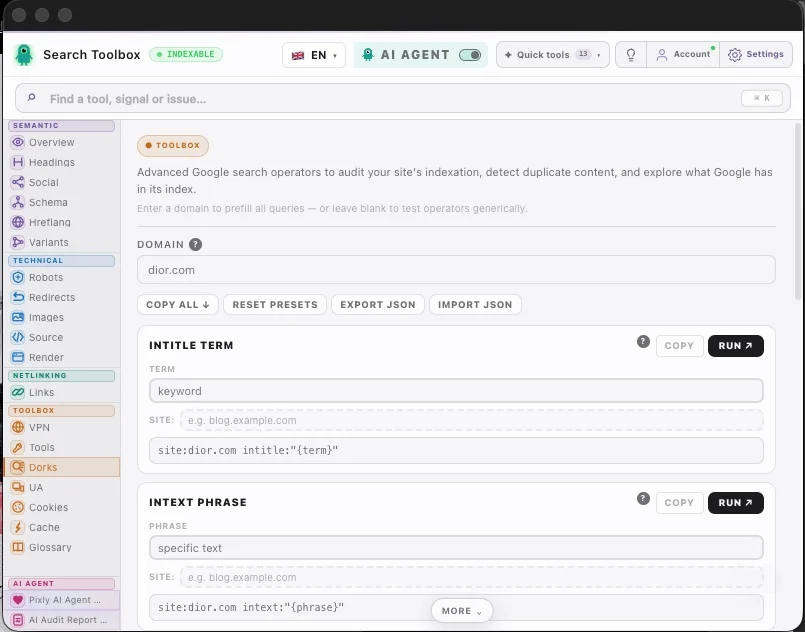
Pre-built site:, inurl:, intitle:, cache:, related: operators for instant power-user searches.
Detect pages that Google may be treating as duplicate content via search operators.
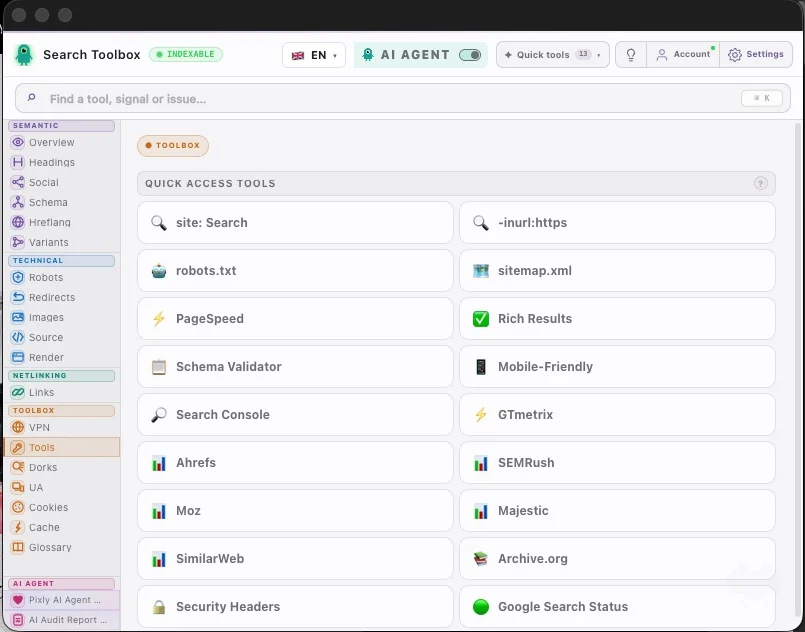
One-click PageSpeed Insights for the current URL.
Open Google Rich Results Test for the current URL in one click.
Jump to Ahrefs, SEMRush, Moz, Majestic, or SimilarWeb for the current domain instantly.
Full cookie manager: view values, edit, add new cookies, or nuke all at once.
Save and restore cookie sets — great for testing geo or consent variations.
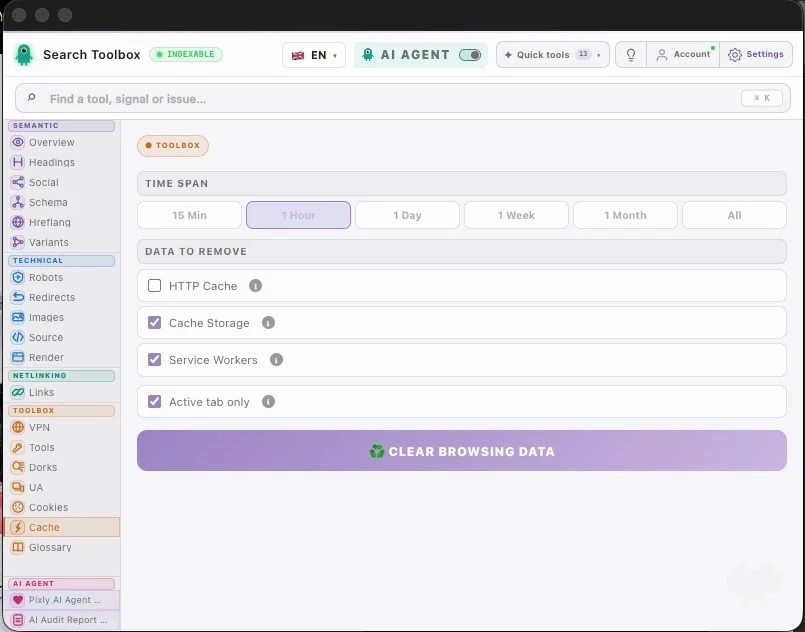
Clear cache, cookies, localStorage, sessionStorage — by time range or all at once.
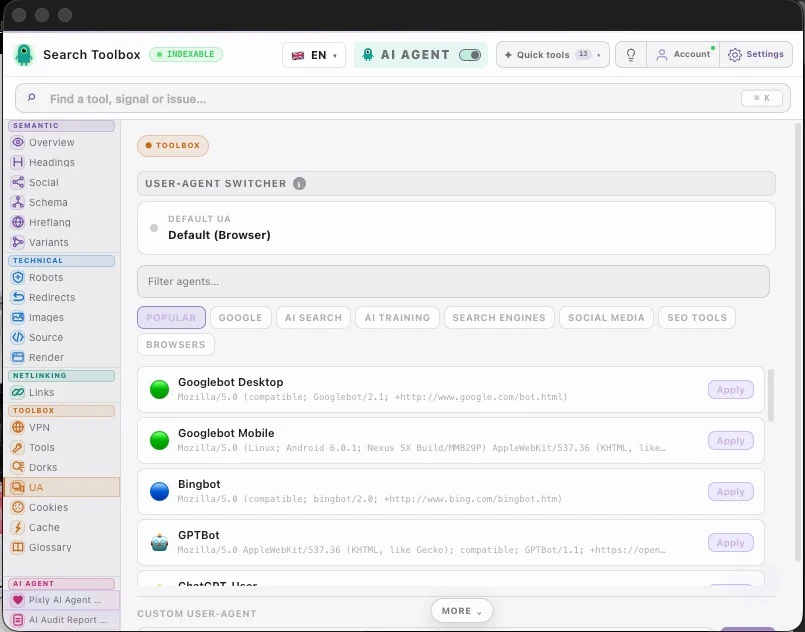
Googlebot Desktop, Googlebot Mobile, Bingbot, or any custom UA string.
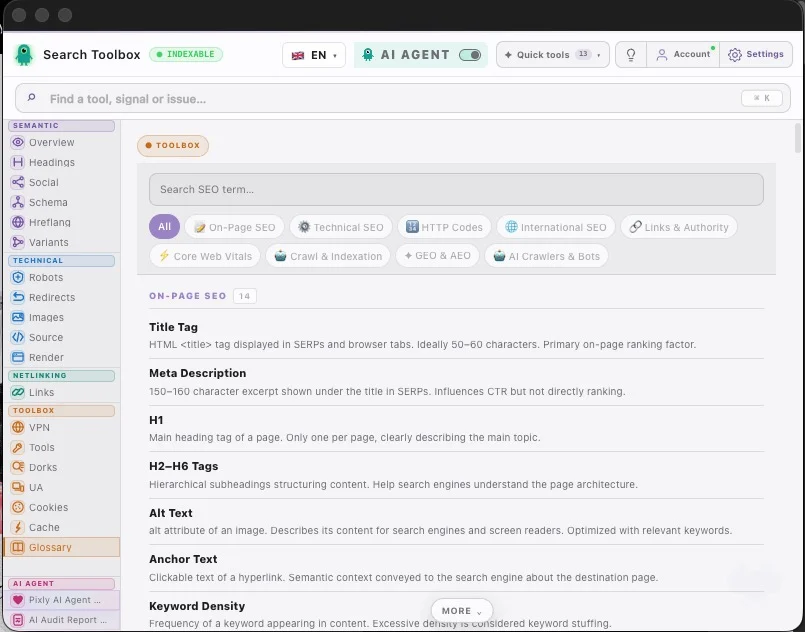
Plain-language definitions for every SEO concept — no browser tab needed.
Scored audit across 8 categories (Indexability, On-Page, Technical, Schema, Social, Speed, Links, Images).
Export the full SEO audit as a professional PDF — client-ready in 10 seconds.
Open the report in a standalone tab to share with clients or teammates.
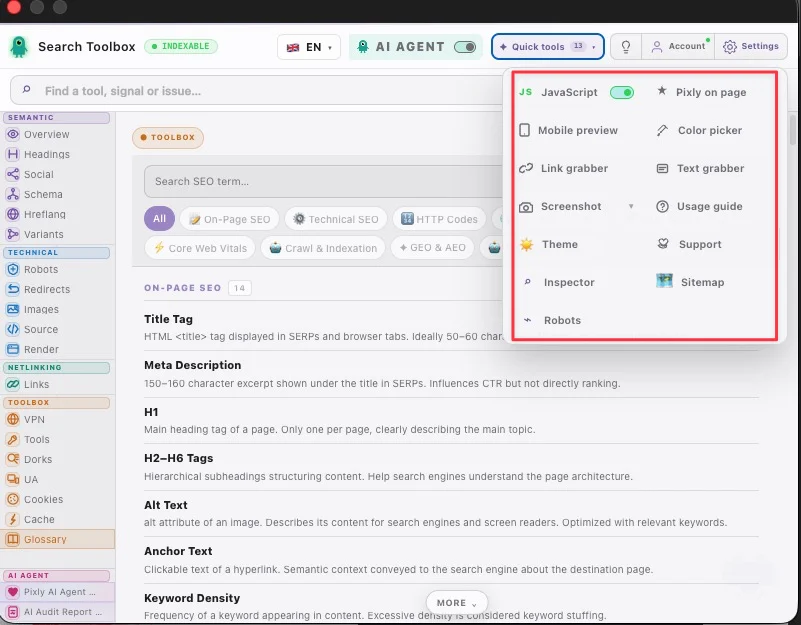
Disable JS with one click to see your page as crawlers see it during indexing.
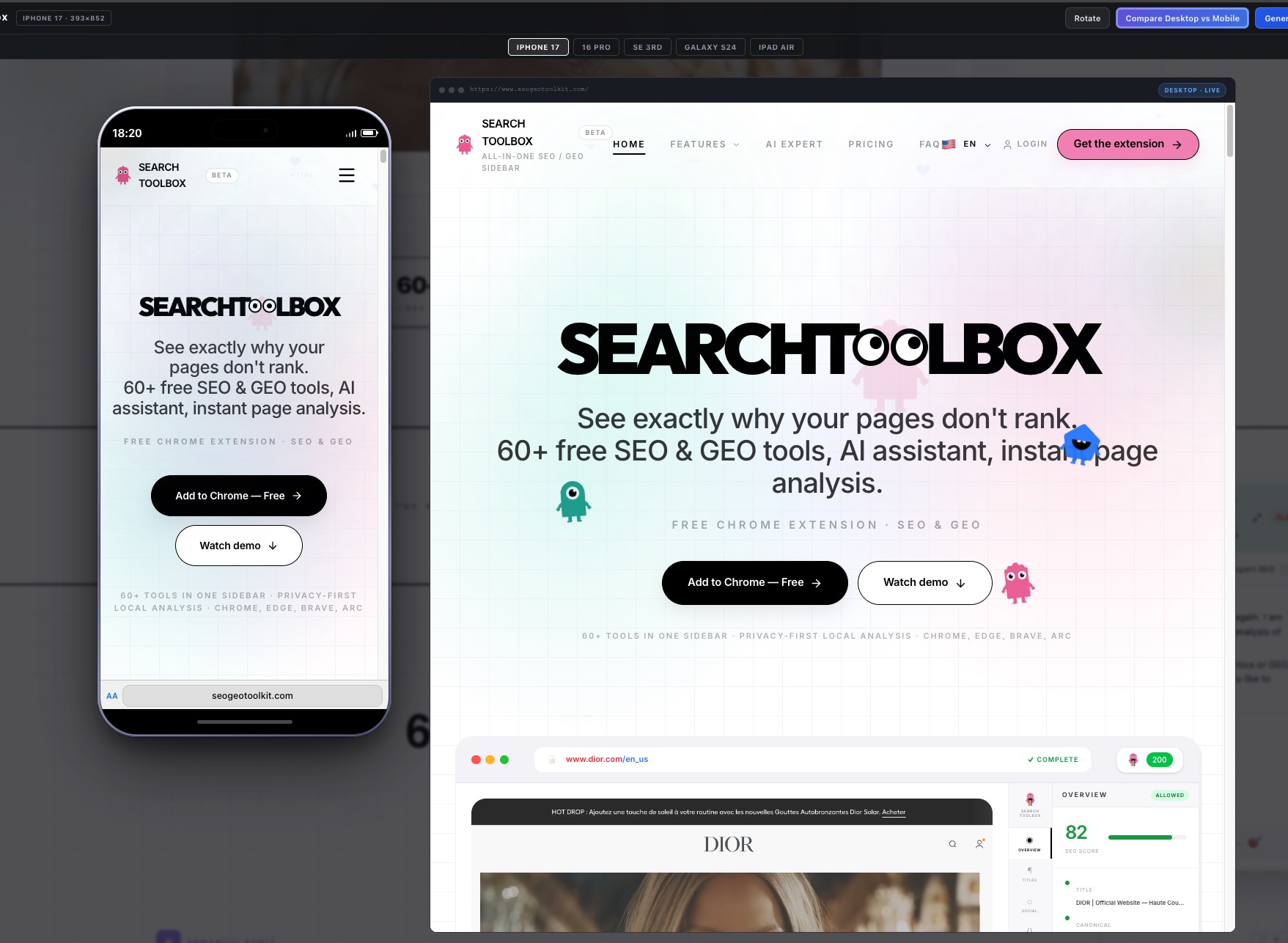
View any page in an accurate phone/tablet frame without a real device.
Pick any color from the page. Returns HEX, RGB, and HSL values instantly.
Make the extension semi-transparent to view the page behind it.
Toggle between the light and dark UI theme at any time.
Full keyboard navigation — every tab accessible with a configurable shortcut.
Hide any tabs you don't use. Set your default landing tab. Stays across sessions.
Runs as a Chrome Side Panel — stays open while you browse, no popup needed.
30+ SEO actions available from the browser right-click menu — fully configurable.
Centro risorse SEO
Inizia dall’audit gratuito, approfondisci un segnale tecnico e applica il workflow al tuo stack. Ogni pagina usa funzioni e screenshot reali.

strumenti SEO gratuiti

strumento di audit SEO gratuito

estensione Chrome SEO tecnico

verificatore Schema markup

verificatore meta e canonical

verificatore HTML renderizzato

verificatore hreflang

verificatore di catene redirect

verificatore alt immagini

HTML sorgente vs DOM renderizzato

verificare conflitti canonical

verificatore meta robots e X-Robots-Tag

validare JSON-LD JavaScript

alternativa a Detailed SEO

alternativa a SEOquake

alternativa SEO a Lighthouse

audit SEO Shopify

audit SEO WordPress

audit SEO Wix

audit SEO Next.js React

audit SEO ecommerce internazionale
60+ strumenti di analisi, audit, report PDF — tutto 100% gratis. L'unica parte a pagamento: un esperto IA.
Fatturazione annuale — Prezzo di lancio, tempo limitato
Swipe to compare plans
Nessuna carta richiesta per i tool gratis · Cancella Pro quando vuoi
Risposte chiare alle domande che rallentano più spesso l’installazione.
Sì. L'estensione include gratis 60+ strumenti SEO e GEO, audit on-page ed esportazioni PDF. La parte a pagamento entra in gioco solo se vuoi l'agente SEO IA con raccomandazioni contestuali.
Un'IA generica risponde in base a ciò che incolli. SearchToolbox legge il contesto reale della pagina nel browser: DOM live, meta tag, schema, redirect, hreflang, link e altro. Per questo le risposte sono legate alla pagina che stai davvero analizzando.
SearchToolbox funziona su browser Chromium come Chrome, Edge, Brave e Arc.
Sì, anche su localhost, staging, aree protette e pagine dietro login, perché analizza ciò che è già aperto nel browser.
Gli audit principali girano localmente nel browser. URL, DOM, meta tag, schema e codice sorgente non lasciano il tuo dispositivo durante l'analisi standard.
Nessun dato di pagina memorizzato · tutto rimane nel tuo browser
Nessuna carta · Accesso immediato