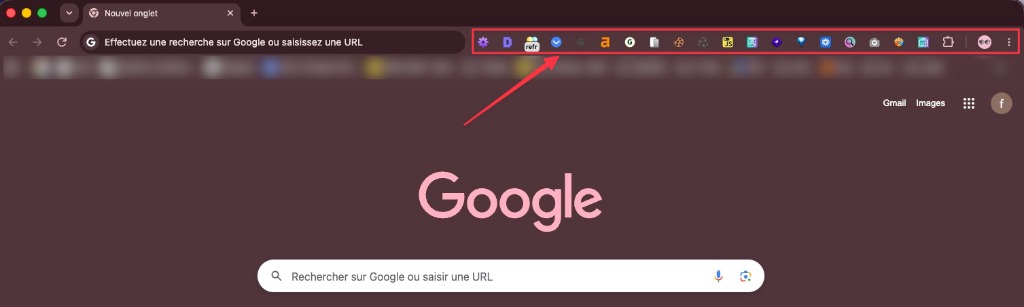
Antes12 extensiones activas
Tu configuración actual
SQ
SEOquakeDS
DetailedSEOMR
MozBarAH
Ahrefs SEOSS
SERPsimWV
Wave A11y⏱~2h por auditoría · 12 pestañas
💸Varias extensiones cuestan dinero
🐌Chrome ralentizado por tantas apps

Descubre exactamente por qué tus páginas no posicionan, con un Experto IA que lee la página real, no un rastreo.

Impulsando a expertos SEO en las agencias líderes del mundo
La Caja de Herramientas
Tanto si aprendes SEO como si optimizas a gran escala — entiende qué pasa realmente en cada página al instante.
Revisa titulo, meta descripcion, canonical, robots, H1-H6 y datos estructurados desde una sola vista tecnica.
Ve el problema. Corrigelo. Sigue.
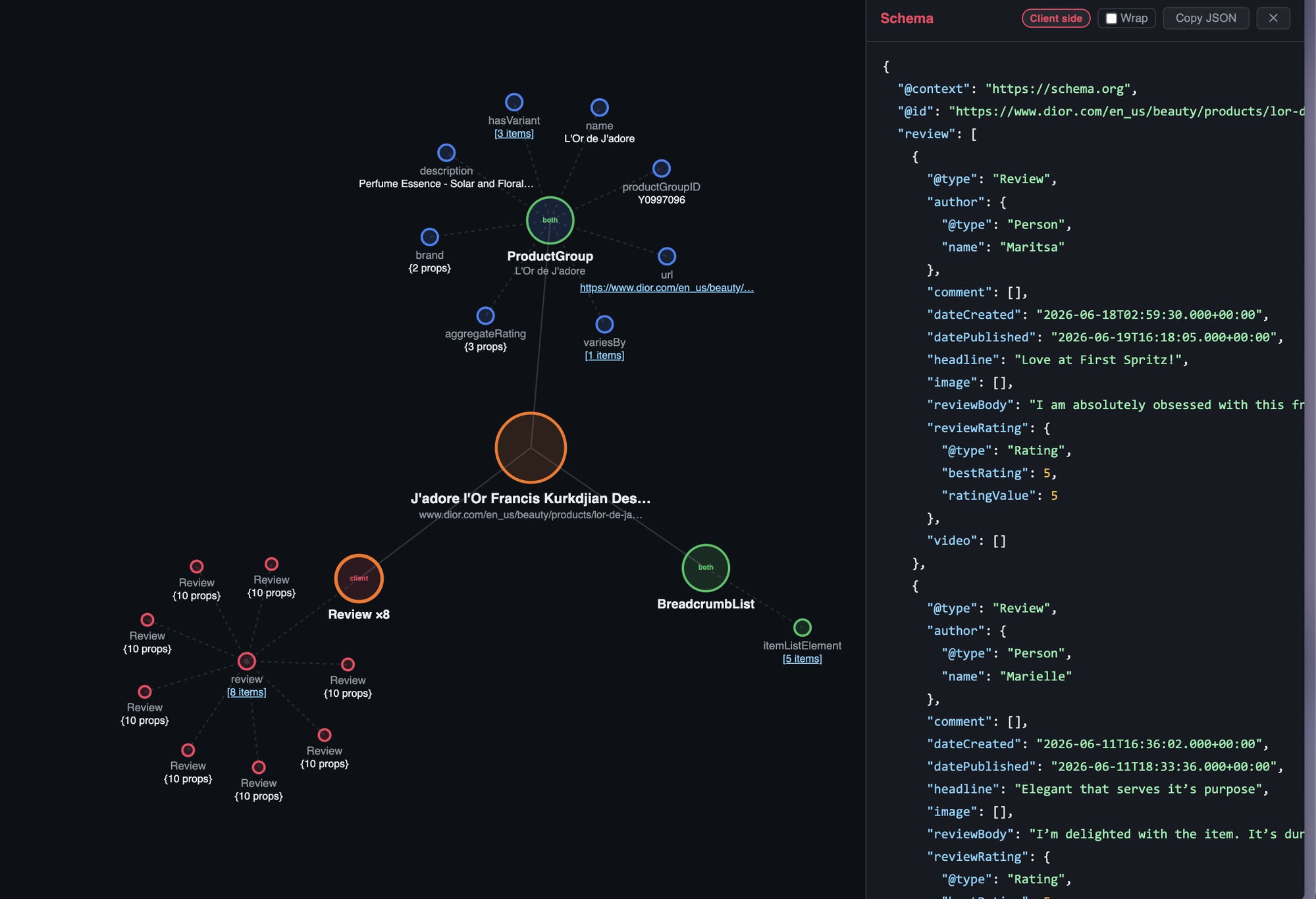
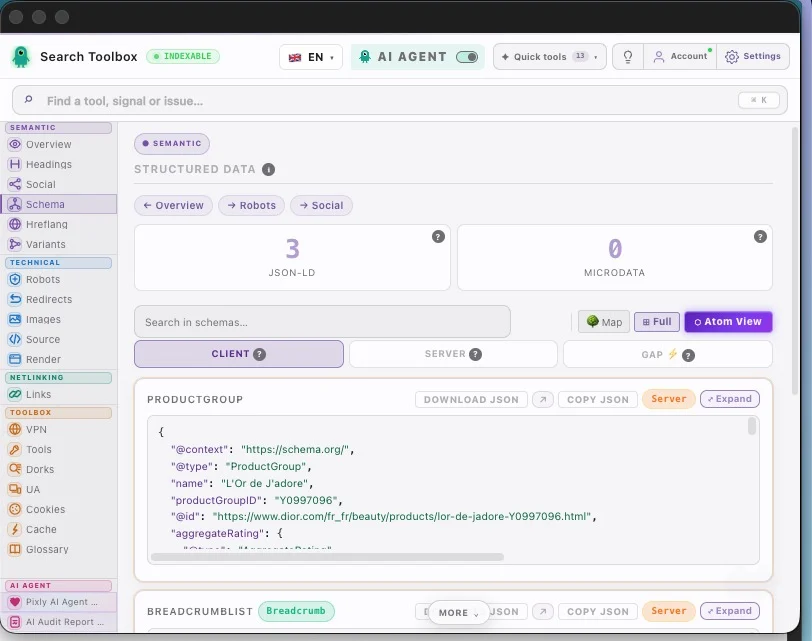
Extrae y valida JSON-LD, Microdata y RDFa con una lectura clara hasta el nivel de cada propiedad.
Corta los bloqueos de rich results antes de que te resten visibilidad.
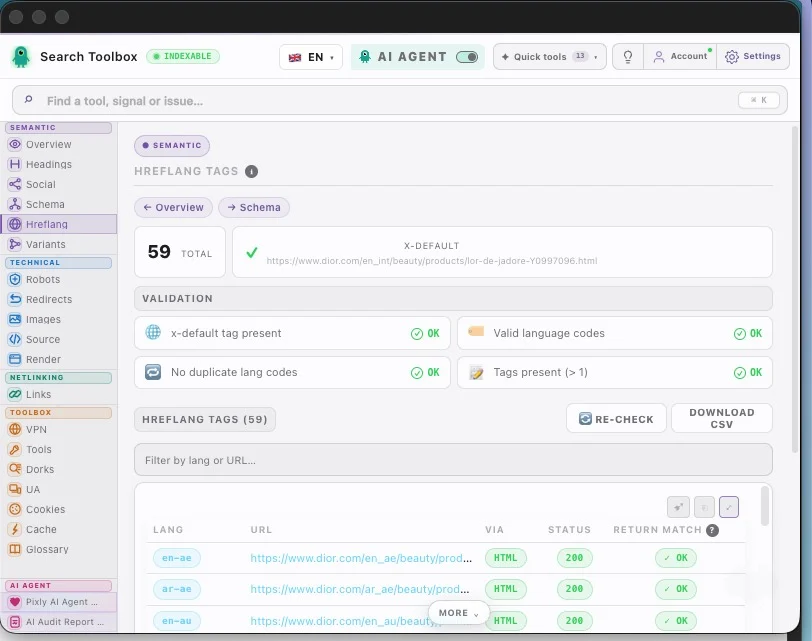
Verifica hreflang, etiquetas de retorno, codigos de idioma y region, y x-default para despliegues internacionales.
Lanza internacional sin ruleta hreflang.
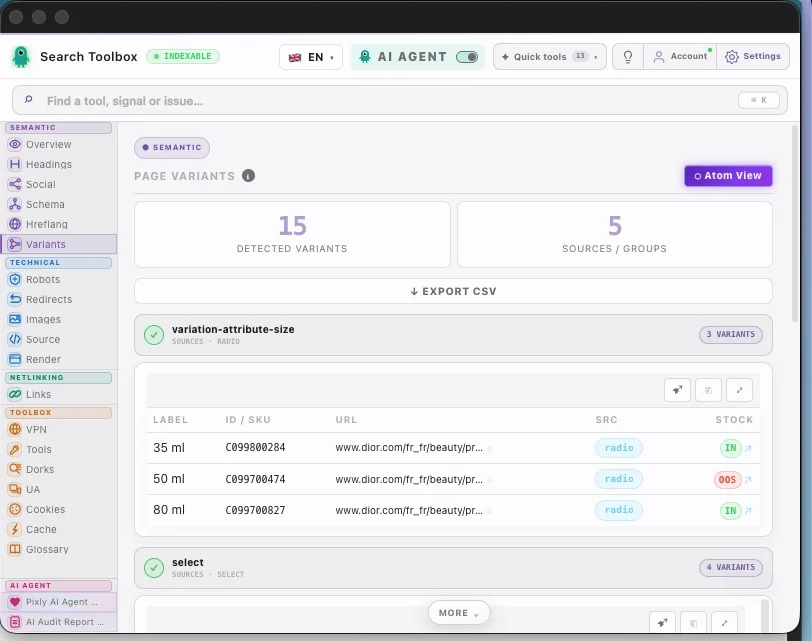
Detecta alt faltantes, archivos pesados y formatos flojos sin romper el ritmo de trabajo.
Mas contexto y mas rendimiento en segundos.
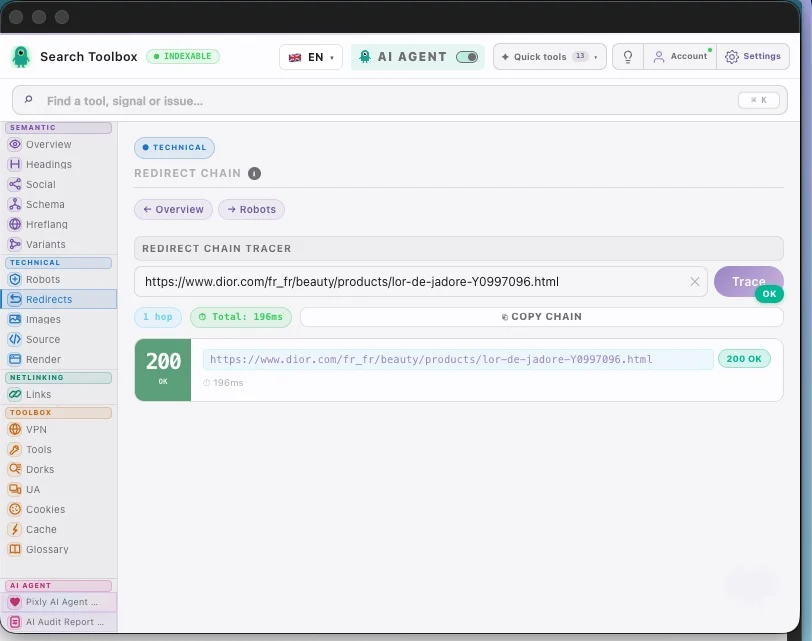
Rastrea cadenas 301/302, mide tiempos de respuesta y detecta loops antes de que peguen al SEO.
Migra con mas control antes del golpe en rankings.
Internos, externos, nofollow, sponsored y UGC visibles de un vistazo.
Convierte una pagina caotica en un mapa limpio de enlaces.
On any site, any page — localhost, staging, or production. And these are just a handful of the 60+ tools packed inside for free.
Swipe to explore · tap to zoom
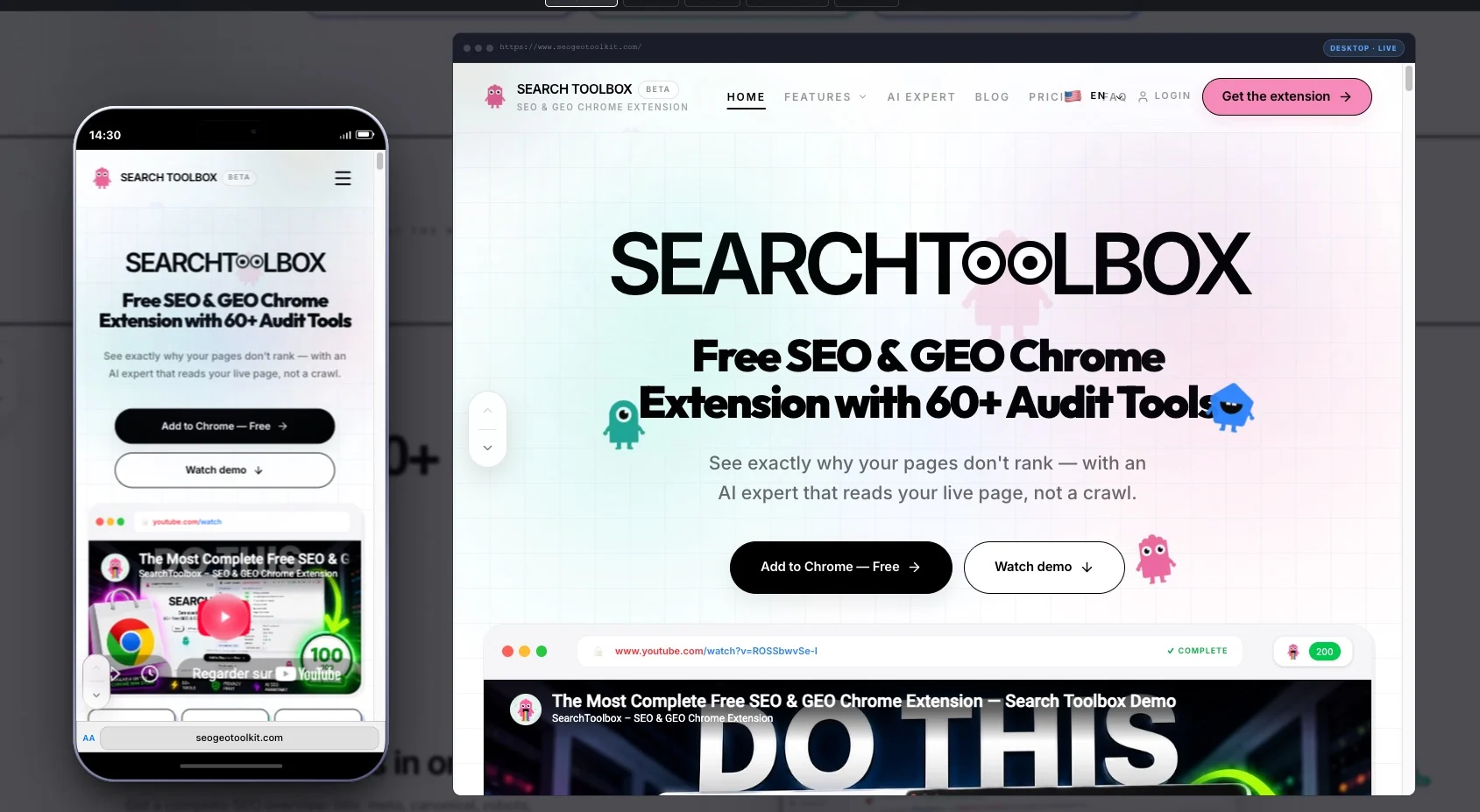
Search Toolbox — the live SEO audit sidebar on a real website
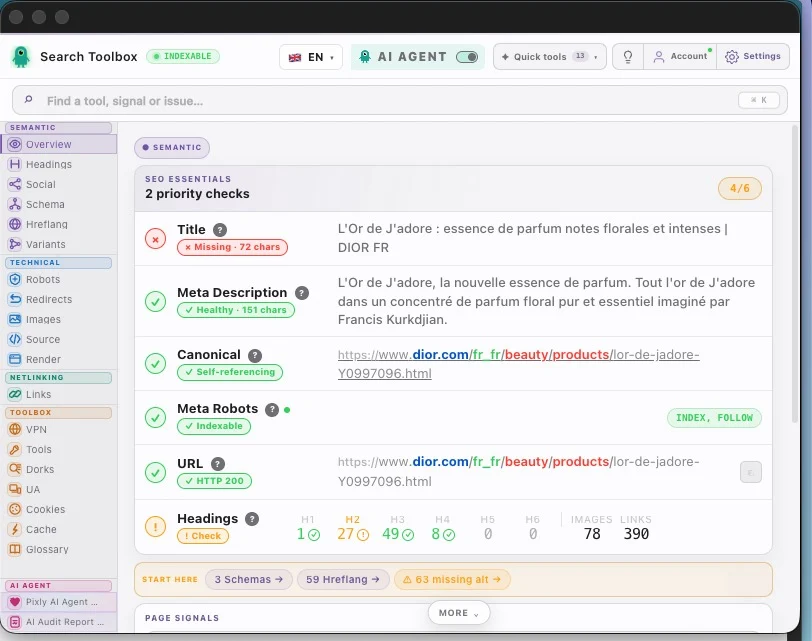
Overview — title, meta, canonical, schema & hreflang at a glance
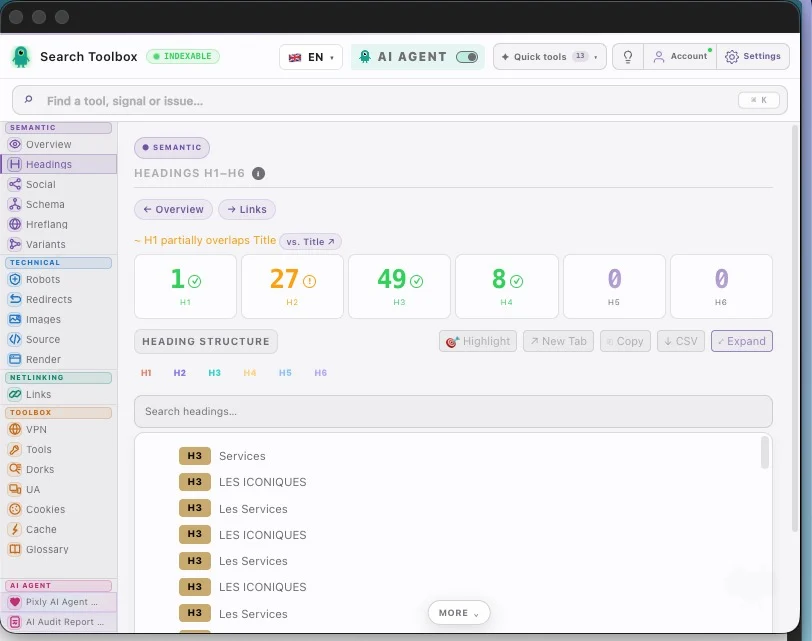
Headings — scan the rendered H1–H6 hierarchy and spot structural gaps
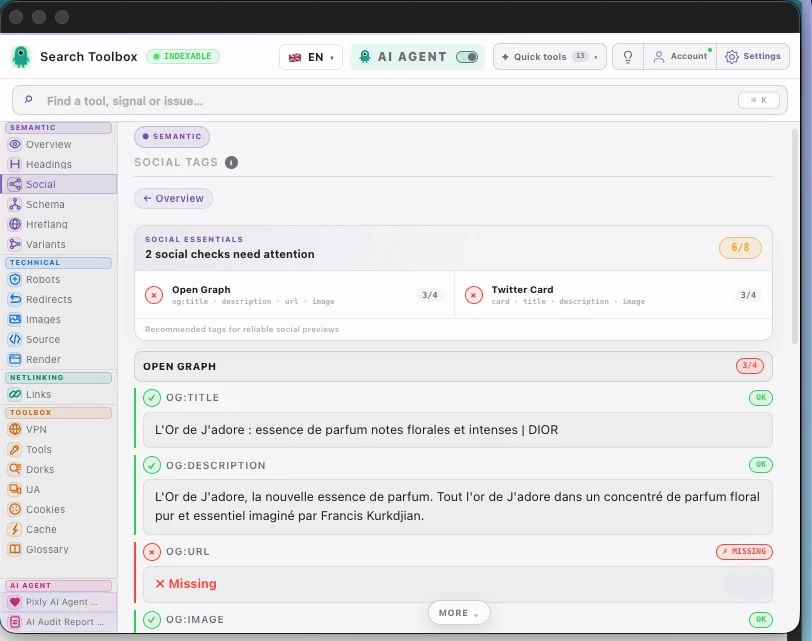
Social tags — review Open Graph and X cards before they are shared
Structured data — inspect JSON-LD and Microdata entities from the live page
Atom View — interactive mind-map of all structured data
Hreflang — verify language targets, HTTP status and reciprocal links
Redirects — follow each HTTP hop, final status and canonical outcome
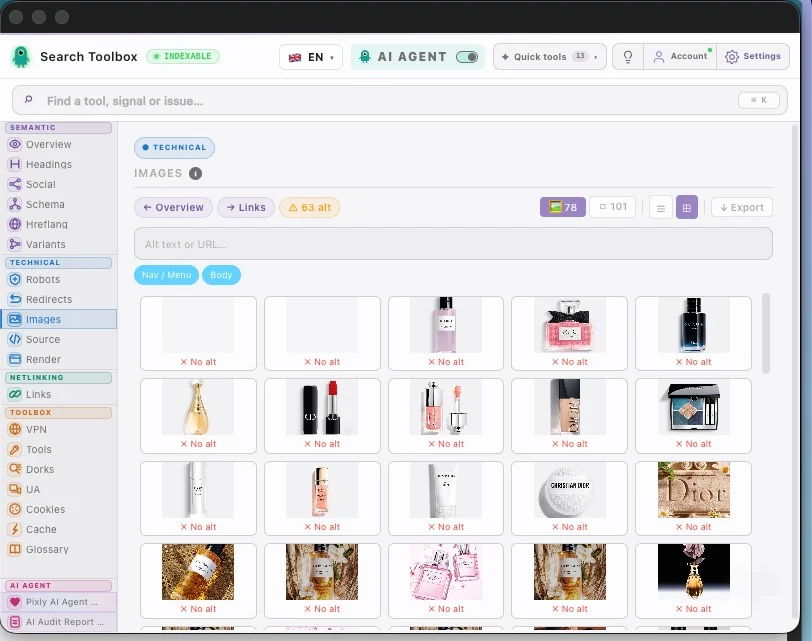
Images — inspect alt text, dimensions, format and rendered assets
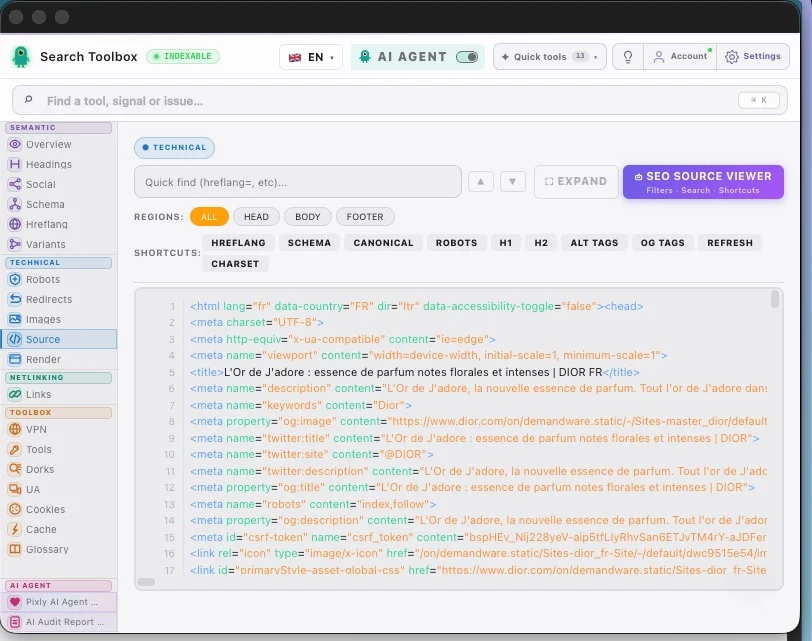
HTML source — search the server response without leaving the page
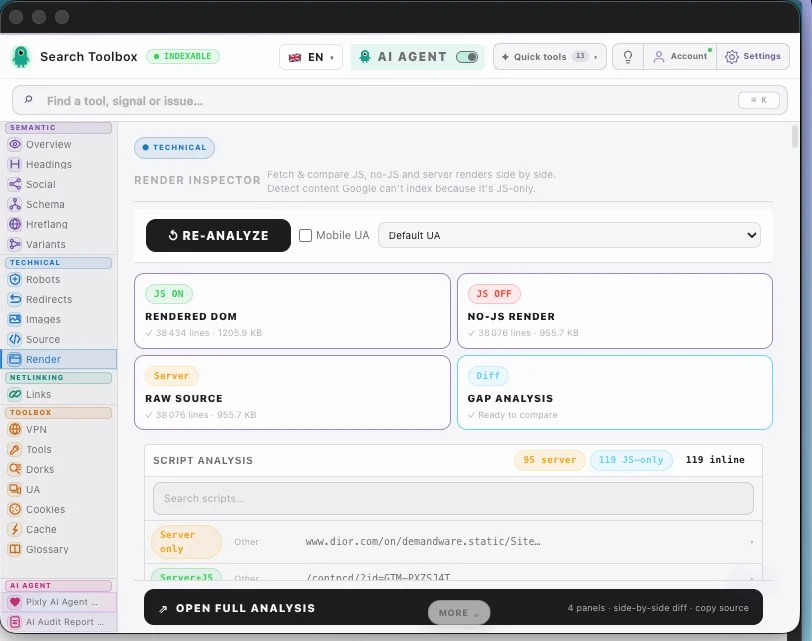
Render — compare raw source, no-JS output and the rendered DOM
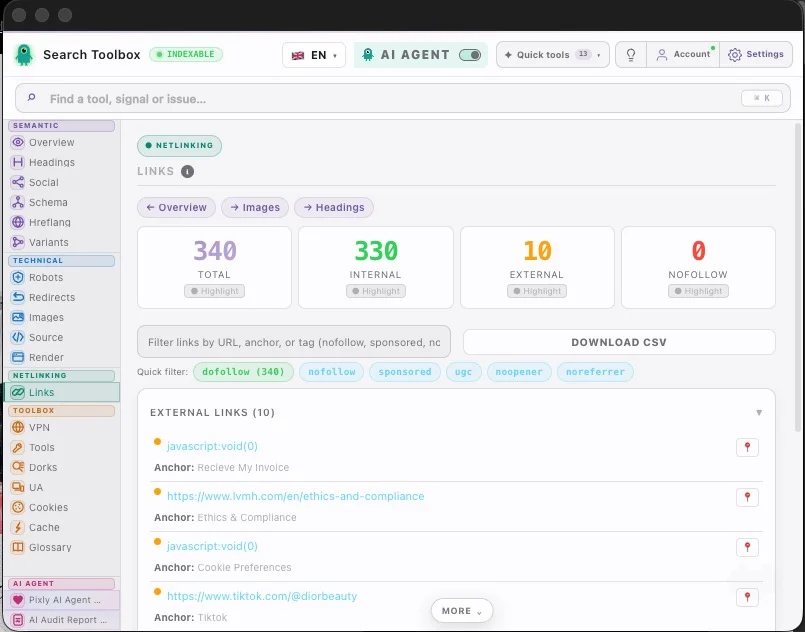
Links — classify internal, external, follow and nofollow URLs

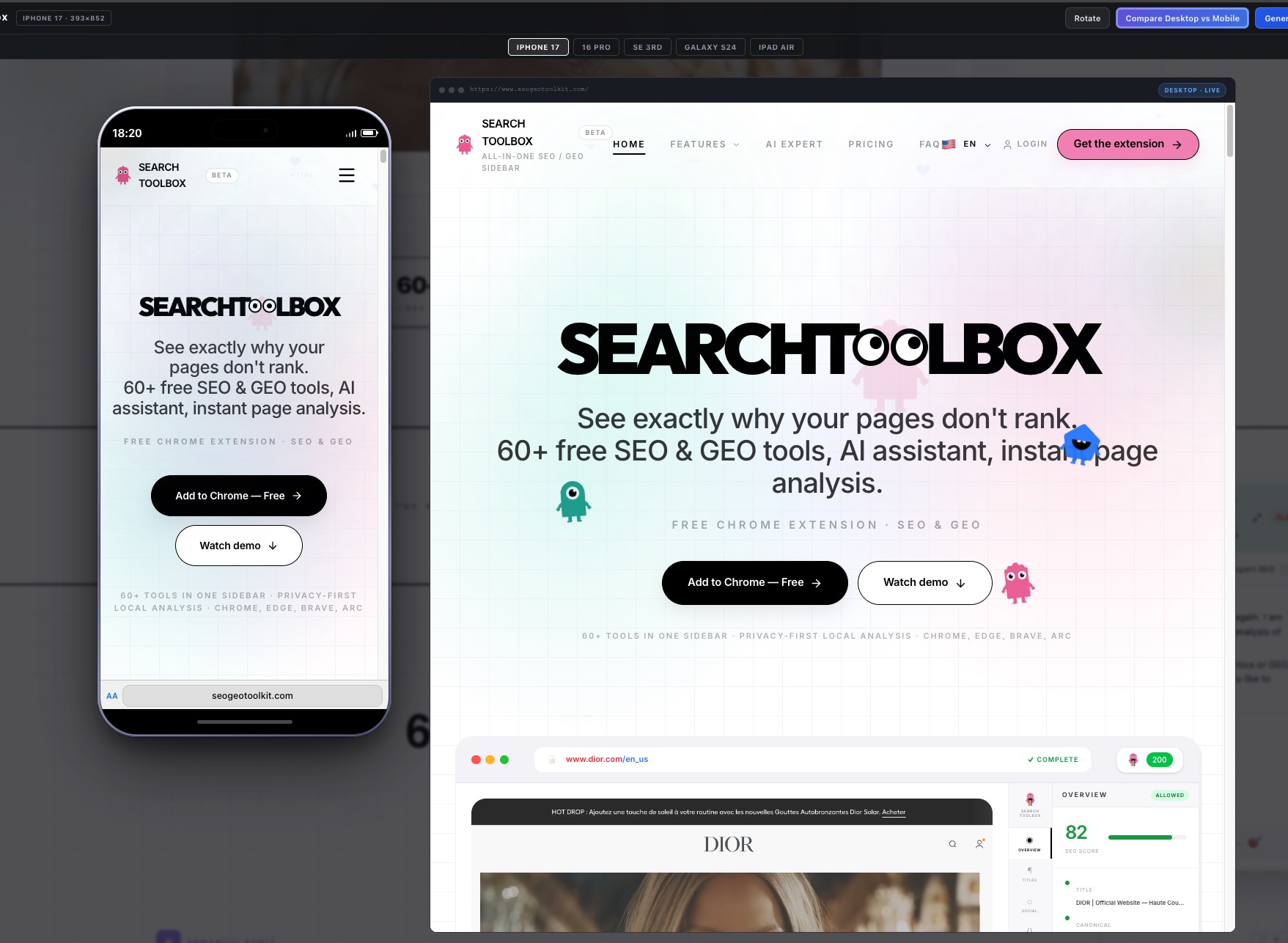
Mobile Preview — simulate iPhone 17, Galaxy S24 & more
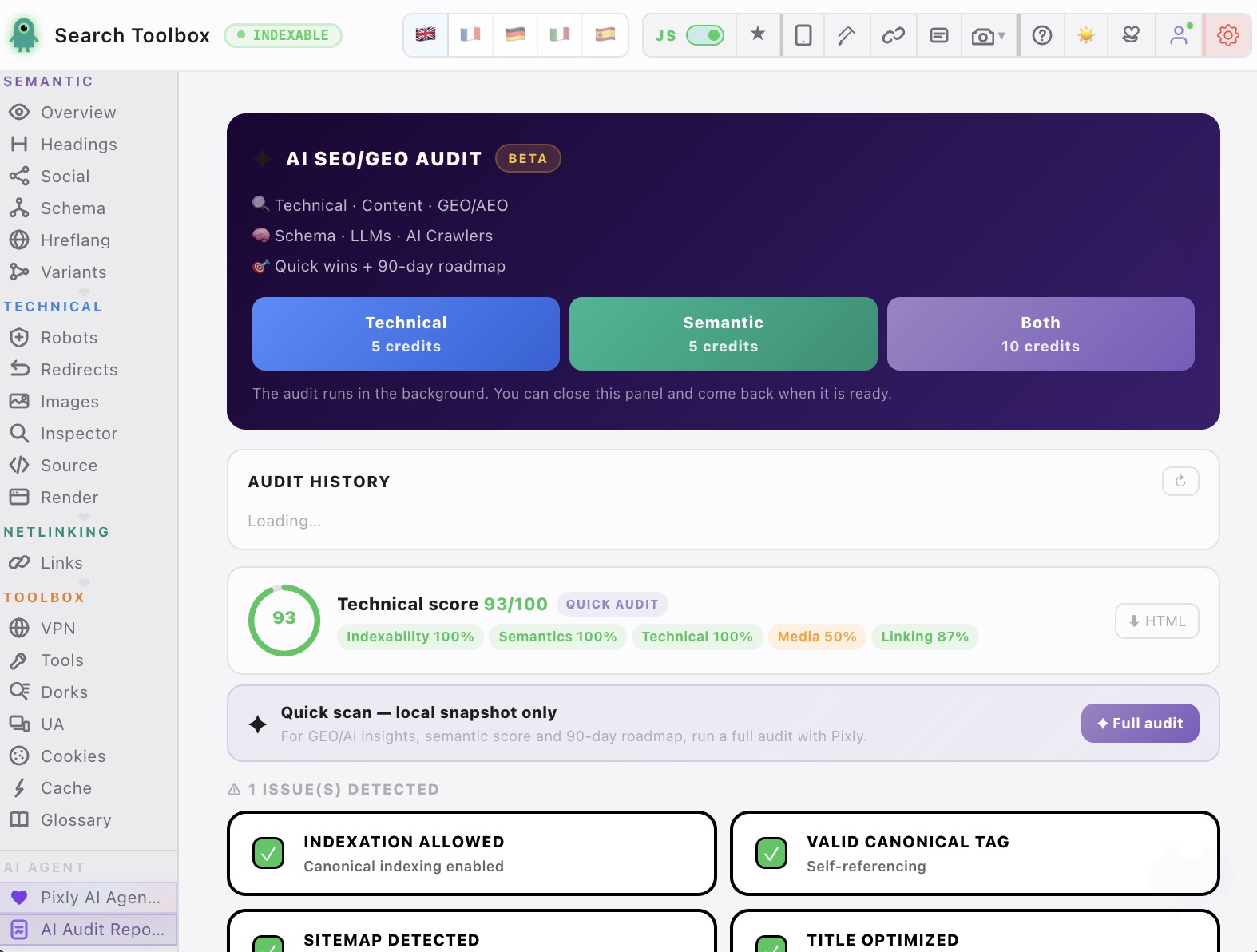
AI SEO/GEO Audit — 90-day roadmap generated in 60 seconds
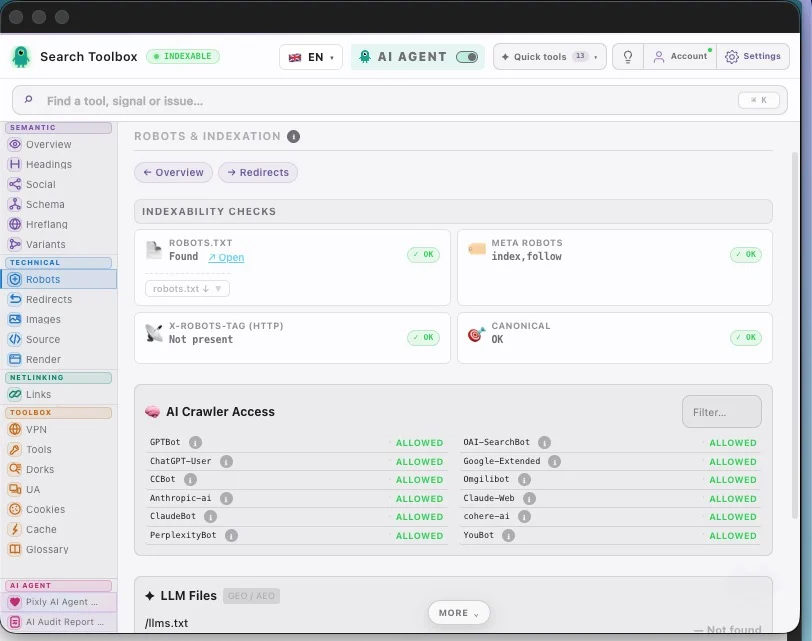
Robots & AI Crawlers — verify AI crawlability & LLM visibility
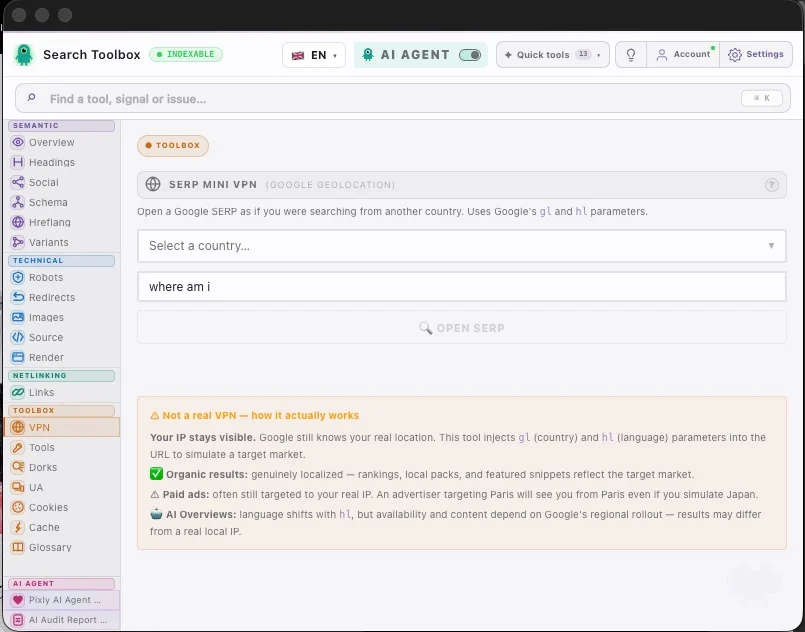
SERP VPN — open Google as if searching from any country
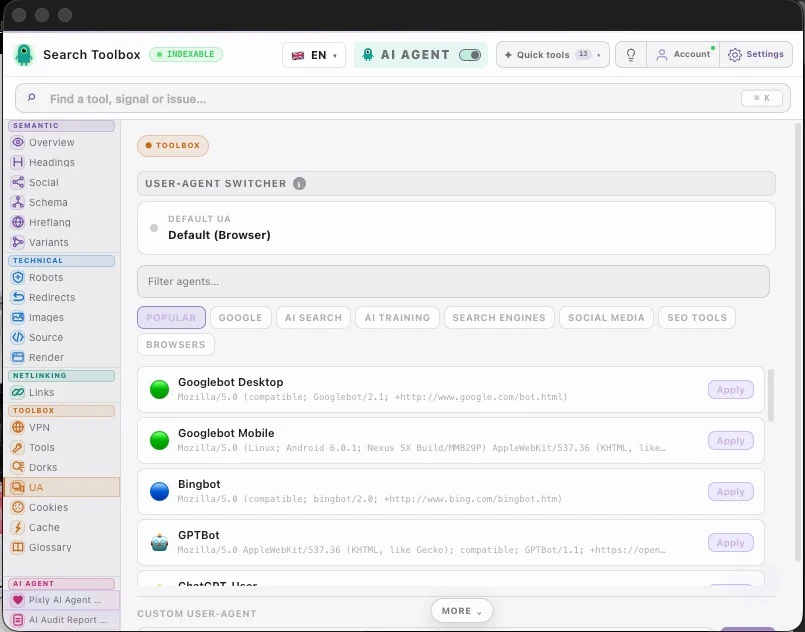
UA Switcher — emulate Googlebot, GPTBot, Bingbot & more
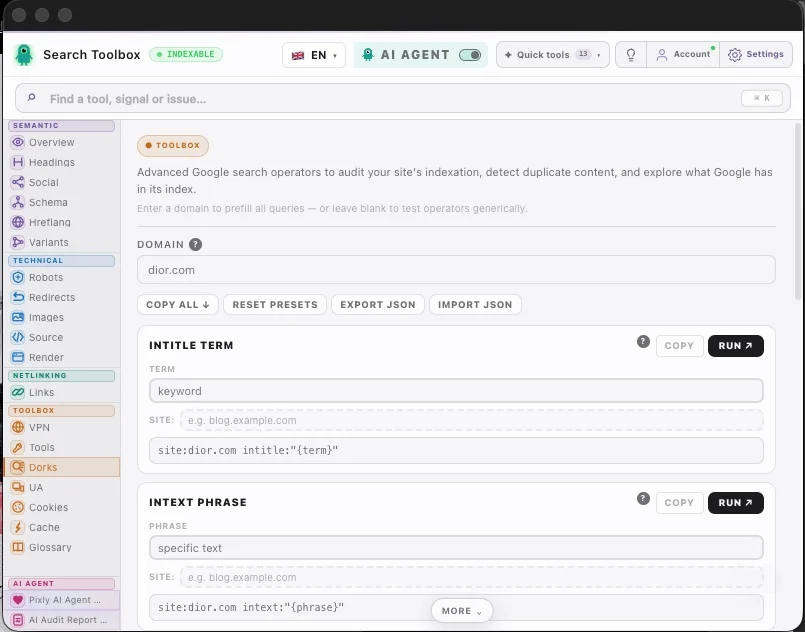
Google Dorks — 20+ search operators pre-wired for SEO audits
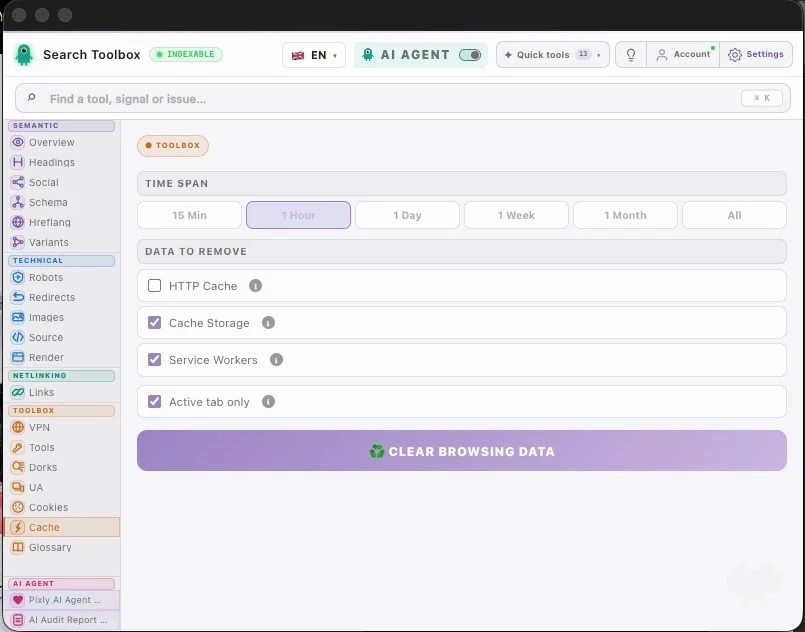
Cache Manager — clear the exact browser storage that needs a fresh test
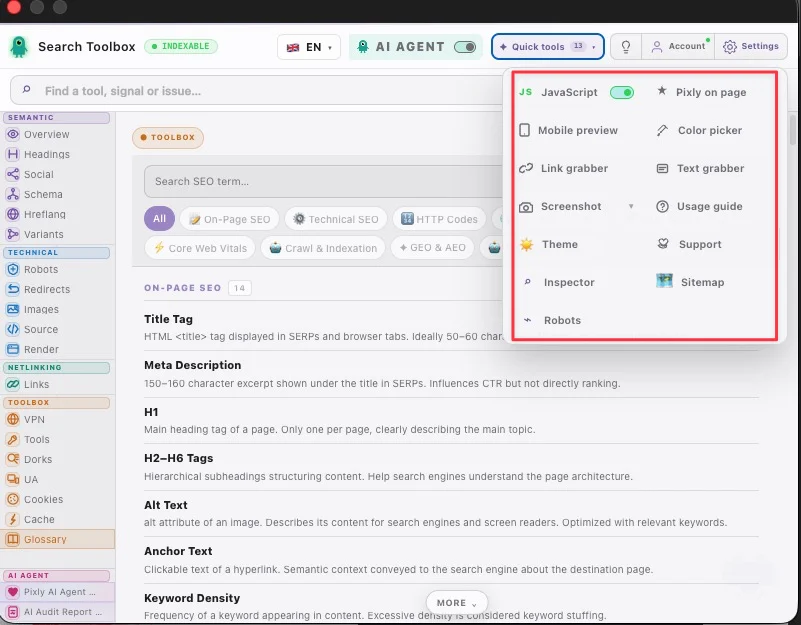
Quick tools — jump to your most useful checks from one compact menu
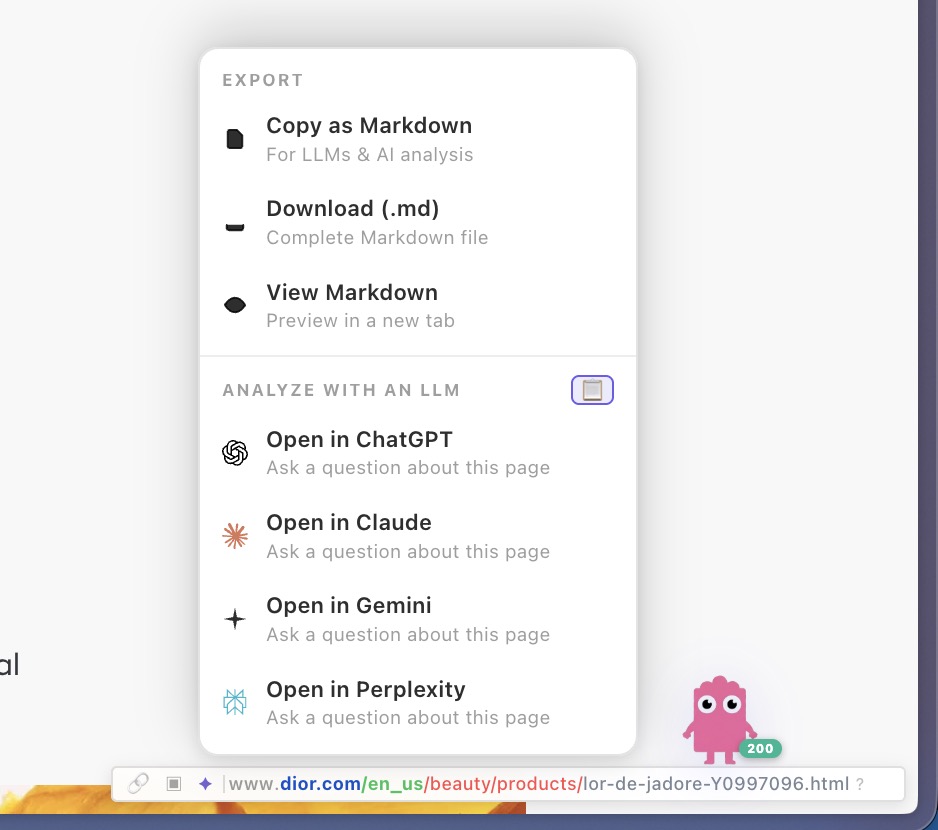
Export — send page data to ChatGPT, Claude or Gemini in one click
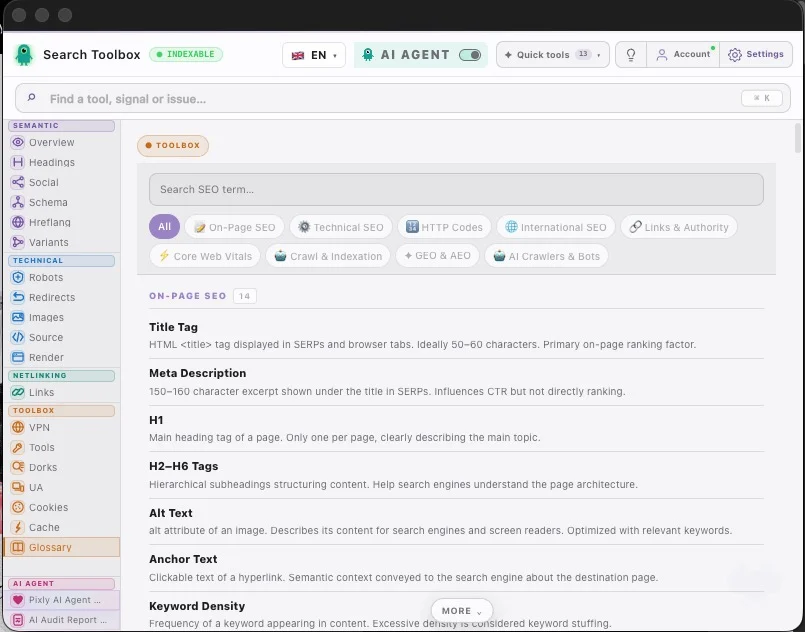
SEO Glossary — definitions for 100+ technical SEO terms
Antes · Después
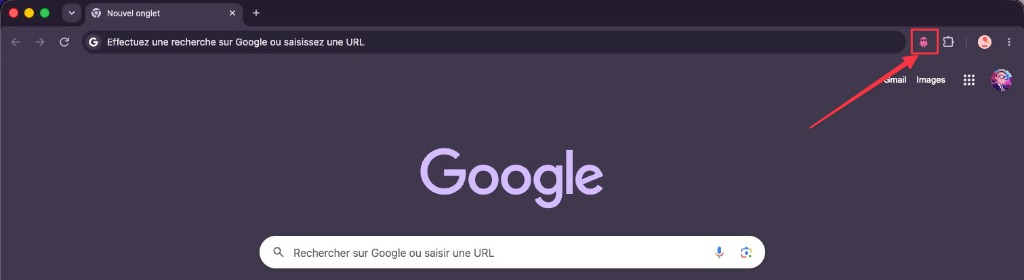
La mayoría de los SEOs tienen más de 10 extensiones instaladas. Search Toolbox las reemplaza todas.
⏱~2h por auditoría · 12 pestañas
💸Varias extensiones cuestan dinero
🐌Chrome ralentizado por tantas apps
⚡~5 min por auditoría · todo en un panel
🆓100% gratis, sin cuenta
🚀Chrome más rápido, menos extensiones
✦ La última extensión SEO que instalarás ✦
La mayoría de los bots no ven tu código. Nuestro agente analiza el DOM en vivo para dar soluciones con contexto.
Desde tu primera auditoría SEO hasta análisis a gran escala. Todas las herramientas que necesitas, siempre gratis.
62 funciones
Title, meta description, canonical URL, robots, viewport, charset — scored and flagged in real-time.
Character count badges with good/warn/bad thresholds (SEO-optimal ranges).
Detect self-referencing canonicals, cross-domain canonicals, and missing canonical tags.
Parse noindex, nofollow, noarchive, noimageindex, unavailable_after and all robot directives.
Visual H1–H6 tree. Detect missing H1, multiple H1s, and heading level skips.
Live OG image, title, description, and site name exactly as Facebook and LinkedIn see it.
Twitter summary_large_image and app card preview with real image rendering.
Preview link unfurls for WhatsApp and messaging apps using og: and twitter: tags.
Extract, expand, and validate all JSON-LD blocks with syntax highlighting.
Parse Microdata and RDFa structured data in addition to JSON-LD.
Property-level error flags — missing required fields, wrong data types, invalid URLs.
List all hreflang and x-default tags with language/region codes.
Verify that each alternate URL links back correctly (reciprocal hreflang).
Detect malformed language codes (en-gb vs en-GB, fr-fr vs fr-FR) and missing x-default.
www/non-www, HTTP/HTTPS, trailing slash, and case variants — consolidated into canonical.
Fetch and display the robots.txt with rule highlighting and crawl directive analysis.
Inspect the X-Robots-Tag HTTP response header — often overrides meta robots.
Confirm HTTPS protocol, detect mixed content warnings, and HTTP→HTTPS redirect presence.
Full hop-by-hop chain with status codes (301, 302, 307, 308…), response times, and loop detection.
Measure latency per hop to identify slow redirects that waste crawl budget.
Flag every image missing alt text — the #1 image SEO error on the web.
Detect oversized images being served at 1920px but rendered at 200px.
Identify JPEG/PNG images that should be converted to WebP or AVIF for speed.
Flag images larger than SEO-recommended thresholds (e.g. >200kb).
Download all images on the page as a single ZIP file.
Export a spreadsheet of all images: src, alt, dimensions, size, format.
Click any element on the page and inspect its computed CSS without opening DevTools.
View raw HTML source with syntax highlighting — compare with rendered DOM.
Before/after JavaScript execution diff to spot crawler-invisible content.
Capture a pixel-perfect screenshot of the visible viewport in one click.
Scroll-capture the entire page as a single PNG image — including content below the fold.
Every internal and external link: URL, anchor text, status code.
Highlight all rel="nofollow" links at a glance.
Detect rel="sponsored" and rel="ugc" link attributes.
Separate internal vs external links, identify outgoing followed links.
Export the full link list with all attributes as a CSV file.
Ctrl/Cmd+drag to collect links from the page into a clipboard list.
Select any text on page to copy or Google-search it instantly.
Simulate Google searches from 50+ countries without routing real traffic through a VPN.
Preview SERP and page from any device: Googlebot Mobile, iPhone, Android.
Pre-built site:, inurl:, intitle:, cache:, related: operators for instant power-user searches.
Detect pages that Google may be treating as duplicate content via search operators.
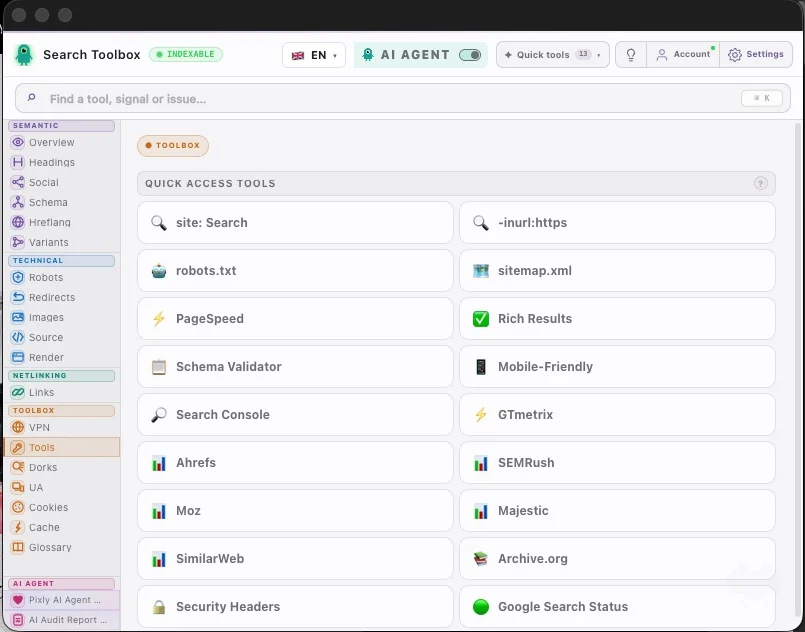
One-click PageSpeed Insights for the current URL.
Open Google Rich Results Test for the current URL in one click.
Jump to Ahrefs, SEMRush, Moz, Majestic, or SimilarWeb for the current domain instantly.
Full cookie manager: view values, edit, add new cookies, or nuke all at once.
Save and restore cookie sets — great for testing geo or consent variations.
Clear cache, cookies, localStorage, sessionStorage — by time range or all at once.
Googlebot Desktop, Googlebot Mobile, Bingbot, or any custom UA string.
Plain-language definitions for every SEO concept — no browser tab needed.
Scored audit across 8 categories (Indexability, On-Page, Technical, Schema, Social, Speed, Links, Images).
Export the full SEO audit as a professional PDF — client-ready in 10 seconds.
Open the report in a standalone tab to share with clients or teammates.
Disable JS with one click to see your page as crawlers see it during indexing.
View any page in an accurate phone/tablet frame without a real device.
Pick any color from the page. Returns HEX, RGB, and HSL values instantly.
Make the extension semi-transparent to view the page behind it.
Toggle between the light and dark UI theme at any time.
Full keyboard navigation — every tab accessible with a configurable shortcut.
Hide any tabs you don't use. Set your default landing tab. Stays across sessions.
Runs as a Chrome Side Panel — stays open while you browse, no popup needed.
30+ SEO actions available from the browser right-click menu — fully configurable.
Centro de recursos SEO
Empieza con la auditoría gratuita, profundiza en una señal técnica y aplica el flujo a tu stack. Cada página usa funciones y capturas reales.
herramientas SEO gratis
herramienta de auditoría SEO gratis
extensión Chrome SEO técnico
verificador de Schema
verificador de meta y canonical
verificador de HTML renderizado
verificador hreflang
verificador de cadenas de redirección
verificador de texto alternativo
HTML fuente vs DOM renderizado
detectar conflictos canonical
verificador meta robots y X-Robots-Tag
validar JSON-LD JavaScript
alternativa a Detailed SEO
alternativa a SEOquake
alternativa SEO a Lighthouse

auditoría SEO Shopify
auditoría SEO WordPress
auditoría SEO Wix
auditoría SEO Next.js React
auditoría SEO ecommerce internacional
60+ herramientas de análisis, auditorías, informes PDF — todo 100% gratis. La única parte de pago: el experto IA.
Facturación anual — Precio de lanzamiento, tiempo limitado
Swipe to compare plans


Sin tarjeta para herramientas gratis · Cancela Pro cuando quieras
Respuestas claras a las preguntas que más frenan la instalación.
Sí. La extensión incluye gratis 60+ herramientas SEO y GEO, auditorías on-page y exportación en PDF. Solo pagas si quieres el agente SEO con IA y sus recomendaciones contextuales.
Una IA genérica responde según lo que pegas. SearchToolbox lee el contexto real de la página en tu navegador: DOM live, meta tags, schema, redirecciones, hreflang, enlaces y más. Por eso sus respuestas están conectadas con la página que estás auditando de verdad.
SearchToolbox funciona en navegadores Chromium como Chrome, Edge, Brave y Arc.
Sí, incluso en localhost, staging, zonas privadas y páginas con login, porque analiza lo que ya tienes abierto en el navegador.
Sí. SearchToolbox está diseñado con una lógica local-first. Las auditorías principales se ejecutan en tu navegador y el contenido estándar de la página no se envía a servidores externos.
Las URLs, el DOM, los meta tags, los esquemas y el código fuente permanecen en tu dispositivo durante la auditoría estándar. La mayor parte del toolbox funciona sin depender de un backend para leer tu página.
Ningún dato de página almacenado · todo permanece en tu navegador
Sin tarjeta · Acceso inmediato